

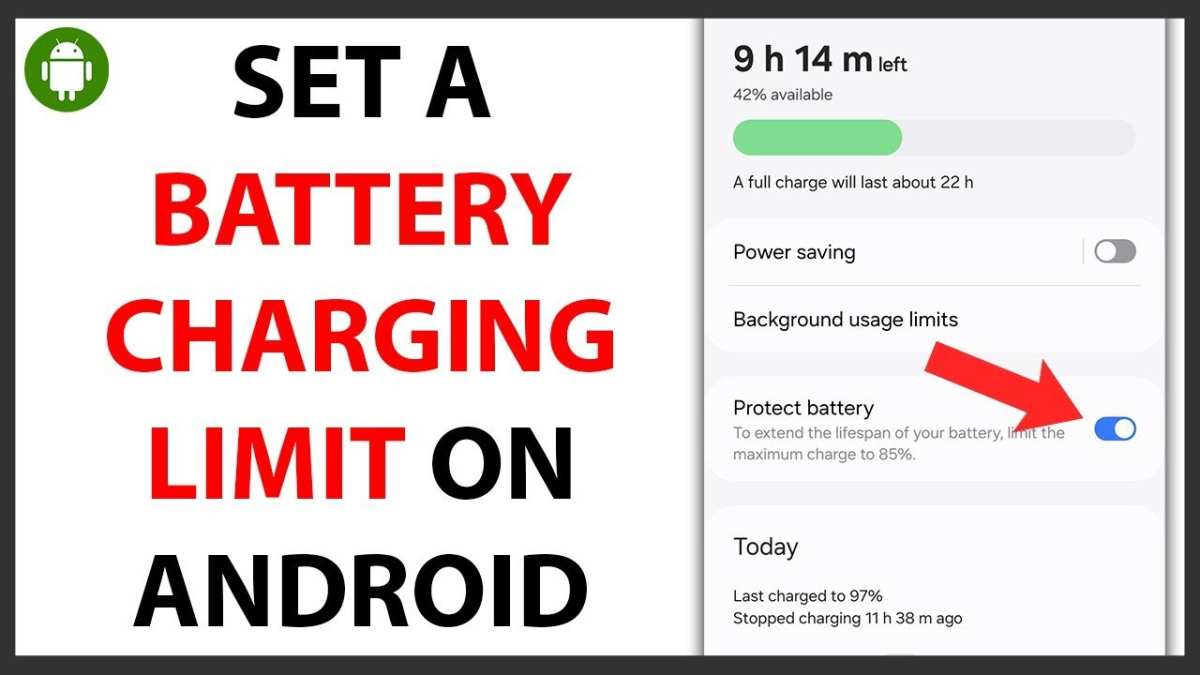
If you’re tired of your phone’s battery draining too quickly, the solution lies in managing its charge levels. **Using an android battery charge limit app can help extend your battery lifespan and improve performance.** These apps allow you to set maximum charge limits, preventing overcharging and reducing wear. Finding the right app is simple and can make a noticeable difference in your device’s battery health. Stay with us to explore how these tools work and how they can benefit your smartphone.

Understanding the Importance of the Android Battery Charge Limit App
Taking care of your Android device’s battery is crucial for ensuring it lasts longer and performs better over time. One effective way to do this is by using an Android battery charge limit app. These apps help you set specific limits on how much your phone charges, preventing overcharging and reducing battery wear. But what exactly do these apps do, how do they work, and why should you consider using one? Let’s explore these questions in detail.
What Is an Android Battery Charge Limit App?
An Android battery charge limit app is a special type of application that allows you to control the maximum amount your phone’s battery charges. Usually, phones are designed to charge up to 100%, but charging beyond a certain point can harm the battery over time. These apps let you set a specific charge limit, such as 80% or 90%, so your device stops charging once it reaches that point. This helps to keep the battery healthy longer and can improve the overall performance of your device.
Why Use a Battery Charge Limit App?
People often overlook how quickly battery health can decline. Over time, batteries lose their ability to hold a full charge, which can lead to shorter usage times and the need for costly replacements. Using a battery charge limit app provides several benefits:
- Extends Battery Lifespan: By avoiding overcharging, your battery experiences less stress and wears out more slowly.
- Improves Device Performance: A healthier battery helps your phone run smoothly and last longer each day.
- Reduces Heat Generation: Overcharging can cause your device to heat up, which can damage its internal components. Limiting charge reduces this risk.
- Saves Power for Longer Periods: With a healthier battery, your device maintains its charge better and lasts longer between charges.
How Do Android Battery Charge Limit Apps Work?
Most charge limit apps work by integrating with your device’s software or using specialized hardware features. They monitor your device’s charging status in real-time and interrupt the charging process once the pre-set limit is reached. Here are common methods these apps use:
Software-Based Charging Control
These apps rely on Android’s built-in features or root access to control charging behavior. Once configured, they automatically stop charging when the battery hits the desired percentage. Some popular apps include:
- AccuBattery
- Battery Charge Limit
- GSam Battery Monitor
Hardware-Integrated Solutions
Some devices come with manufacturer-specific features or hardware modifications that allow direct control over charging. For example, certain OnePlus or Samsung models enable users to set a maximum charge limit directly from system settings or via custom firmware.
Key Features to Look for in an Android Battery Charge Limit App
Not all apps are equal. When choosing a battery charge limit app, consider these essential features:
- Customizable Charge Limit: The app should let you set the maximum charge percentage according to your needs.
- Automatic Monitoring and Control: It needs to constantly monitor your battery’s charging state and stop charging at the right moment.
- User-Friendly Interface: An intuitive layout makes it easy to set your preferences without hassle.
- Compatibility with Your Device: Ensure the app works with your phone’s make and model.
- Battery Health Insights: Some apps offer detailed battery statistics, helping you understand your usage better.
Risks and Limitations of Using Charge Limit Apps
While these apps provide advantages, they also come with some risks and limitations to consider:
Rooting Your Device
Some apps may require rooting your Android device, which can void warranties and pose security risks. Always check app requirements before installation.
Compatibility Issues
Not all phones support third-party control over charging. Depending on your device’s firmware or hardware restrictions, you might encounter limited functionality.
Increased Complexity
Using these apps can add complexity to your device management. If not configured properly, they could interfere with normal charging or cause system instability.
Potential Safety Concerns
Improper use or faulty apps might result in improper charging management, which could lead to overheating or battery damage. Always choose reputable apps from trusted sources.
Best Practices for Using a Battery Charge Limit App
To get the most out of your battery charge limit app, follow these best practices:
- Set Reasonable Limits: Charging up to 80% or 90% balances battery longevity and daily usability.
- Charge in a Safe Environment: Avoid charging in high-temperature environments to prevent overheating.
- Monitor Battery Health Regularly: Use the app’s insights to track changes and adapt limits if needed.
- Update Your Apps and Firmware: Keep your apps and device software up-to-date for maximum compatibility and security.
- Use Quality Charging Cables and Adapters: Cheap or faulty chargers can damage your device regardless of charge limits.
Comparing Popular Android Battery Charge Limit Apps
Before choosing an app, it’s helpful to compare some of the most popular options:
| App Name | Features | Root Required | Compatibility | Notes |
|---|---|---|---|---|
| AccuBattery | Provides detailed battery usage info, allows setting charge limit | No | Most Android devices | Free with premium features |
| Battery Charge Limit | Simple interface, customizable limit, automatic control | Often requires root | Depends on device | Check device support first |
| GSam Battery Monitor | Battery health reports, app usage, can set alerts | No | Most devices | Focuses on monitoring rather than direct control |
Final Thoughts on Using an Android Battery Charge Limit App
Managing your device’s charging process with a dedicated app is an effective way to extend your battery’s life and maintain optimal performance. While some apps may need root access or specific hardware support, many reliable options are available that work touchlessly and help you set safe charge limits. Remember to always choose reputable apps, set realistic charge goals, and practice good battery habits. When used correctly, these apps can significantly improve the longevity of your Android device, saving you money and frustration in the long run.
Frequently Asked Questions
How can I set a specific battery charge limit using an Android app?
Many battery management apps allow you to set a desired maximum charge level. After installing a compatible app, open it and navigate to the charge limit feature. From there, you can set a specific percentage, such as 80%, and the app will notify or stop charging once that threshold is reached. Always ensure your device supports this feature, and follow the app’s instructions for proper setup.
Are there any risks associated with using apps to limit battery charge?
Using such apps generally poses minimal risks if you choose reputable ones with good user reviews. However, improperly configured apps might interfere with your device’s normal charging process or cause notifications to malfunction. It’s essential to follow the app instructions carefully and monitor your device’s behavior initially after setup to avoid potential issues.
Can setting a charge limit extend my battery’s lifespan?
Limiting your battery charge prevents overcharging, which can reduce battery wear over time. By maintaining the charge within recommended levels, usually between 20% and 80%, you help preserve the battery’s capacity and overall lifespan. Using an appropriate app makes it easier to enforce these limits consistently.
Does enabling a charge limit impact my device’s performance or usability?
Generally, setting a charge limit does not affect your device’s daily performance. The primary change involves stopping the device from charging beyond your set threshold, which might mean you’ll need to manually plug in your charger again when the battery drops below the limit. This practice can encourage healthier battery management without compromising device usability.
Are there built-in features in Android that support battery charge limits?
Recent Android versions and some device manufacturers include built-in battery health management features that allow users to set charge limits. Check your device settings under the Battery or Device Care sections to see if such options are available before opting to install third-party apps. These built-in options often provide a safer and more reliable way to manage battery health.
Final Thoughts
In conclusion, using an android battery charge limit app helps extend your device’s lifespan by preventing overcharging. It offers a simple way to set and monitor charging limits efficiently.
By installing such an app, you gain better control over your battery health and reduce wear over time. The android battery charge limit app provides an easy solution for maintaining optimal device performance.
