

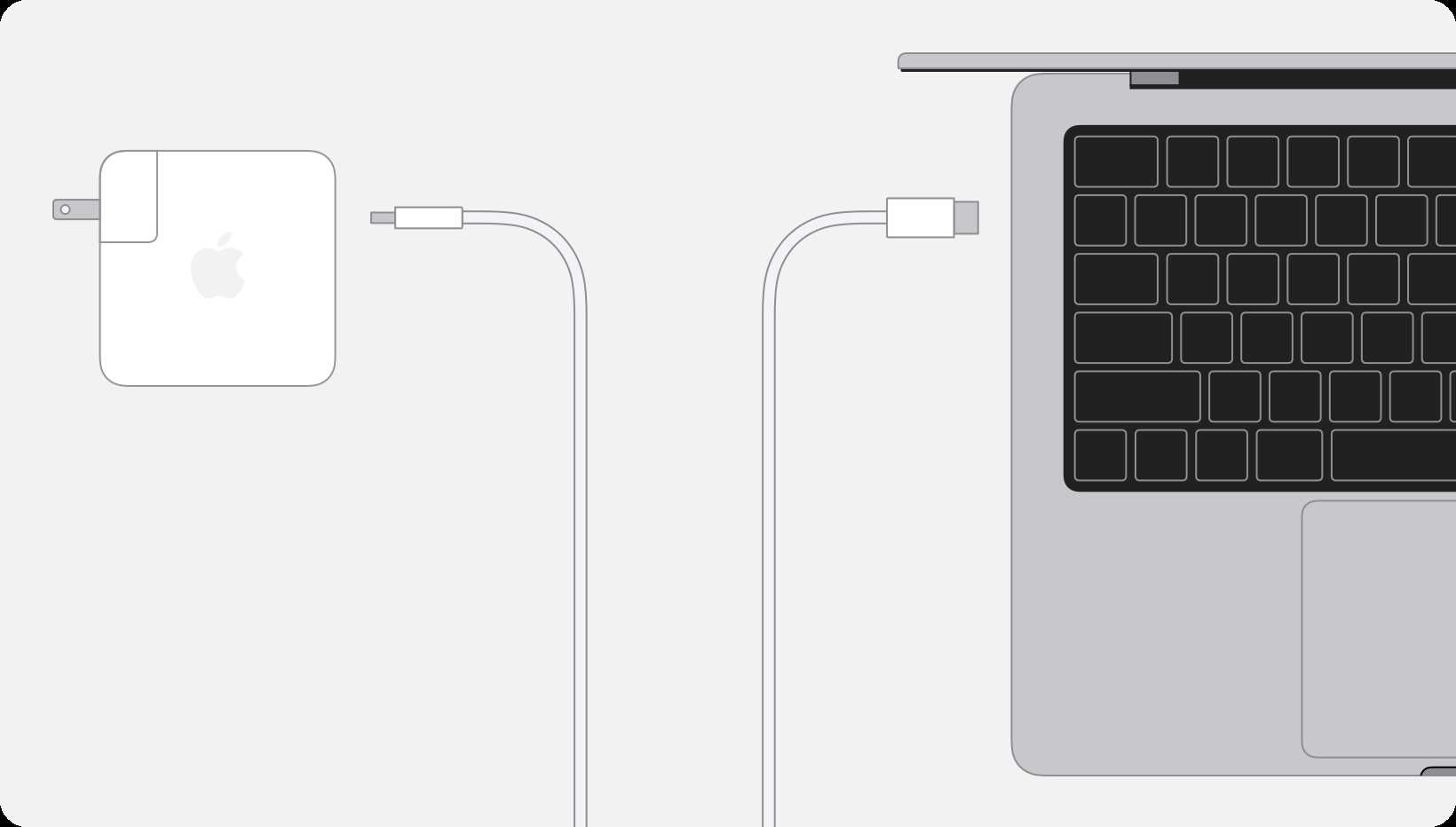
Yes, you can charge the MacBook Pro M3 using a USB-C cable. The MacBook Pro M3 is designed with a USB-C port that supports charging, making it convenient to power up your device with compatible USB-C chargers. Just ensure the charger meets the necessary power requirements for optimal charging speed and safety.
If you’re wondering whether your existing USB-C charger can power your MacBook Pro M3, the answer is yes, as long as it provides sufficient wattage. Typically, Apple recommends using a 67W or higher charger for fast, effective charging, but many third-party USB-C chargers with adequate power ratings should work as well.
Charging your MacBook Pro M3 with a USB-C cable is straightforward and flexible. It means you no longer need a specific Apple charger—any compatible, high-wattage USB-C power adapter can do the job. This not only simplifies your travel setup but also allows you to share chargers across devices, making your day-to-day more seamless. The key is to choose a quality charger that can deliver enough power, ensuring your MacBook charges efficiently without risking damage.

Can You Charge MacBook Pro M3 with USB C
Understanding USB C and Its Role in Charging
USB C is a versatile port used for charging, data transfer, and video output. It has become the standard for many devices, including the MacBook Pro M3. The port’s flexibility means it can handle different power levels depending on the device and charger used.
The main advantage of USB C is its ability to support **fast charging**. It allows more power to flow through the cable, reducing the time needed to charge your MacBook Pro M3. The compatibility depends on the charger’s wattage and the device’s power requirements.
Specifications of the MacBook Pro M3 Charging System
The MacBook Pro M3 is designed with specific charging requirements to ensure safety and optimal performance. Apple recommends a USB C Power Adapter with a minimum wattage for fast and effective charging.
For the MacBook Pro M3, the standard charger is often a **67W or 96W USB C power adapter**. These provide enough power to charge the device quickly while maintaining safety standards. Using a charger with lower wattage can still charge the MacBook, but it may take longer.
Can You Use Any USB C Charger to Charge Your MacBook Pro M3?
While many USB C chargers are compatible, not all are suitable for charging your MacBook Pro M3. Chargers must meet certain power and safety standards to prevent damage.
Some key points include:
- Wattage matters: Chargers with at least 30W can start charging but won’t be very fast.
- Quality and safety certifications: Look for chargers certified by reputable organizations, like UL or CE.
- Compatibility with Power Delivery (PD): Ensure the charger supports USB Power Delivery, which is necessary for high-speed charging.
Using the wrong charger may result in slow charging, or worse, damage to your MacBook or charger.
Apple’s Official Chargers and Compatibility
Apple provides official USB C chargers optimized for MacBook Pro M3. These chargers support fast charging and are built to meet safety standards.
The official chargers are designed to work seamlessly with the MacBook Pro M3, providing **quick, reliable, and safe charging**. They ensure the device receives the correct voltage and current levels for optimal performance.
Third-Party Chargers and Their Effectiveness
Many third-party brands now produce compatible USB C chargers. Some offer high wattage and fast charging features at a lower price.
However, not all third-party chargers are reliable. It’s important to verify:
- Wattage: Look for chargers offering 60W or higher for effective charging.
- Safety features: Ensure the charger supports over-voltage and short-circuit protection.
- Reviews and certifications: Always check customer feedback and safety certifications to confirm quality.
Choosing a reputable brand helps prevent potential damage to your MacBook Pro M3.
How to Check if Your Charger Supports Fast Charging
Not all USB C chargers are equal in power output. To verify if your charger supports fast charging for MacBook Pro M3, follow these steps:
- Inspect the charger’s wattage printed on the label.
- Ensure it supports USB Power Delivery (PD) standard.
- Check for compatibility with your MacBook using the manufacturer’s guidelines.
If the charger provides **at least 60W or higher**, it can support fast charging for your MacBook Pro M3 effectively.
Using Non-Original Chargers: Pros and Cons
Many users consider third-party or generic chargers due to cost or availability. They can be convenient but come with risks.
Pros include:
- Lower cost compared to Apple’s official chargers.
- Wide availability and variety of options.
Cons include:
- Potential for slower charging if wattage is low.
- Risk of damaging the device if the charger lacks proper safety features.
- Possible issues with warranty coverage if damage occurs.
Always research thoroughly before using non-Apple chargers.
Charging Your MacBook Pro M3 Safely and Effectively
To ensure safe and efficient charging:
- Use chargers that meet or exceed the wattage recommended by Apple.
- Use quality cables that support Power Delivery and high current flow.
- Avoid cheap, uncertified chargers to prevent potential damage.
- Keep your device and charger in a cool, dry place to prevent overheating.
Monitoring the charging process can help identify issues early, such as overheating or slow charging.
Related Topics: Tips for Optimizing Charging
Optimizing your MacBook Pro M3’s charging habits can prolong battery health. Some tips include:
- Unplugging the device once it’s fully charged to prevent overcharging.
- Keeping the battery between 20% and 80% for daily use.
- Using the original or certified chargers specifically designed for MacBooks.
- Avoiding frequent use of high-wattage chargers if your usage doesn’t require fast charging.
These practices maintain battery longevity and keep your MacBook performing at its best.
Summary of Important Data and Compatibility
| Charger Wattage | Compatibility with MacBook Pro M3 | Fast Charging Support | Safety Certifications |
|—————–|———————————-|————————|———————-|
| 30W | Limited, slow charging | No | Varies |
| 60W | Compatible, decent speed | Yes | Required |
| 96W | Optimal, fast charging | Yes | Recommended |
Using a charger that meets or exceeds the 60W threshold is crucial for fast and safe charging of the MacBook Pro M3.
Final Tips for Charging Your MacBook Pro M3 with USB C
Always prioritize using high-quality, certified chargers that match the power requirements of your device. Remember that while lower wattage chargers can charge your MacBook, they may do so slowly.
Avoid using damaged or uncertified cables and chargers to prevent hazards or damage. Proper charging habits will keep your MacBook Pro M3 in top shape and ensure your device charges quickly and safely using USB C.
Forgot your charger? Magsafe charging tip! #macbook #macbookpro #usbC #apple
Frequently Asked Questions
Can I use any USB-C charger to power my MacBook Pro M3?
While many USB-C chargers can technically power the MacBook Pro M3, it’s best to use a charger that provides sufficient wattage and meets Apple’s specifications. Using a charger with at least 67W or higher ensures the laptop charges efficiently without risking damage or slower charging speeds.
Does charging my MacBook Pro M3 via USB-C affect its battery health over time?
Charging your MacBook Pro M3 with a compatible USB-C charger does not negatively impact the battery’s longevity when used properly. Apple’s devices are designed to manage charging intelligently, preventing overcharging or overheating. However, consistently using high-quality chargers and avoiding extreme temperatures helps maintain optimal battery health.
Can I fast charge my MacBook Pro M3 with a standard USB-C cable?
Fast charging depends on both the charger and the cable’s capabilities. To achieve optimal fast charging speeds, use a USB-C power adapter that supports higher wattage and a cable rated for fast charging. Not all USB-C cables support high wattage, so selecting a certified cable ensures safe and quick charging.
Is it safe to leave my MacBook Pro M3 connected to a USB-C charger for extended periods?
Yes, it is safe to keep your MacBook Pro M3 connected to a USB-C charger for long durations. Apple laptops include built-in battery management systems that prevent overcharging. However, it’s best to avoid extreme temperatures and unplug the charger when you don’t need to conserve energy or reduce wear on the battery.
Will using a third-party USB-C charger harm my MacBook Pro M3?
Using reputable third-party USB-C chargers that meet USB Power Delivery standards typically does not harm your MacBook Pro M3. Always choose certified chargers from trusted brands to ensure compatibility and safety. Avoid cheap or uncertified chargers, as they may deliver inconsistent power or damage your device over time.
Final Thoughts
Charging the MacBook Pro M3 with USB-C is straightforward, provided you use a compatible charger. Many USB-C chargers can deliver sufficient power, but always check the wattage to ensure it meets the MacBook’s requirements.
You can use a standard USB-C cable, but opting for a high-quality, certified cable guarantees safe and efficient charging. The MacBook Pro M3’s charging port is designed to handle power delivery through USB-C.
In conclusion, yes, you can charge MacBook Pro M3 with USB C, as long as the charger supplies adequate wattage and the cable is compatible. This convenience simplifies your setup and keeps your workspace tidy.
