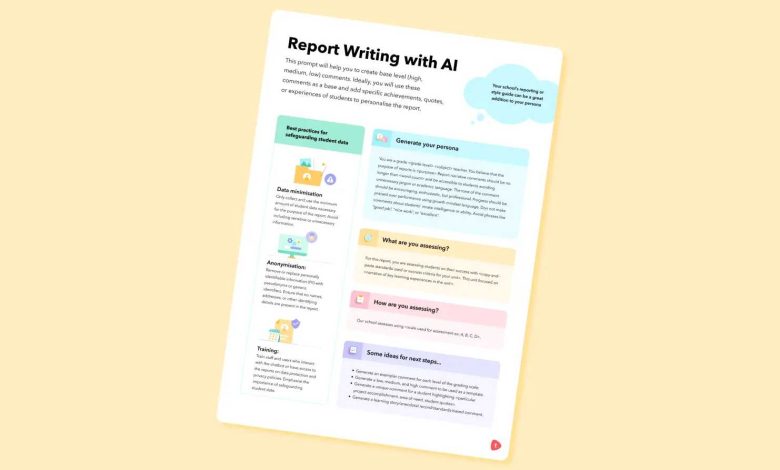
Want quick, honest feedback on your writing? Just paste your draft into Chat GPT, and it will review your work, highlight strengths and suggest improvements in real-time. This method offers a fast and accessible way to refine your writing without waiting for others to review your work. Whether you’re working on an essay, a story, or a report, Chat GPT can act as a helpful virtual editor, giving you instant insights and helpful suggestions.
To get writing feedback by pasting your draft into Chat GPT, simply input your text and ask specific questions like “Can you improve this paragraph?” or “What are the weak spots in my writing?” This way, the AI can provide targeted, constructive feedback, helping you enhance your skills efficiently.
If you want to improve your writing quickly, pasting your draft into Chat GPT is a simple yet effective method. It offers instant feedback, making the editing process faster and more interactive. Just share your work, ask for specific advice, and watch your writing improve with each iteration.

How to Get Writing Feedback by Pasting Your Draft in Chat GPT
Sharing your writing and getting helpful feedback can feel challenging. Using Chat GPT makes this process simple and quick. This guide will walk you through every step to make the most of Chat GPT for improving your writing.
Understanding the Power of Chat GPT for Writing Feedback
Chat GPT is an AI tool designed to help with many tasks, including editing and critiquing writing. It analyzes your text and offers suggestions to improve clarity, grammar, spelling, and style. Knowing how to ask for proper feedback helps you get the most valuable advice from Chat GPT.
Why Use Chat GPT for Feedback Instead of Other Methods?
Chat GPT is fast and accessible. It offers instant suggestions without needing another person to review your work. Plus, it can provide detailed explanations to help you understand your mistakes. This makes it an excellent option for writers who want quick, constructive input.
Step-by-Step Guide to Pasting Your Draft in Chat GPT for Feedback
Preparing Your Draft Before Pasting
- Check that your draft is complete and ready for review.
- Break long texts into smaller sections if needed to avoid overwhelming the AI.
- Remove any personal information or sensitive data for privacy reasons.
How to Paste Your Draft Correctly
Open Chat GPT on your device and start a new chat. Copy your writing from your document or app. Paste it into the chat window, making sure the entire text is included. It helps to include clear instructions for feedback in your message.
Crafting Effective Prompts for Feedback
To get quality advice, ask specific questions. For example, say, “Can you review my story and suggest how to make my characters more interesting?” or “Please check for grammar errors and readability in this paragraph.” Clear prompts direct the AI to provide targeted feedback.
Types of Feedback You Can Expect from Chat GPT
Grammar and Spelling Corrections
Chat GPT can identify mistakes and suggest correct versions. It helps make your writing error-free and professional-looking.
Style and Tone Suggestions
The AI can recommend ways to make your writing sound more natural, friendly, or formal—depending on your goal.
Structure and Organization Tips
If your draft feels disorganized, Chat GPT can advise on paragraph order, sentence flow, and coherence.
Best Practices for Using Chat GPT to Improve Your Writing
Be Specific with Your Requests
The clearer your instructions, the better the feedback. If you want help with punctuation, mention that. If you need a story review, specify the focus areas.
Follow Up with Clarifying Questions
If a suggestion isn’t clear, ask Chat GPT to explain further. This way, you understand the advice and learn how to apply it.
Use Multiple Rounds of Feedback
After revising your draft, paste it again to see additional suggestions. This iterative process helps you refine your work step by step.
Integrating Feedback into Your Writing Process
Review Suggestions Carefully
Read all feedback and decide what works best for your style and goals. Not every suggestion may suit your voice.
Make Revisions Thoughtfully
Apply changes gradually, and check if the revisions improve clarity and flow. Keep a copy of your original draft for comparison.
Ask for Clarification When Needed
If a suggestion seems confusing, ask Chat GPT for an example or explanation to understand fully before making changes.
Limitations and Tips for Maximizing Chat GPT Feedback
Be Aware of AI’s Boundaries
Chat GPT is helpful but not perfect. It may miss context or nuance, so use your judgment when accepting suggestions.
Combine AI Feedback with Human Review
For important projects, have a teacher, editor, or peer review your work in addition to Chat GPT’s suggestions for well-rounded feedback.
Use Feedback to Build Your Skills
Pay attention to recurring errors or style issues. Practice fixing these areas to become a better writer over time.
Additional Tools to Complement Chat GPT Feedback
| Tool | Purpose | Benefits |
|---|---|---|
| Grammarly | Grammar and spelling checking | Advanced grammar corrections, style suggestions |
| Hemingway Editor | Readability improvement | Highlights complex sentences, passive voice |
| ProWritingAid | Comprehensive editing | In-depth analysis of style, structure, and grammar |
Using Chat GPT to get feedback on your writing offers a simple way to enhance your skills quickly. With clear prompts and thoughtful revisions, you can make your drafts clearer, more engaging, and error-free. Remember to combine AI feedback with other resources for the best results. Over time, practicing this process will help you become a more confident writer who can craft polished, compelling texts.
how to bypass ai detection chatgpt (AI plagiarism)#shorts
Frequently Asked Questions
What is the best way to prepare my draft before pasting it into Chat GPT for feedback?
Before submitting your draft, review it for clarity, coherence, and grammatical errors. Removing unnecessary repetitions and formatting it cleanly helps Chat GPT provide more accurate and useful suggestions. Break long paragraphs into manageable chunks to make it easier for the AI to analyze your work effectively.
How can I specify the kind of feedback I want from Chat GPT?
To receive targeted feedback, clearly state your expectations when pasting your draft. For example, ask Chat GPT to focus on improving sentence structure, checking for consistency in tone, or enhancing vocabulary. Providing specific instructions guides the AI to deliver more relevant and tailored suggestions.
What should I do if I want suggestions for improving my overall writing style?
When seeking style improvement, include a brief description of your preferred tone or voice. Ask Chat GPT to suggest ways to make your writing more engaging, concise, or formal, depending on your goals. Highlight sections where you feel the style could be improved, and request suggestions accordingly.
Can Chat GPT help me identify and fix factual inaccuracies in my draft?
While Chat GPT can highlight potential inconsistencies or unclear statements, it is not equipped to verify factual information. Use it as a tool to improve clarity and logical flow, but verify all facts with credible sources to ensure accuracy. Combining AI feedback with fact-checking enhances your overall writing quality.
How frequently should I seek feedback from Chat GPT during my writing process?
Integrate feedback sessions at various stages of your writing. After completing a draft, get initial suggestions, then revise accordingly. Repeat the process with subsequent drafts to refine your work continuously. Regularly consulting Chat GPT helps catch issues early and improves the overall quality of your writing.
Final Thoughts
Getting writing feedback is simple with Chat GPT. Paste your draft into the chat window and ask for specific suggestions or general review. This approach saves time and provides quick insights.
Remember, asking clear questions yields better results. How to get writing feedback by pasting your draft in Chat GPT allows you to refine and improve your work efficiently.


