

If your AirPods have accidentally fallen into the washing machine, don’t panic—quick action can still save them. Immediately removing them from the wash and drying them thoroughly is crucial. You should also let them dry completely before attempting to use them again to prevent damage.
If your AirPods ended up in your laundry, the first step is to take them out right away and dry them off gently. Remove the ear tips and charging case, wipe off excess water, and let everything air dry for at least 24 hours. Using silica gel packs or placing them near a fan can help speed up the drying process. Acting quickly and giving your AirPods ample time to dry is essential to avoid permanent damage. Remember, water and electronics don’t mix well, so patience is key before trying to turn them back on or reconnecting.

What to Do if AirPods in Washing Machine
Initial Steps: Act Quickly and Stay Calm
If you realize your AirPods fell into the washing machine, don’t panic. The faster you act, the better chance you have to minimize water damage. Immediately stop the washing cycle to prevent further immersion or spinning that could worsen the damage. Remove the AirPods from the machine as quickly as possible to reduce water exposure.
Remove and Inspect the AirPods
Carefully take out the AirPods and their case if applicable. Check for obvious signs of water or watermarks. Do not attempt to turn them on or use them right away, as powering on wet devices can cause serious internal damage. Handle them gently to avoid pushing water further inside.
Dry the Exterior Thoroughly
Use a soft, lint-free cloth to wipe down the exterior of your AirPods and charging case. Gently pat and dab away any visible water. Avoid using heat sources like a hairdryer, as high heat can damage sensitive electronic parts.
Remove Excess Water
Pat the AirPods with a dry cloth to absorb as much water as possible. If the AirPods are in their case, open the case and gently shake out any remaining water. Do not insert any foreign objects or paper towels into the AirPods or case, as they can push water further inside or cause damage.
Use Silica Gel or Desiccants
Fill a sealable plastic bag with silica gel packets—these are the small packets often found in shoe boxes or electronics packaging. Place the AirPods and their case into the bag, making sure they are fully surrounded by silica gel. Seal the bag tightly to create a moisture-absorbing environment. This method is highly effective in drawing out internal water.
Alternative Drying Methods
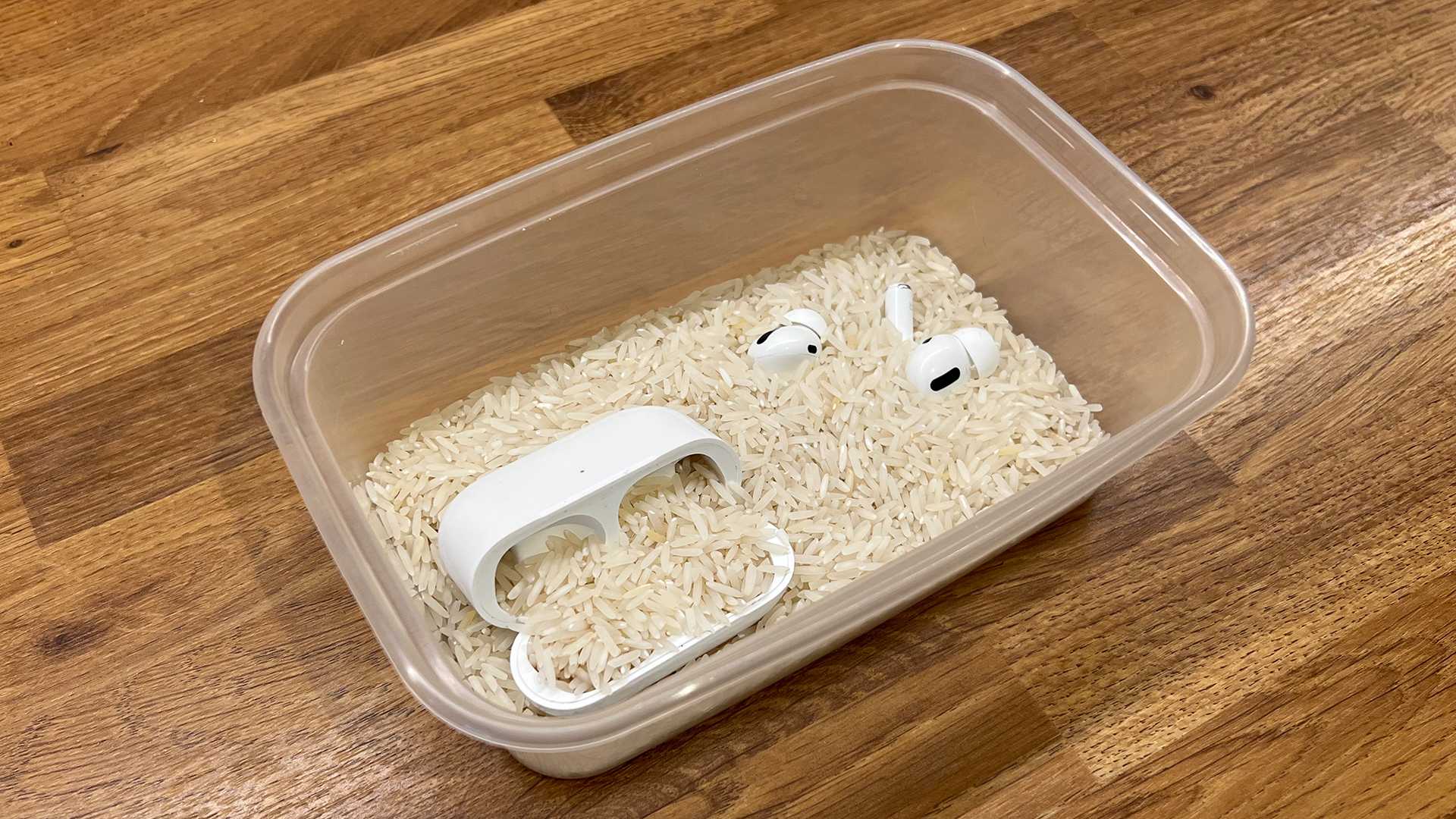
If silica gel is not available, you can use uncooked rice as an alternative. Bury the AirPods and case in a bowl of rice, making sure they are completely covered. Rice can help absorb moisture, but silica gel is preferable because it’s more effective and less messy. Leave the devices in the drying medium for at least 24 to 48 hours.
Avoid Using Heat or Blowing Air
Never use a hairdryer, oven, or any direct heat source on your Wet AirPods. Excess heat can warp or melt internal components. Similarly, do not blow air into the device, as this can push water further inside. Patience is key when drying electronic devices.
Check for Functionality Before Powering On
After waiting at least 24 hours, inspect your AirPods carefully. Make sure they are completely dry, especially the charging contacts. Try to connect the AirPods to your device and see if they function properly. If they don’t work, avoid trying to turn them on repeatedly, which could cause further damage.
Professional Repair and Replacement Options
If your AirPods do not work after drying, contact Apple Support or a certified repair center for assistance. Water damage is often not covered by warranty, but professional repair may be able to salvage or replace damaged parts. Consider whether it’s more cost-effective to replace them if the damage is extensive.
Prevent Future Water Damage
Taking precautions can help avoid similar accidents. Keep AirPods and other electronic devices away from washing machines, sinks, and other water sources. Use protective cases or covers designed for water resistance if you frequently carry your AirPods outdoors or in environments where they might get wet.
Additional Tips for Water-Damaged Electronic Devices
Remember that water damage isn’t limited to AirPods. When dealing with any electronic device after water exposure:
- Power off immediately to prevent short circuits.
- Remove any removable parts if possible.
- Use desiccants or silica gel for drying.
- Wait patiently before attempting to turn on or charge the device again.
Signs of Successful Drying and Functionality
Your AirPods might show signs of drying when they feel dry to the touch and the charging case no longer has any visible moisture. When reconnecting, listen for clear audio and check if both AirPods are recognized by your device. Small indicators like blinking lights can also provide clues about their status.
Long-Term Care and Maintenance
Proper maintenance extends the lifespan of your AirPods. Clean them regularly with a soft, damp cloth, and avoid exposing them to liquids. Store them in a dry place, especially after accidental water contact, and consider investing in waterproof covers or cases for added protection.
Related Topics and Considerations
In addition to water damage, other factors can affect your AirPods’ performance. Dust, dirt, and earwax can interfere with sound quality, so clean them regularly. Battery life deterioration over time is common, so monitor their charging habits and replace the batteries if needed.
Summary of Key Actions
To sum up:
- Act swiftly to remove and dry your AirPods.
- Use silica gel or rice to absorb moisture.
- Avoid heat and repeated power cycling.
- Seek professional help if needed.
- Prevent future accidents with protective measures.
Taking these steps increases your chances of saving your AirPods after they have been washed. Remember, patience is vital, and acting quickly can make a difference. Regular maintenance and precautions will help you avoid similar accidents in the future, keeping your devices safe and functioning well.
Washed Airpods In Washing Machine!? 😱 [FIX]
Frequently Asked Questions
How can I determine if my AirPods are still functional after being in the washing machine?
Check if your AirPods turn on or connect to your device after drying. Play audio to see if they produce sound clearly. If they don’t respond, try resetting them and test again. If issues persist, visiting an authorized service provider might be necessary.
What is the first step I should take immediately after discovering my AirPods in the washing machine?
Remove the AirPods from the machine immediately and turn off any connected devices. Gently wipe off excess water with a dry cloth. Do not attempt to plug them in or charge until they are completely dry to prevent further damage.
Are there specific drying techniques I should follow to save my AirPods?
Yes, allow your AirPods to air dry in a warm, well-ventilated area. Avoid using heat sources like a hairdryer, which can cause additional damage. Placing them in a bowl of uncooked rice or silica gel packets can help absorb residual moisture, but ensure they are sealed properly to prevent dust from entering.
Should I consider professional repair or replacement after accidental water exposure?
If your AirPods do not work properly after drying, consulting an authorized repair center is advisable. They can diagnose internal damage and suggest whether repairs are feasible. In cases of severe water damage, replacing the devices might be the best option.
Final Thoughts
If your AirPods end up in the washing machine, act quickly. First, remove them from the water immediately to prevent further damage.
Dry them gently with a soft cloth and avoid using heat sources like a hairdryer. Let them air dry for at least 24-48 hours.
If your Airpods in washing machine, check their functionality after drying. If they don’t work properly, consider contacting Apple support for repair options.
