

If your AirPods have taken an unexpected plunge into the wash, don’t panic! The key is to act quickly and carefully to minimize damage. First, dry them thoroughly, avoid using heat, and then try to reset and test your AirPods to see if they still work. In most cases, with prompt and proper care, you might be able to save them from permanent harm.
If your AirPods go through the wash, remove them immediately, dry them gently, and leave them to air dry completely before attempting to turn them on. Remember, trying to power them on or charge them before they’re fully dry can cause further damage. Acting swiftly and cautiously is your best shot at rescuing your favorite earbuds.
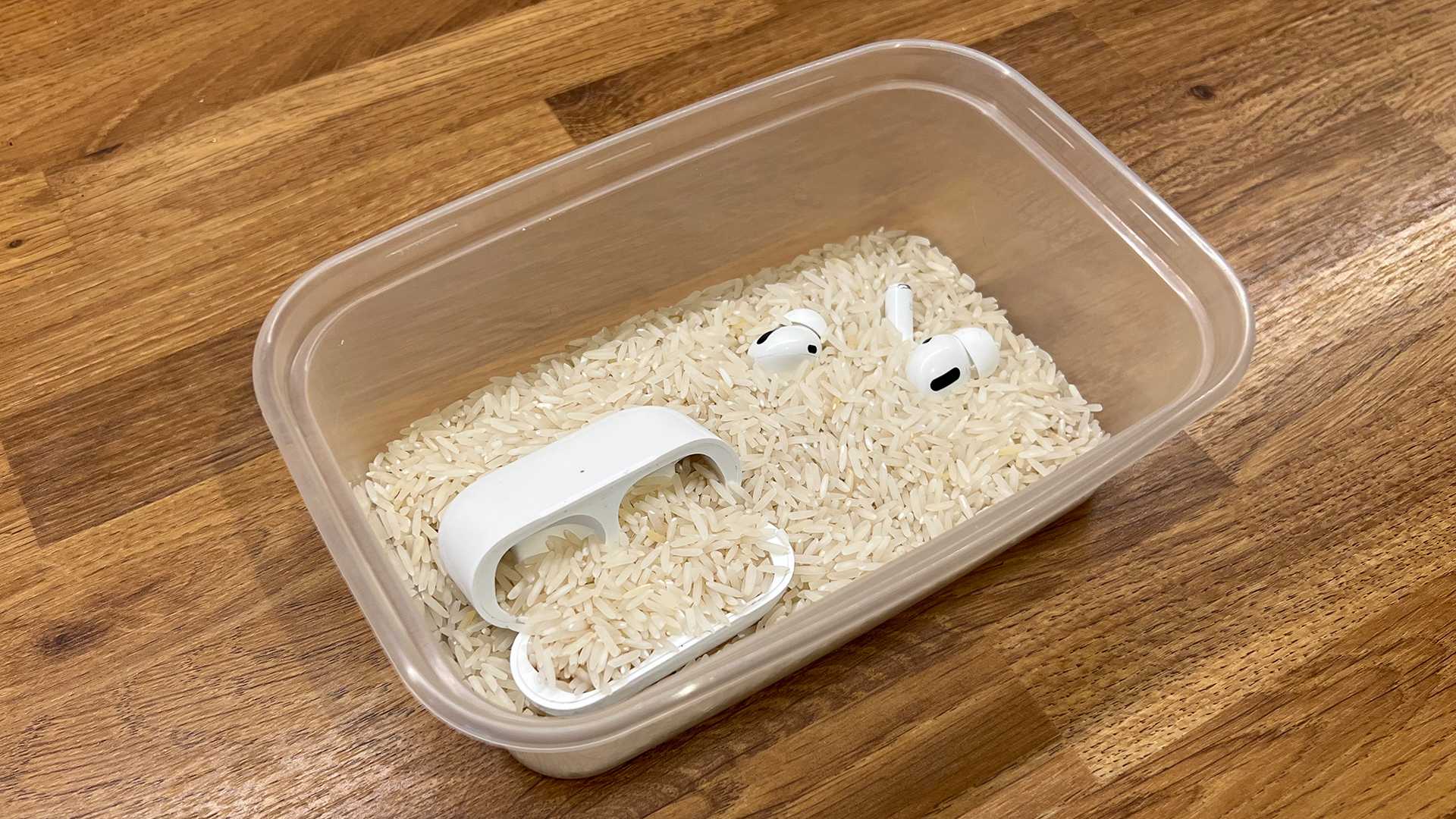
Getting your AirPods wet can be nerve-wracking, especially when they’ve been through the washing machine. Water and electronics are never a good mix, but don’t despair! The first step is to take them out as quickly as possible to reduce water penetration. Avoid using a hairdryer or applying heat, which could damage delicate components. Instead, gently wipe off excess water with a soft cloth and leave them to air dry in a warm, dry place. If you’re comfortable, you can also try placing them in a container of dry, uncooked rice or silica gel packets overnight to absorb remaining moisture. Once completely dry, test them carefully—if they turn on and connect, you might be in luck. Just remember, the faster you act, the better your chances of saving your earbuds!

What to Do if AirPods Go Through the Wash
Understanding the Damage
If your AirPods accidentally go through the wash, the first step is to assess the damage. Water can cause corrosion, battery failure, and internal component damage. Recognizing the signs of water damage helps determine the best cleaning and drying methods.
Immediate Steps to Take
Once you realize your AirPods have been washed, act quickly. Remove them from the water as soon as possible to minimize water absorption. Turn off any connected devices to prevent electrical issues.
Remove AirPods from Water
Take the AirPods out of the washing machine or pocket without delay. Gently wipe off excess water with a soft, lint-free cloth. Avoid using heat or hair dryers, as high heat can worsen internal damage.
Disconnect from Devices
Unpair your AirPods from any connected iPhone, iPad, or Mac. This helps prevent potential electrical shorts and makes the drying process more effective.
Drying Your AirPods
Proper drying is critical after water exposure. Follow these steps to maximize your chances of saving your AirPods.
Use a Clean, Absorbent Cloth
Pat the AirPods carefully with a dry cloth to remove surface moisture. Avoid pressing too hard, which might force water further inside.
Air Dry in a Dry Environment
Place your AirPods in a well-ventilated area at room temperature. Ensure they’re in a consistent, dry space away from direct sunlight or heat sources.
Silica Gel or Desiccants
If available, place your AirPods in a container with silica gel packets. These absorb moisture more effectively than rice and help dry internal components faster.
How Long Should You Wait?
Allow at least 24 to 48 hours for drying time. For better results, consider waiting up to 72 hours before attempting to turn them on again.
Additional Drying Methods
Some people suggest alternative techniques to aid the drying process, but always proceed with caution.
Using a Fan or Air Compressor
Gently blow air around the AirPods to help dislodge water. However, avoid using compressed air directly on the device to prevent pushing water further inside.
Avoid Heat Sources
Never use a hair dryer, oven, or microwave. Excess heat can cause further damage to delicate internal parts.
Cleaning Internal Components
If your AirPods don’t work after drying, cleaning might be necessary. Be cautious and gentle.
Cleaning Tips
Use a small amount of isopropyl alcohol on a cotton swab to clean the connectors and contacts gently. Avoid applying any liquids directly to the internal parts.
Professional Repair Services
If your AirPods still don’t work properly, seek help from authorized service providers. They have specialized tools to inspect and repair water-damaged electronics.
Testing Your AirPods
Before using your AirPods again, check if they function correctly.
Pair with a Device
Reconnect your AirPods to your device and test audio playback, microphone activity, and charging case responsiveness.
Monitor for Issues
Pay attention to battery life, sound quality, and connection stability. If problems persist, professional repair might be necessary.
Preventive Measures for the Future
To avoid similar incidents, consider protective accessories and safety habits.
Use Waterproof Cases
Invest in waterproof or water-resistant cases designed for AirPods or similar devices. This adds a layer of protection during outdoor activities.
Keep AirPods Separate from Water Sources
Be mindful of where you keep your AirPods, especially near pools, sinks, or washing machines.
Regular Maintenance
Clean your AirPods periodically with dry cloths and check for any damage or loose parts.
Related Topics
- How to Clean Water-Damaged Electronics
- Waterproof Technology in AirPods and Other Devices
- Best Protective Accessories for Wireless Earbuds
- Signs Your Electronics Are Water Damaged
Summary
Handling water exposure promptly is key to saving your AirPods. Removing them from water, drying thoroughly, and avoiding heat are crucial steps. If your AirPods still don’t work after drying, professional repair might be the best option. Always take preventive measures to protect your devices from water damage in the future. Following these tips can help extend the life of your AirPods and keep them functioning properly.
Washed Airpods In Washing Machine!? 😱 [FIX]
Frequently Asked Questions
How can I dry my AirPods after they get wet in the wash?
After removing your AirPods from the wash, gently wipe them with a dry, lint-free cloth. Place them in a well-ventilated area and avoid using a hairdryer or direct heat. You can also leave them in a bowl of uncooked rice or silica gel packets for several hours to absorb moisture. Ensure that all charging cases and components are completely dry before attempting to use or connect them again.
Should I use any cleaning solutions on my AirPods after they get wet?
It is best to avoid using cleaning solutions or liquids directly on your AirPods. Instead, lightly dampen a soft cloth with water or isopropyl alcohol and wipe the surfaces cautiously. Never submerge the devices in liquids or allow moisture to enter the openings. Proper drying and gentle cleaning can help remove residue and prevent further damage.
Is it safe to turn on or charge my AirPods immediately after they dry?
No, do not turn on or charge your AirPods until you are confident they are thoroughly dry. Charging or powering on wet devices can cause short circuits and damage. Wait at least 24 to 48 hours, and check for any remaining moisture before reconnecting or charging your AirPods. If you notice any residual dampness, extend the drying period.
What signs indicate my AirPods might still be damaged after going through the wash?
If your AirPods do not turn on, produce distorted sound, or do not connect to your device after drying, they may have sustained internal damage. Additionally, if you notice corrosion or a lingering foul smell, these could indicate deeper issues. In such cases, consider visiting an authorized service provider for professional assessment and repairs.
Can I prevent damage if my AirPods accidentally go through the wash?
While accidents happen, acting quickly can minimize damage. Remove your AirPods immediately, avoid turning them on, and dry them thoroughly. Prevent water contact by keeping your charging case and AirPods away from pockets or bags where they can be exposed to water. Using waterproof covers or cases can also offer extra protection during outdoor or active use.
Final Thoughts
If your airpods go through the wash, act quickly to prevent damage. Remove them from the water immediately and dry with a soft cloth. Avoid using a hairdryer, which might push moisture further inside.
Next, leave them to dry in a warm, well-ventilated area for at least 24 hours. Do not insert them back into your ears until you are sure they are completely dry.
In conclusion, if airpods go through the wash, follow these steps promptly to minimize harm and increase the chances of restoring their functionality.
