

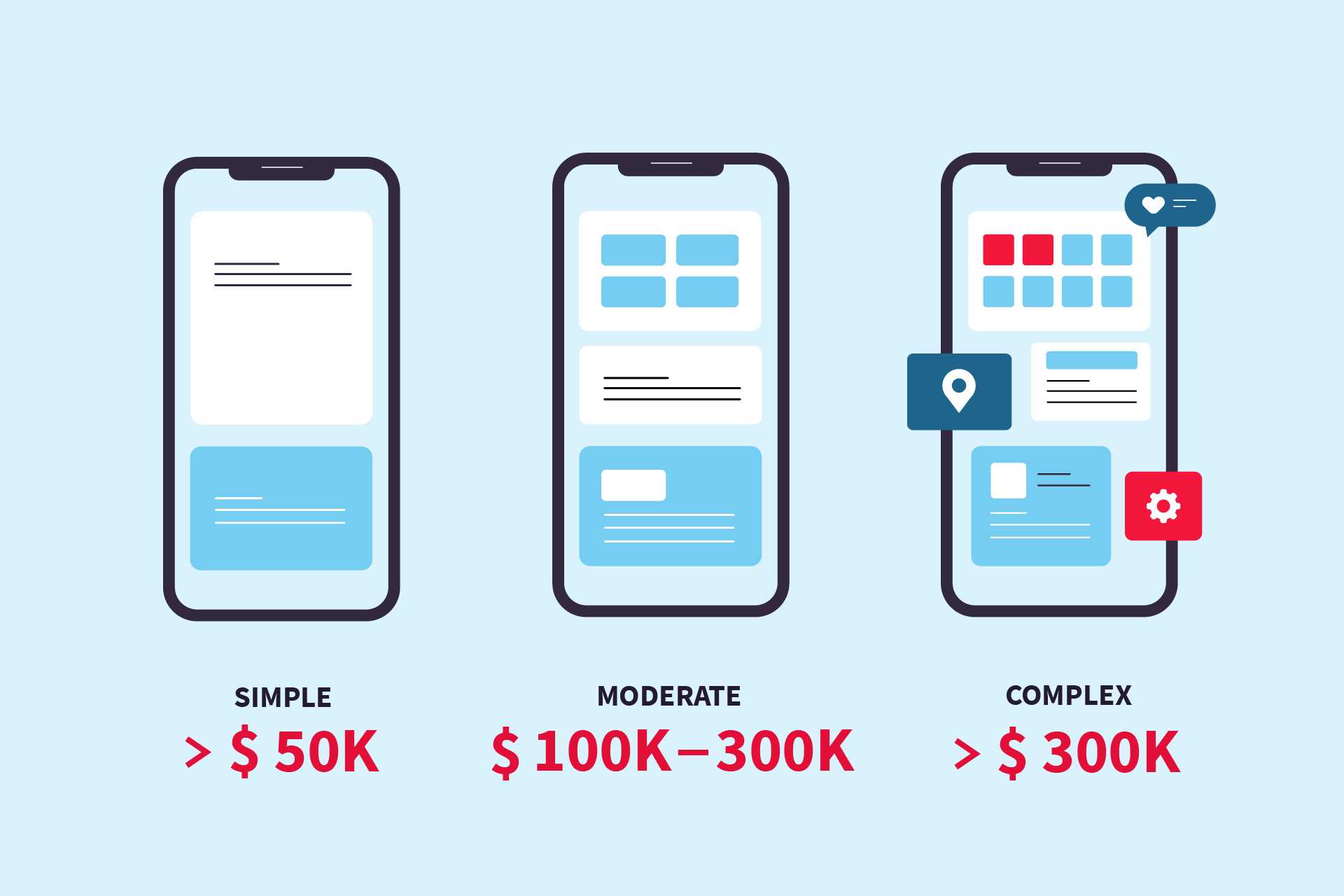
Creating an Android app can range from a few thousand dollars to several hundred thousand, depending on complexity and features. If you’re wondering about the cost to develop an Android app, the answer varies widely based on factors like design, functionality, and development team rates. On average, a simple app might cost around $10,000 to $50,000, while more sophisticated applications with custom features could go beyond $100,000. Here’s the key: understanding your app’s scope and choosing the right development approach can help you manage costs effectively.
In this article, we’ll explore the main factors influencing Android app development costs, including design, features, and team choices. Whether you’re a startup or an established business, knowing what to expect helps you plan your budget and make smarter decisions for your project.

How Much Does It Cost to Make an Android App?
Creating an Android app can vary greatly in price depending on several important factors. Understanding these costs helps you plan your budget and decide the best options for your project. In this section, we will explore what influences the overall cost of developing an Android app and how you can estimate your expenses.
Factors That Influence Android App Development Costs
Many elements impact how much it costs to build an Android application. These include app complexity, design requirements, features, and more. By recognizing these factors, you can estimate expenses more accurately.
App Complexity
Simple apps with basic features cost less to develop. More complex apps with multiple functionalities require a larger budget. For example, a basic calculator app is cheaper than a ride-sharing app.
Design and User Interface
Design quality affects costs. Custom graphics or animations will increase the price. A simple, minimalist design can help save money.
Development Team Location and Rates
Development costs vary by country. Developers in North America or Western Europe charge higher rates than those in Asia or Eastern Europe. Hiring local talent may cost more but also offers better communication.
Features and Functionality
The number of features significantly impacts costs. Essential features like login and basic navigation are cheaper. Advanced features like payment integration or augmented reality add to the expense.
Backend Development and Server Costs
Apps that require server support or a backend database will incur additional expenses. Hosting services and ongoing maintenance should be factored into your budget.
App Maintenance and Updates
Once your app launches, you’ll need to update it regularly. Maintenance costs include fixing bugs, updating features, and compatibility improvements.
Cost Breakdown by App Type
Different types of Android apps fall into various cost ranges based on their complexity and features. Here are some typical categories:
| Type of App | Estimated Cost Range | Description |
|---|---|---|
| Basic App | $10,000 to $50,000 | Simple apps with minimal features, suitable for basic information or small tasks |
| Intermediate App | $50,000 to $100,000 | Apps with more features such as user profiles, in-app purchases, or maps |
| Complex App | $100,000 to $500,000+ | High-end apps with advanced features like real-time updates, integrations, and custom animations |
Estimated Cost Based on App Features
Your app’s features directly influence the overall cost. Here’s a breakdown of common functionalities and their approximate costs:
- User Authentication — $1,000 to $5,000
- In-App Purchases and Payments — $2,000 to $10,000
- GPS and Location Services — $3,000 to $15,000
- Push Notifications — $1,000 to $3,000
- Social Media Integration — $2,000 to $8,000
- Backend Server and Database — $5,000 to $50,000+
- Advanced Graphics and Animations — $10,000 to $100,000+
How the Development Process Affects Cost
The development phase includes planning, designing, coding, testing, and launching. Each phase influences the total cost.
Design and Prototyping
Initial design and prototyping can cost between $2,000 and $10,000 depending on design complexity and designer rates.
Coding and Development
Coding is the most time-consuming stage. Depending on complexity, it can cost from $8,000 up to hundreds of thousands of dollars.
Testing and Quality Assurance
QA ensures your app is bug-free. Expect to spend around 10% to 20% of your development costs on testing.
Launch and Deployment
Uploading your app to the Google Play Store involves fees—$25 as a one-time registration fee. Additional costs may involve marketing and promotion.
Options to Reduce Costs
If budget constraints exist, consider various options for cost reduction:
- Using **template-based or no-code development platforms**
- Hiring freelance developers rather than agencies
- Starting with a **minimum viable product (MVP)** to test ideas
- Focusing on essential features first and adding extras later
Additional Costs to Keep in Mind
Beyond development, several ongoing and hidden costs are associated with app ownership.
App Store Fees
The Google Play Store charges a one-time fee of $25 to register as a developer. Some platforms have annual fees or commissions on sales.
Marketing and Promotion
Getting users requires marketing budgets. Expect to spend on advertising, social media, or app store optimization.
Maintenance and Updates
Periodically updating the app for compatibility and security can cost 15% to 20% of the initial development budget annually.
Legal and Licensing Fees
Depending on your app’s functionality, legal advice or licensing fees may apply, notably if you handle sensitive data or payments.
Summary: How Much Does It Cost to Make an Android App?
In summary, the cost to develop an Android app varies from as low as **$10,000** for simple projects to over **$500,000** for complex, feature-rich applications. Your specific expenses depend on the app’s complexity, features, design quality, and development team choice.
By carefully planning and prioritizing features, you can create an app that fits your budget while still meeting your goals. Remember that investing in quality development and ongoing maintenance can help your app succeed in today’s competitive marketplace.
