

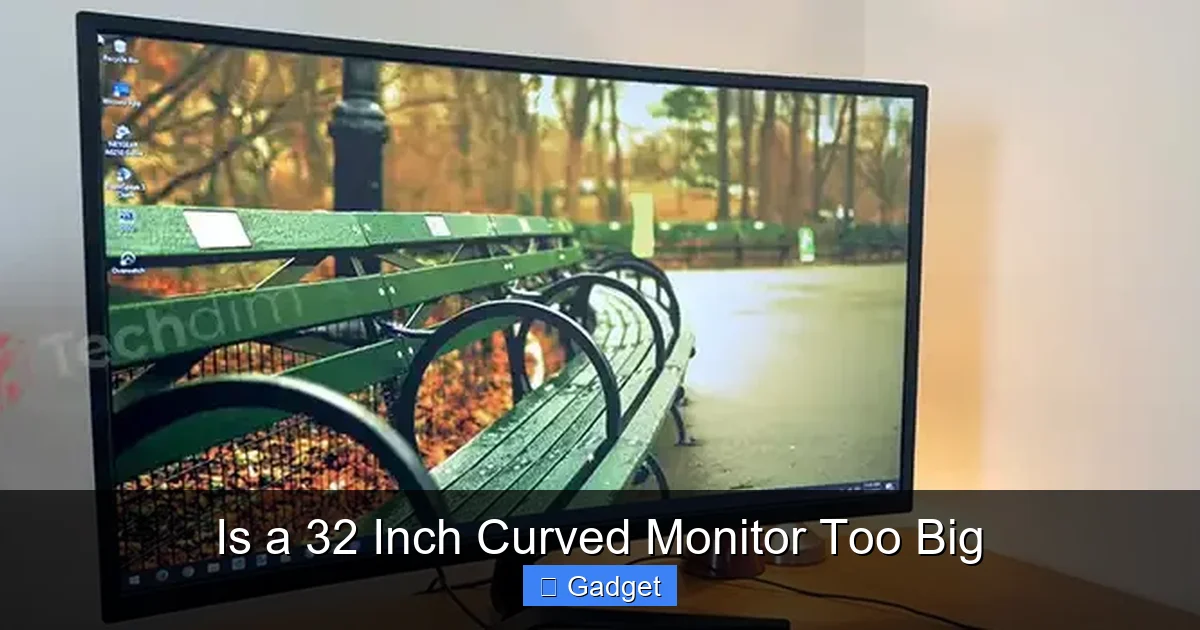
Deciding if a 32-inch curved monitor is too big involves several considerations beyond just its size. This guide helps you assess your available desk space, ideal viewing distance, and primary usage scenarios. By understanding these factors, you can make an informed decision to ensure your new display enhances your experience rather than overwhelming it. Learn to balance immersion with practicality for the perfect setup.
# Is a 32 Inch Curved Monitor Too Big?
So, you’re eyeing a 32-inch curved monitor. They look incredible, right? The expansive screen, the way it wraps around your field of vision – it promises an immersive experience unlike any other. But then the doubt creeps in: is a 32-inch curved monitor actually too big for your setup? This is a common question, and the answer isn’t a simple yes or no. It truly depends on your personal circumstances, your workspace, and how you plan to use it.
This guide is here to help you navigate this decision. We’ll break down all the important factors you need to consider. By the end, you’ll have a much clearer picture of whether a 32-inch curved monitor is the perfect fit for you, or if it might just be a bit overwhelming. Let’s dive in and figure it out together!
## Understanding Monitor Size and Curve
Before we get too deep, let’s clarify what we mean by “32-inch curved monitor.”
### Measuring Monitor Size
When we talk about a monitor’s size, we’re referring to the diagonal measurement of its screen. So, a 32-inch monitor has a screen that measures 32 inches from one corner to the opposite corner. This measurement doesn’t include the bezel (the frame around the screen).
### The Impact of the Curve
A curved monitor isn’t just a flat screen bent into an arc. The curvature is designed to mimic the natural curve of your eye. This has a few key effects:
* **Enhanced Immersion:** The curve draws you in, making the on-screen content feel more enveloping, especially for gaming and movies.
* **Reduced Peripheral Distortion:** On larger, flat screens, the edges can sometimes appear a bit distorted or harder to see clearly. A curve helps counteract this by bringing the edges closer to your eyes.
* **Perceived Size:** Interestingly, a curved monitor can sometimes feel *less* imposing or “too big” than a flat screen of the same size because the curve makes the entire screen more equally distant.
Now that we understand the basics, let’s get into the practicalities of whether a 32-inch curved monitor is the right choice for you.
## Step 1: Assess Your Desk Space
This is often the biggest hurdle. A 32-inch monitor is a substantial piece of equipment.
### Measure Your Desk Dimensions
Don’t just guess! Grab a tape measure and get precise. You need to consider:
* **Width:** How much horizontal space do you have available for the monitor stand and your keyboard/mouse setup?
* **Depth:** How far does your desk extend from the wall to the edge? The monitor, when placed at an optimal viewing distance, will occupy a certain amount of this depth.
* **Height:** While less critical for the monitor itself, consider if you have shelf space above your desk that might interfere with a taller monitor.
### Account for the Stand
Monitor stands vary greatly in their footprint. Some are sleek and minimalist, while others are bulkier. A curved monitor might also have a stand that extends further back to provide stability. Always check the monitor’s specifications for its exact dimensions, including the stand.
### Create a Mockup (Optional but Recommended)
If you’re unsure, you can create a cardboard cutout of the monitor’s dimensions and place it on your desk. This visual representation can be incredibly helpful in gauging how much space it will truly occupy and if it will feel cramped.
#### Practical Tip: Consider Monitor Arms
If your desk space is limited, a VESA-compatible monitor arm can be a game-changer. It frees up desk space by mounting the monitor to the edge of your desk. This can make a 32-inch monitor much more manageable, even on a smaller desk.
## Step 2: Determine Your Ideal Viewing Distance
The distance you sit from your screen significantly impacts comfort and picture quality.
### The General Rule of Thumb
For most users, the ideal viewing distance for a 32-inch monitor is between **2.5 to 3 feet (approximately 76 to 91 centimeters)**.
* **Too Close:** Sitting too close can cause eye strain, headaches, and make it difficult to take in the entire screen without moving your head.
* **Too Far:** Sitting too far away can make text appear too small and reduce the immersive effect of the curved display.
### How Viewing Distance Affects Curvature
The beauty of a curved monitor is that it’s designed to match your natural field of vision. At the recommended viewing distance, the curve helps to minimize perceived distortion and keeps the edges of the screen at a more consistent distance from your eyes. This often makes a 32-inch curved monitor feel more comfortable to view than a flat screen of the same size because you’re not constantly refocusing on the edges.
### Adjusting for Your Eyes
Everyone’s eyesight and preferences are slightly different. Some people might find they are more comfortable slightly closer or further away.
#### Practical Tip: Use the “Arm’s Length” Test
A simple test is to extend your arm. If your fingertips comfortably brush the screen when sitting upright, you’re likely in the right ballpark for viewing distance. This is a good starting point, and you can then fine-tune it for your personal comfort.
## Step 3: Evaluate Your Primary Use Case
How you plan to use your monitor will heavily influence whether a 32-inch curved display is a good fit.
### Gaming: Immersion is Key
For many gamers, a 32-inch curved monitor is the holy grail.
* **Wider Field of View:** The larger screen and curve pull you into the game world, making action feel more immediate and exciting.
* **Reduced Eye Strain:** The curve can help reduce eye strain during long gaming sessions by keeping more of the screen within your peripheral vision.
* **Multi-Monitor Feel:** A single 32-inch curved monitor can often provide an experience similar to a multi-monitor setup without the bezels.
### Productivity and Multitasking: More Space, More Power
If you spend a lot of time working or multitasking, a 32-inch curved monitor can be a productivity booster.
* **Side-by-Side Windows:** You can comfortably have multiple application windows open side-by-side without feeling cramped. Think spreadsheets next to a browser, or a coding environment next to a documentation window.
* **Reduced Scrolling:** More content fits on the screen at once, meaning less scrolling and more efficient work.
* **Immersive Work Environment:** For some, the enveloping display can create a more focused and less distracting work environment.
### Content Creation and Editing: Precision and Space
Professionals in graphic design, video editing, and other creative fields can benefit immensely.
* **Larger Canvas:** A bigger screen provides more space to work with timelines, palettes, and detailed edits.
* **Color Accuracy:** Many 32-inch monitors come with excellent color accuracy, which is crucial for visual professionals.
* **Reduced Neck Strain:** The curve and size allow you to arrange your workspace ergonomically, often reducing the need to turn your head as much.
### General Home Use and Media Consumption
For browsing, watching videos, and general computing, a 32-inch curved monitor offers a more enjoyable experience.
* **Cinematic Feel:** Watching movies or TV shows on a large, curved screen can be very engaging.
* **Comfortable Browsing:** Web pages feel more expansive, and you can fit more content on a single page.
#### Practical Tip: Consider Resolution
For a 32-inch monitor, **resolution is critical**. A 1920×1080 (Full HD) resolution at this size will look pixelated. Aim for at least 2560×1440 (QHD or 1440p) or, ideally, 3840×2160 (UHD or 4K) for sharp, detailed visuals. This makes the monitor feel less “big” and more “detailed.”
## Step 4: Consider Your Ergonomics and Setup
Proper setup is essential for comfort, especially with a larger monitor.
### Monitor Height and Tilt
* **Top of the screen at eye level:** Ideally, the top of your monitor should be at or slightly below your eye level. This helps prevent neck strain.
* **Slight tilt back:** A slight backward tilt (around 10-20 degrees) can improve comfort and reduce glare.
### Adjusting Your Chair and Desk
Your chair and desk height should complement the monitor setup. Ensure your arms are at a comfortable typing angle and your feet are flat on the floor.
### Lighting and Glare
A larger screen can be more susceptible to glare. Position your monitor away from direct light sources or use ambient lighting to minimize reflections. The curve itself can sometimes help by directing light away from your eyes.
#### Practical Tip: Use a Monitor Riser or Arm
Even with the right desk height, you might need a monitor riser or an adjustable monitor arm to achieve the perfect ergonomic position for your 32-inch curved monitor.
## Step 5: Factor in Your Visual Comfort and Habits
This is a personal consideration that can’t be overlooked.
### Eye Strain and Fatigue
If you’re particularly prone to eye strain or have vision issues, it’s worth considering how a larger, more immersive display might affect you. However, as mentioned, the curve and proper viewing distance can actually *reduce* strain compared to a large flat screen.
### Head Movement
Do you find yourself constantly turning your head to see the edges of your current monitor? A 32-inch curved monitor is designed to minimize this. If you prefer to keep your head relatively still and have most of your view within your peripheral vision, a curve is beneficial.
### Personal Preference
Ultimately, there’s an element of personal preference. Some people simply prefer a more compact setup, while others crave the expansive digital real estate.
#### Practical Tip: Try Before You Buy (If Possible)
If there’s a local electronics store with display models, take the time to stand or sit in front of a 32-inch curved monitor. Get a feel for its presence and how it looks from a typical viewing distance.
## Common Concerns and Troubleshooting
Let’s address some common worries you might have.
### “It’s too overwhelming!”
* **Problem:** The sheer size feels intimidating or makes you feel small.
* **Solution:**
* **Adjust Viewing Distance:** Ensure you’re sitting far enough away.
* **Utilize the Space:** Actively use the larger screen for multitasking and immersive experiences. The more you fill it with useful content, the less overwhelming it becomes.
* **Adjust Monitor Settings:** Experiment with brightness and contrast settings. Sometimes, reducing these can make the display feel less intense.
* **Take Breaks:** Regular breaks are important for any monitor size, but especially for larger ones.
### “My eyes get tired quickly.”
* **Problem:** Eye strain persists even after adjusting distance.
* **Solution:**
* **Check Resolution:** Make sure you’re not using a low resolution that makes text hard to read.
* **Adjust Brightness and Contrast:** Ensure they are set appropriately for your ambient lighting.
* **Enable Blue Light Filters/Night Mode:** Most monitors have these features, which reduce eye strain, especially in low light.
* **Blink More:** Consciously blink more often to keep your eyes lubricated.
* **Consult an Eye Doctor:** Persistent eye strain could indicate an underlying vision issue.
### “It doesn’t fit my desk properly.”
* **Problem:** The monitor or its stand is physically too large.
* **Solution:**
* **Monitor Arm:** As mentioned, a monitor arm is the best solution for reclaiming desk space.
* **Consider a Different Stand:** If the monitor supports it, you might be able to purchase a smaller aftermarket stand.
* **Desk Setup Rearrangement:** Sometimes a slight reorientation of other desk items can make room.
## Conclusion: Is it Too Big for YOU?
So, is a 32-inch curved monitor too big? The answer, after exploring all these factors, is: **only if your workspace or personal comfort dictates it.**
If you have adequate desk space, maintain an appropriate viewing distance, and will utilize its immersive or expansive capabilities for gaming, productivity, or content creation, then a 32-inch curved monitor is likely a fantastic choice. The curve, in particular, often makes this size feel more manageable and comfortable than a flat panel.
However, if you have a very small desk, prefer to sit extremely close to your screen, or simply find larger displays overwhelming, then it might be wise to consider a slightly smaller size, perhaps a 27-inch curved monitor.
By carefully considering your desk space, viewing habits, and intended use, you can confidently decide if this impressive display is the right upgrade for your setup. Embrace the immersion, but always prioritize comfort and practicality.
Key Takeaways
- Viewing Distance is Crucial: For a 32-inch curved monitor, maintaining an optimal viewing distance is key to comfort and avoiding eye strain. Generally, 2.5 to 3 feet (76-91 cm) is recommended.
- Desk Space Matters: A 32-inch monitor, even with its curve, requires significant desk real estate. Measure your desk carefully to ensure it fits without feeling cramped.
- Curvature Benefits: The curve on a 32-inch monitor can enhance immersion and reduce perceived distortion, making it feel less “too big” than a flat screen of the same size.
- Primary Use Case: For gaming, content creation, and multitasking, a 32-inch curved monitor often proves beneficial, offering more screen real estate and a more engaging experience.
- Ergonomics are Key: Proper monitor placement, including height and tilt, is essential to maximize comfort and minimize strain with a larger display.
- Consider Your Resolution: A 32-inch monitor benefits greatly from a higher resolution (like 1440p or 4K) to maintain sharpness and detail at that size.
