

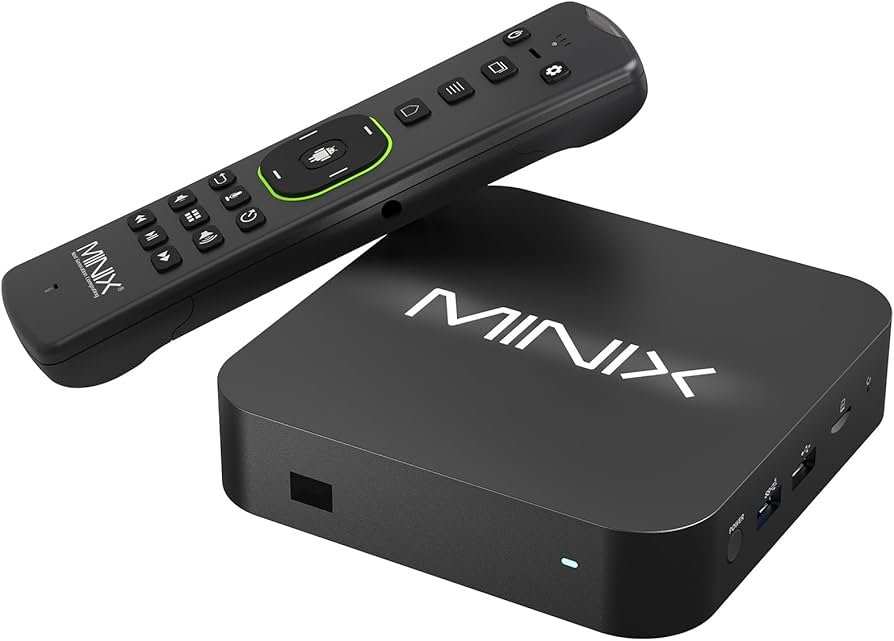
A non Android TV is a television that runs on an operating system other than Android, such as Tizen or WebOS. **It operates without the Android interface, offering different app options and user experiences.** So, if you’re wondering what is a non android tv, know that it provides a separate ecosystem with unique features. This type of TV caters to those who prefer a different user interface or are concerned about privacy and app availability. Understanding these distinctions helps you choose the right TV for your needs.

What Is a Non-Android TV?
When shopping for a new television, you might come across terms like Android TV, smart TV, or non-Android TV. If you’re wondering what a non-Android TV is and how it differs from other smart TVs, you’ve come to the right place. In this article, we’ll explore what makes a TV a non-Android model, how it works, its advantages and disadvantages, and what to consider when choosing one for your home.
Understanding the different types of TVs is important so that you can make the best choice based on your entertainment needs, budget, and preferences. Let’s dive into what exactly a non-Android TV is and how it stands out in the world of modern televisions.
Defining a Non-Android TV
A non-Android TV is a type of smart television that does not run on Google’s Android TV operating system. Instead, these TVs may operate on different platforms or have simpler, more straightforward software. Typically, you will find non-Android TVs in models from manufacturers like Samsung, LG, Sony, and others that develop their proprietary operating systems or use alternative solutions.
Unlike Android TVs, which run on Google’s Android platform and have access to the Google Play Store, app ecosystem, and Google Assistant, non-Android TVs may use different systems such as:
- Samsung Tizen OS
- LG webOS
- Vizio SmartCast
- Sony’s proprietary Android-based systems (but sometimes separate from Android TV)
Some non-Android TVs focus solely on providing the core TV experience, offering smart features without the extensive app stores or built-in voice assistants found in Android-based devices. Others may run more simplified or custom operating systems designed specifically by the manufacturer.
Operating Systems Behind Non-Android TVs
Different brands develop their own software platforms for their smart TVs. Let’s look at some of the prominent options:
Samsung Tizen OS
Samsung’s Tizen OS powers many of their smart TVs. It offers a user-friendly interface, smooth navigation, and access to popular streaming apps like Netflix, Hulu, and Amazon Prime. Tizen OS emphasizes simplicity and ease of use, making it appealing for users who want quick access to entertainment without a lot of fuss.
LG webOS
LG’s webOS provides an intuitive, card-based interface. It offers a good selection of apps and features, including voice control options. webOS is known for its fast performance and simple navigation, making it a popular choice among non-Android smart TVs.
Vizio SmartCast
Vizio’s SmartCast platform emphasizes casting content from mobile devices directly to the TV screen. It includes popular apps and supports voice commands via integrations with Alexa and Google Assistant, but it doesn’t run on Android TV.
Other Proprietary Systems
Some manufacturers develop their own operating systems tailored to their hardware. These might not have as many apps or features as Android TV but can still deliver a reliable, easy-to-use experience.
Differences Between Android and Non-Android TVs
Understanding the key distinctions can help you decide which type of TV suits your needs best.
| Feature | Android TV | Non-Android TV |
|---|---|---|
| Operating System | Runs on Google’s Android platform | Uses proprietary or alternative systems like Tizen or webOS |
| App Store | Google Play Store with access to thousands of apps | App ecosystems limited to platform-specific stores or pre-installed apps |
| Voice Assistants | Built-in Google Assistant support | Varies—may include Bixby, Alexa, or no voice assistant at all |
| Customization | High, with the ability to download numerous apps and screensavers | Limited; often focused on essential functions and streaming apps |
| Performance | Can be more resource-intensive; depends on hardware specs | Often more streamlined, potentially faster in basic tasks |
In summary, Android TVs offer extensive app support and customization, whereas non-Android TVs focus on simplicity, stability, and ease of use.
Advantages of Non-Android TVs
Many users prefer non-Android models for a variety of reasons. Here are the main benefits:
Simple User Interface
Non-Android TVs usually have a straightforward interface that is easy for everyone to navigate. You won’t need to learn complex menus or deal with frequent updates, making it perfect for less tech-savvy users.
Enhanced Stability and Reliability
Since they run on proprietary or lightweight operating systems, these TVs tend to be very stable. They are less likely to crash or freeze compared to some Android TVs that depend on Android OS, which sometimes has bugs or security issues.
Faster Performance
Non-Android TVs often boot up quicker and respond faster because they do not require the processing power needed for a full Android environment. This makes streaming, browsing, and switching channels smoother.
Cost-Effective Options
Many non-Android TVs are priced more competitively because they don’t include the extra features and hardware needed for Android operation. If your main goal is to watch TV and access streaming services, a non-Android TV can be a cost-effective choice.
Better Privacy Control
With fewer apps and less data sharing, non-Android TVs can offer greater privacy. Users don’t have to worry as much about data collection that might come with app downloads or voice assistant integrations.
Disadvantages of Non-Android TVs
While non-Android TVs have their benefits, they also come with some limitations:
Limited App Selection
Compared to Android TVs, the app library on non-Android models is often smaller. If you rely on specific apps, especially lesser-known or niche options, you might find them unavailable.
Lack of Google Ecosystem
Non-Android TVs do not support Google Assistant or Google services as comprehensively. If you’re invested in the Google ecosystem, an Android TV might serve you better.
Fewer Customization Options
You won’t have the same level of app and widget customization as on Android TVs. Your experience might feel more static and less flexible.
Software Updates and Support
Manufacturers may update their proprietary operating systems less frequently or for a shorter period. Android TVs tend to get updates more regularly, adding features or fixing bugs.
What to Consider When Choosing a Non-Android TV
Deciding if a non-Android TV suits your needs depends on several factors. Keep these in mind:
- The types of apps you use: If you mainly watch streaming services like Netflix or Hulu, most platforms support these on non-Android TVs.
- Ease of use: If you want a simple setup and quick navigation, non-Android TVs excel here.
- Budget: Non-Android options often come at a lower price point, ideal for budget-conscious buyers.
- Smart features you need: Consider whether you want voice controls, casting, or integration with other smart home devices, which vary across platforms.
- Performance expectations: If you need fast response times with less lag, non-Android models could be advantageous.
Summary: Are Non-Android TVs Right for You?
In summary, non-Android TVs provide a straightforward, reliable, and often more affordable way to enjoy your favorite shows and movies. They focus on core functionalities, making them ideal for users who prefer simplicity or are less interested in extensive app ecosystems. On the other hand, if you value customization, access to a wide range of apps, or integration with Google’s ecosystem, an Android TV might be the better choice.
Choosing the right TV depends on your specific entertainment habits and preferences. Remember to consider features, operating systems, budget, and how you plan to use the device in your home. By understanding what a non-Android TV offers, you can make an informed decision that brings you hours of enjoyable viewing without any hassle.
Frequently Asked Questions
How does a non-Android TV differ from an Android TV?
A non-Android TV runs on a different operating system, such as Tizen, WebOS, or Roku OS. These systems offer a unique interface and app ecosystem compared to Android TV, which is based on Google’s Android platform. Non-Android TVs typically have fewer customization options but can provide a smoother experience for specific content and apps.
What types of software do non-Android TVs use for their smart features?
Non-Android TVs usually rely on proprietary platforms like Samsung’s Tizen, LG’s WebOS, or Roku OS. These platforms provide built-in apps and services tailored to each manufacturer. They often come with their app stores, which include popular streaming services, but the selection may differ from that found on Android TV.
Are non-Android TVs compatible with popular streaming apps?
Compatibility varies depending on the platform. Most major streaming services support platforms like Tizen, WebOS, or Roku OS. However, some apps available on Android TV might not be available or fully functional on other systems. Always check whether your preferred apps are accessible on the platform you choose.
Can I install third-party apps on a non-Android TV?
Installing third-party apps on non-Android TVs can be limited. Unlike Android TV, which allows sideloading APK files, proprietary platforms typically restrict app installations to their official app stores. Some advanced users may find ways to modify their devices, but such methods can void warranties and pose security risks.
Do non-Android TVs support voice control and smart home integrations?
Most non-Android smart TVs come with built-in voice control features and compatibility with popular smart home ecosystems. For example, WebOS and Tizen support voice commands via their native assistants and can connect with smart home devices. However, the specific integrations depend on the manufacturer and platform.
Final Thoughts
A non android tv is a television that does not use the Android operating system. It operates with different platforms or built-in smart features without relying on Android apps. These TVs often have their own user interfaces and app stores, offering unique experiences. Understanding what is a non android tv helps consumers choose the right device for their needs and preferences.
