

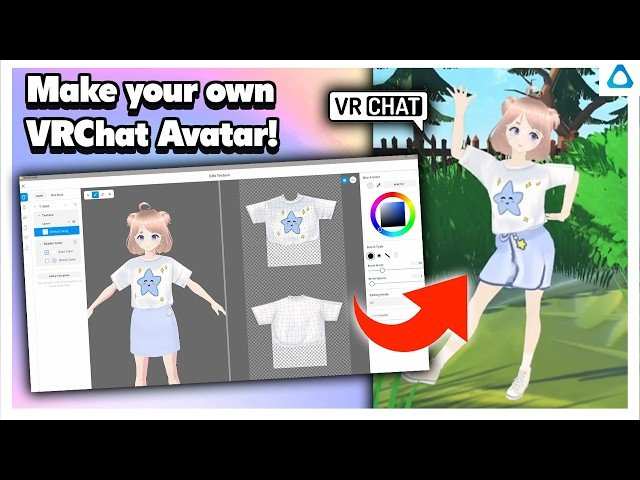
To make your own avatar on Android, start by choosing a user-friendly app like ZEPETO or Bitmoji. **Downloading and opening the app is the first step.** These apps guide you through customizing your avatar with various features, outfits, and styles.
Simply follow the prompts to create a unique representation of yourself. Whether you’re updating your profile or adding some fun to your chats, creating an avatar is quick and easy.

How to Make Your Own Avatar on Android
Creating a personalized avatar on your Android device is an exciting way to express yourself in your digital interactions. Whether you’re updating your social media profile, creating a gaming persona, or just want to have a fun digital representation of yourself, making an avatar is simple and enjoyable. This guide will take you through each step, from choosing the right app to customizing your character in detail, ensuring your avatar truly reflects your personality.
Choosing the Right Avatar-Making App for Android
Before diving into the creation process, you need to pick an app that suits your style and needs. There are several popular options available on the Google Play Store, each offering different features and styles.
- Bitmoji: Known for its comic-style avatars, Bitmoji allows extensive customization options, making it perfect for social media and messaging apps.
- ZEPETO: This app offers 3D avatars with a focus on social interactions. You can explore virtual worlds and connect with friends.
- FaceQ: A simple app for creating cartoon avatars. Its easy-to-use interface is perfect for quick avatar creation.
- Avatarify: Focuses on creating realistic avatars with high detail, suitable if you want a more lifelike digital portrait.
- MojiPop: Adds a fun twist by turning your selfies into expressive cartoon avatars, with lots of stickers and accessories.
When choosing an app, consider the style of avatar you want, the level of customization, and whether you prefer cartoon, realistic, or stylized graphics. Read reviews and look at sample images to find the best fit.
Downloading and Setting Up Your Avatar App
Once you’ve selected an app, follow these steps to download and set up:
- Go to the Google Play Store on your Android device.
- Search for the app name you have chosen, such as “Bitmoji” or “ZEPETO”.
- Tap the “Install” button and wait for the app to download completely.
- Open the app once installed and follow the on-screen instructions to create an account or log in.
- Grant necessary permissions such as camera, microphone, or storage to ensure smooth operation.
After setup, most apps will take you through an initial tutorial or guided steps to start creating your avatar.
Personalizing Your Avatar: Start with the Basics
The core of making a great avatar begins with customizing the fundamental features. Most avatar apps provide an intuitive interface with various options to choose from.
Select Facial Features
- Face Shape: Choose from a variety of face shapes that best resemble yours or reflect your preferred style.
- Skin Tone: Pick a skin color that matches your own or explore different shades to create a unique look.
- Eyes: Customize eye shape, size, color, and expression to add personality.
- Eyebrows: Adjust thickness, shape, and color for expressive eyebrows.
- Nose and Mouth: Select the nose shape and mouth expression, including smiles, frowns, or neutral looks.
Hair and Accessories
- Hairstyle: Choose from countless styles, lengths, and colors to match your hairstyle or experiment with new looks.
- Facial Hair: Add beard or moustache options if applicable.
- Accessories: Glasses, hats, earrings, and other accessories help add detail and personality.
Customizing Clothing and Style
Clothing options allow you to showcase your fashion sense and give your avatar a complete look.
Select Outfits and Colors
- Pick from casual wear, formal attire, sports gear, or themed costumes.
- Many apps let you choose colors for clothing pieces, allowing further personalization.
- Mix and match styles to create a distinctive avatar look.
Adding Details and Accessories
- Include jewelry, watches, or backpacks for additional flair.
- Some apps let you add tattoos, face paint, or makeup for a more detailed appearance.
Enhancing Your Avatar with Backgrounds and Props
To make your avatar more engaging, many apps offer backgrounds, props, and environment settings.
- Select backgrounds that suit your personality or the context where you’ll use the avatar.
- Add props like phones, coffee cups, or pets to make scenes more lively.
- Adjust the positioning of your avatar within the background for a natural look.
These features help you create a story about your avatar, making it more relatable and fun.
Saving and Exporting Your Created Avatar
After completing your customization, it’s important to save and export your avatar correctly so that you can use it across different platforms.
- Tap the save or export button within the app. This ensures your creation is stored in your device or cloud storage.
- Choose the preferred format, such as PNG or JPEG, for images or GIF for animated avatars if available.
- Decide whether to download the avatar directly to your device or upload it to social media platforms like Facebook, Instagram, or WhatsApp.
Some apps also provide options to generate emoji packs or stickers featuring your avatar, perfect for messaging.
Using Your Avatar on Different Platforms
Once you’ve saved your avatar, you can use it in various ways:
- Social Media Profiles: Update your profile pictures to showcase your personalized avatar.
- Messaging Apps: Send avatar stickers or use as your profile picture in apps like WhatsApp, Messenger, or Telegram.
- Gaming and Virtual Worlds: Use your avatar as your character in online games or virtual spaces.
- Emails and Signatures: Include your avatar in your email signature to add a personal touch.
Switching between platforms is usually straightforward, and most apps provide easy options to export or share your creation.
Tips for Creating the Perfect Avatar on Android
To make your avatar truly stand out, keep these tips in mind:
- Start with a clear idea of how you want your avatar to look—are you going for a realistic or cartoon style?
- Use high-quality selfie photos if the app supports photo-based avatar creation for more accurate features.
- Experiment with different hairstyles, facial features, and outfits to find the combination that best represents you.
- Don’t shy away from bold colors and accessories to make your avatar pop.
- Keep a balance between simplicity and detail—avoid overloading your avatar with too many accessories or complex features.
By taking your time and exploring different styles, you’ll create an avatar that reflects your personality and enhances your online presence.
Common Challenges and How to Overcome Them
Like any creative process, making avatars can sometimes present hurdles. Here’s what to watch out for:
- Limited customization options: Choose apps with extensive libraries and customization features.
- Poor image quality: Use high-resolution photos or ensure the app supports high-quality exports.
- Difficulty achieving desired look: Play around with different options or combine features from various apps if possible.
- Time-consuming process: Start with simple designs and gradually add details as you become more comfortable.
Patience and trying different tools help you create a satisfying avatar in the end.
Creating your own avatar on an Android device takes just a few steps, but the results can be very rewarding. By selecting the right app and customizing features thoughtfully, you can craft a digital image that captures your style and personality. Whether you aim for a fun cartoon, a lifelike portrait, or a stylish character, Android avatars offer endless options for creativity. Explore different apps, experiment with styles, and most importantly, have fun bringing your virtual self to life.
Frequently Asked Questions
What are the steps to create a personalized avatar on an Android device?
Start by choosing an avatar creation app from the Google Play Store. Open the app and select the option to create a new avatar. Customize features like face shape, hair, eyes, clothes, and accessories according to your preferences. Save your avatar once satisfied, and you can use it across social media platforms or as your profile picture.
How can I modify my avatar to better resemble myself on Android?
Many avatar apps provide tools to fine-tune facial features, skin tone, and hairstyle. Use these features to adjust your avatar’s appearance until it closely matches your real look. Some apps also allow importing a photo for auto-matching or providing suggestions to enhance likeness.
Are there any recommended apps for designing avatars on Android, and how do I use them?
Popular apps like ZEPETO, Bitmoji, and Avatoon offer intuitive interfaces for avatar creation. Download your chosen app, follow their step-by-step instructions for customizing your avatar, and explore their options for personalization. Many apps provide tutorials or help sections to guide you through the creation process.
Can I incorporate my own images or artwork into my Android avatar creation?
Some avatar apps allow you to upload personal photos or artwork to influence your avatar’s appearance. Check the app’s features to see if this option is available. Upload your images and use editing tools within the app to integrate your preferred styles or elements into your avatar.
How do I save and share my created avatar on Android devices?
Once you finish customizing your avatar, look for the save or export button within the app. Save the avatar to your device’s gallery or directly share it via messaging, email, or social media platforms. Ensure your app has the necessary permissions to access your storage or sharing options.
Final Thoughts
Pour faire votre propre avatar sur Android, utilisez une application de création d’avatars comme ZEPETO ou Bitmoji. Téléchargez et ouvrez l’application, puis suivez les instructions pour personnaliser votre visage, vêtements et accessoires. Ajustez les détails pour rendre votre avatar unique. En quelques minutes, vous obtenez un avatar qui vous ressemble parfaitement.
En résumé, savoir comment faire votre propre avatar sur Android devient simple avec ces applications conviviales. Elles permettent une personnalisation complète rapidement. Essayez-les pour créer un avatar qui reflète votre personnalité facilement et efficacement.
