What Are The Downsides To Windows 11 A Helpful Guide

What are the downsides to Windows 11?
System Requirements and Compatibility Challenges
Many users run into trouble with Windows 11 because of its strict hardware requirements. The operating system demands newer hardware components, making older computers incompatible. This means users might need to upgrade their devices, which can be costly and inconvenient. Additionally, some apps and drivers may not work properly on Windows 11, causing frustration for users relying on specific software. Compatibility issues can lead to decreased productivity and disappointment.Limited Support for Older Devices
Windows 11 does not support many older PCs, especially those without TPM 2.0 or Secure Boot capabilities. This decision leaves users with older hardware stuck on Windows 10 or needing costly upgrades. Some users find this frustrating because their trusted computers become obsolete despite still functioning well. It also raises concerns about electronic waste and environmental impact.Performance and Stability Concerns
While Windows 11 promises better performance, some users report bugs and glitches after updates. These issues can slow down computers and disrupt workflows. Crashes and unexpected errors can happen, especially during early adoption, undermining trust in the OS’s stability. As a new system, Windows 11 also needs time to mature and iron out issues that may affect everyday use.Resource Heavy Operating System
Windows 11 requires higher hardware specs, including more RAM and better graphics. Computers with lower specs may struggle with the smooth operation of the OS. This resource heaviness can lead to slower performance on budget or older devices, reducing overall user experience. Some users may notice increased battery drain as well, especially on laptops.User Interface and Usability Challenges
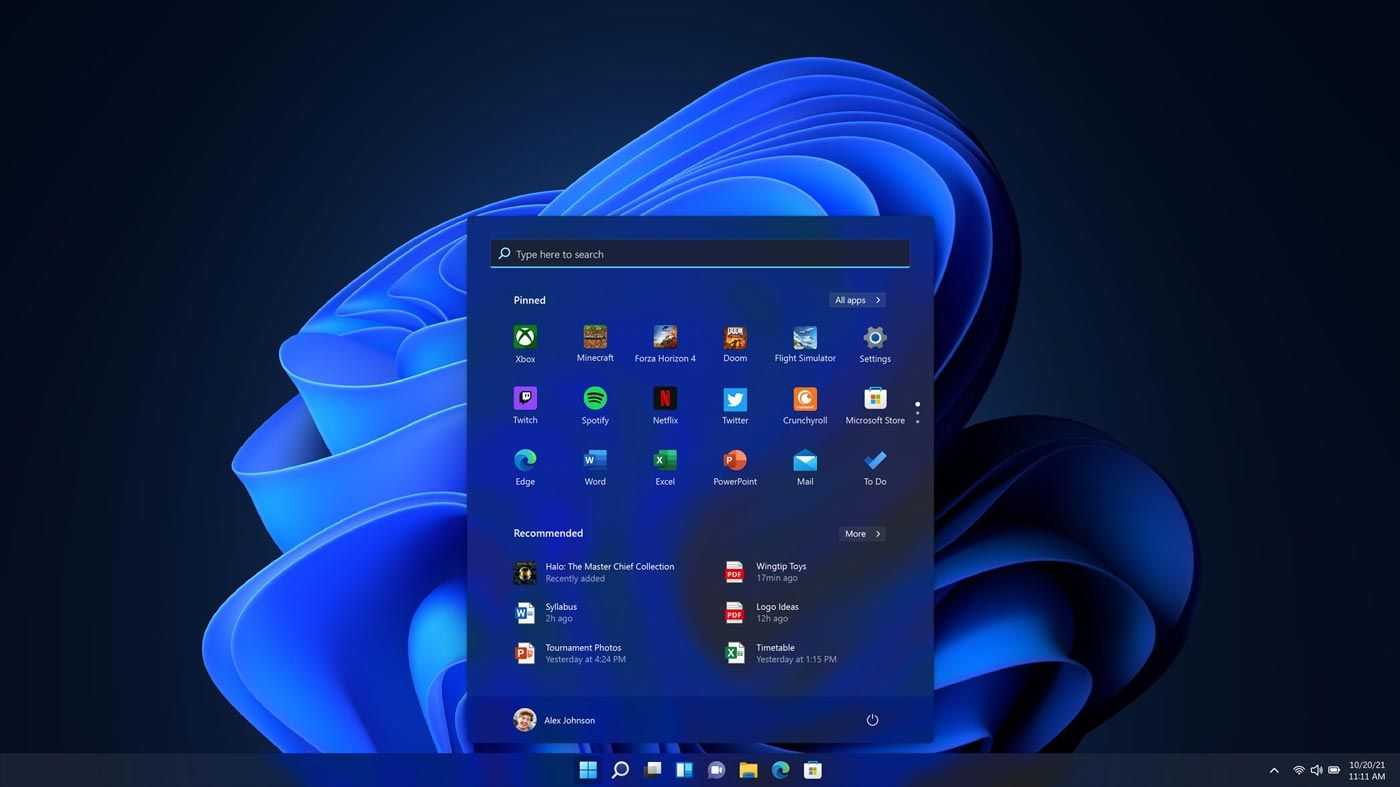
The redesigned Start Menu and taskbar aim to improve user experience, but not everyone agrees. Some find the new layout confusing or less efficient than previous versions. Moreover, the removal of certain customization features can limit personalization options. These changes might make familiar tasks more complicated, especially for users accustomed to older Windows versions.Learning Curve for Long-Time Windows Users
Long-time Windows users might find the transition to Windows 11 challenging due to interface changes. Features they relied on might be moved or renamed, requiring time to adjust. This learning curve can cause temporary frustration and reduce productivity during the initial switch.Privacy and Data Collection Concerns
Windows 11 continues Windows 10’s trend of collecting user data to improve services. Some users worry about increased data sharing with Microsoft. The operating system’s privacy settings are complex, making it difficult for users to control what information is collected. Concerns about privacy invasion lead many to hesitate before fully embracing Windows 11.Default Settings Favoring Data Collection
Many features are enabled by default, sending usage data to Microsoft without explicit permission. Users must manually disable certain settings to protect their privacy. This process can be confusing or overlooked, resulting in unintentional data sharing. Privacy-conscious users may prefer alternative operating systems or customized setups.Cost Implications and Upgrade Hassles
Upgrading to Windows 11 can come with financial costs, especially if hardware upgrades are needed. Some users might find the process complicated or time-consuming, particularly if they encounter compatibility issues. The transition can also disrupt workflow, causing temporary productivity losses. These factors can deter users from upgrading promptly.Potential Data Loss During Transition
Moving to a new OS always carries some risk of data loss or corruption. Users must back up their data carefully before installing Windows 11. Mistakes during the upgrade process could lead to loss of important files, adding stress to users worried about their data safety.Software and App Compatibility Issues
Some legacy applications and devices may not work as expected on Windows 11. Especially older software that depended on Windows 10-specific features might face problems. This can result in the need for workarounds or replacing essential applications, which can be inconvenient and costly.losing Access to Essential Tools
Incompatibility issues can restrict access to critical business or personal tools. For example, outdated printers, scanners, and specialized software may require updates or replacements. Users should verify compatibility before upgrading to avoid interruptions.Security and Privacy Trade-offs
Although Windows 11 enhances security features, some users worry about privacy implications. The system’s increased permissions and data sharing practices create concerns over personal privacy. Users seeking maximum privacy might find Windows 11 less transparent than they prefer.Data Sharing by Default
Many security features require user configuration, which can be overlooked. Default settings often favor data collection for analytics and personalized ads. Users need to be vigilant and adjust settings to prioritize their privacy and minimize data sharing.Cost of Software and Hardware Upgrades
Transitioning to Windows 11 may necessitate purchasing new hardware or software licenses. This can be a significant expense for many users or businesses. The costs might outweigh the benefits for those with critical systems that are incompatible or already working well.Additional Expenses for Compatibility
In some cases, users might need to buy new peripherals or upgrade existing ones to ensure full compatibility. These expenses can add up quickly, making the upgrade process more burdensome and less appealing.Potential for Increased System Maintenance
With every new operating system, there is a possibility of increased maintenance needs. Windows 11 may require updates and patches more frequently, leading to downtime and system management efforts. This ongoing maintenance can frustrate users expecting a more “set and forget” experience.Frequent Updates and Patches
While updates are meant to improve security and stability, they can sometimes introduce new bugs or issues. Users need to stay vigilant and apply updates promptly to avoid vulnerabilities or performance problems. In summary, although Windows 11 offers many new features, it also presents a range of challenges. Compatibility issues, performance concerns, usability changes, privacy worries, and upgrade costs are some of the key downsides. Users should weigh these factors carefully before making the switch, ensuring that their hardware and software needs are fully supported.Windows 11 is FINALLY Worth Using
Frequently Asked Questions
What hardware limitations might affect Windows 11 performance?
Windows 11 requires specific hardware components such as a compatible 64-bit processor, 4GB of RAM, and 64GB storage. Older devices may not meet these requirements, leading to performance issues or incompatibility. Upgrading hardware can be costly and may limit users with older systems from upgrading easily.
Are there any software compatibility concerns with Windows 11?
Some older applications and drivers may not work correctly on Windows 11. This could cause disruptions in workflows that depend on legacy software or specialized hardware. Users might need to find updated versions or alternative solutions, which can be time-consuming and frustrating.
How does Windows 11 affect system stability and reliability?
As a newer operating system, Windows 11 can contain bugs or bugs that appear after release. Early updates might introduce stability issues or compatibility bugs, impacting daily use. Users may need to wait for patches and updates to resolve these problems, which can temporarily disrupt productivity.
Does Windows 11 demand more power and resources?
Windows 11 generally consumes more system resources than previous versions. It may lead to faster battery drain on laptops or slower performance on devices with limited hardware. This increased resource requirement can be a drawback for users with older or less powerful computers.
Are there any privacy or security concerns associated with Windows 11?
Windows 11 introduces new features that may collect more user data. Privacy-conscious users might feel uneasy about the extent of data shared with Microsoft. Additionally, new security vulnerabilities could emerge, requiring users to stay vigilant with updates and security practices.
Final Thoughts
Windows 11 offers many improvements, but it also has notable downsides. Compatibility issues may arise with older hardware and software, causing frustration. The system demands higher specifications, limiting access for some users. Frequent updates can disrupt workflow and introduce bugs. Additionally, privacy concerns emerge due to data collection practices. New features may lack stability, leading to a less reliable experience. What are the downsides to Windows 11? These challenges highlight that, despite its benefits, Windows 11 may not suit everyone’s needs.
Similar Posts