How To Ask Chat Gpt For Help With Homework Instructions?
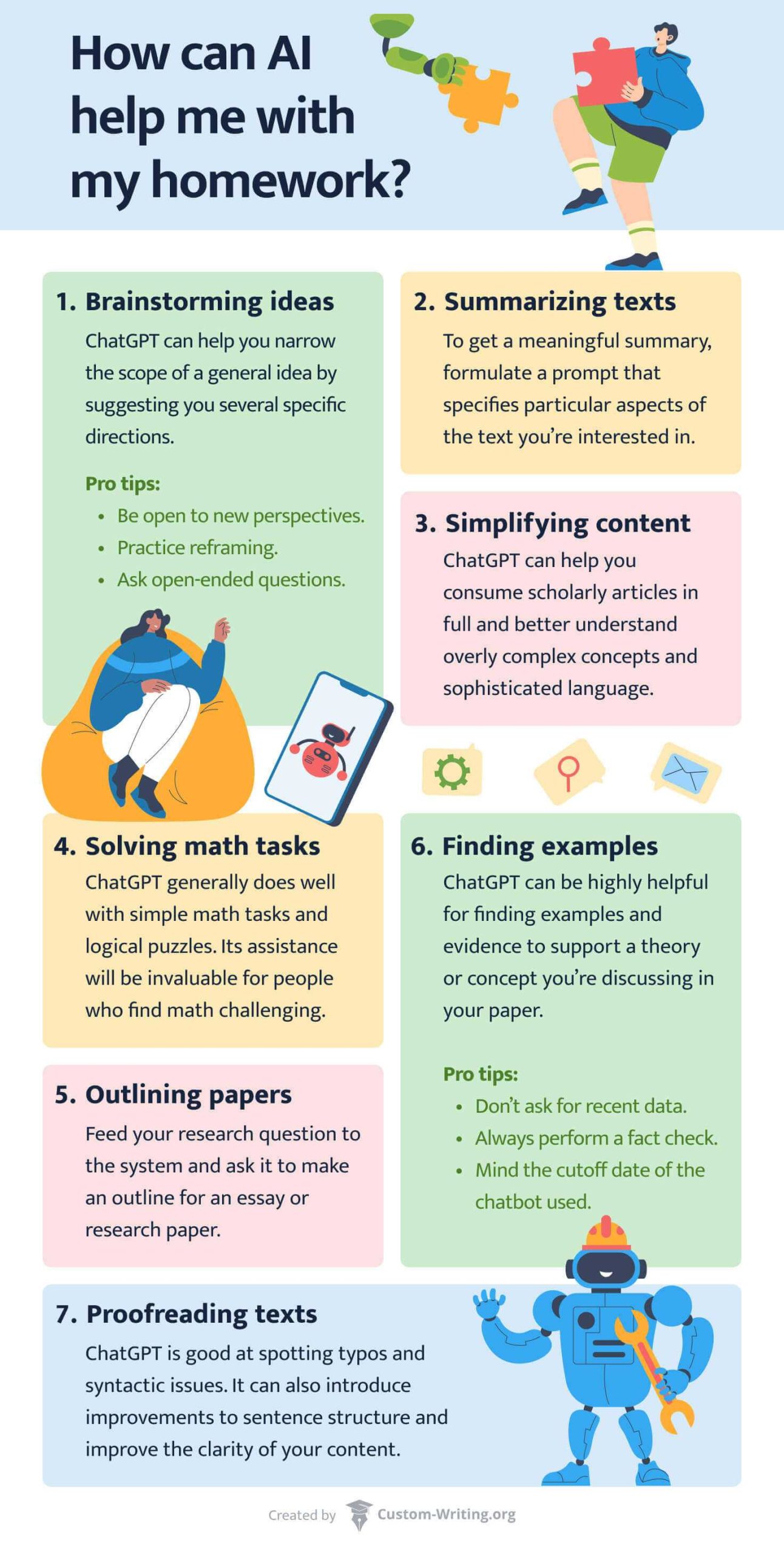

How to ask Chat GPT for help with homework instructions
Getting the most out of Chat GPT when you need help with homework starts with asking clear, specific questions. If your questions are confusing or too broad, Chat GPT may not give you the answers you want or need. Knowing how to phrase your requests properly can save you time and make your learning experience smoother.
Understanding the importance of clear instructions
Clear instructions help Chat GPT understand exactly what you are asking for. When you provide detailed context, it can generate more precise and useful responses. Remember, vague questions often lead to vague answers, so be as specific as possible.
How to break down your homework questions effectively
Breaking down your questions into smaller parts makes it easier for Chat GPT to provide focused answers. Instead of asking, “Help me with science,” try asking, “Can you explain the process of photosynthesis in simple words?”
Using simple language for better results
Chat GPT responds best when your language is straightforward and easy to understand. Avoid complex phrases or jargon that might confuse the system. Use clear and concise sentences that directly state what you need help with.
Providing context for your questions
Context helps Chat GPT understand the background of your homework. For example, if your question relates to a specific chapter or topic, mention it explicitly. Including details like the subject, grade level, or specific instructions can improve the quality of the response.
Example of providing effective context
| Less effective question | More effective question |
|---|---|
| Can you help me? | Can you explain the water cycle for 4th-grade science homework? |
| I don’t understand fractions. | Can you help me understand how to add fractions with different denominators for my math homework? |
Using specific keywords and phrases
Incorporating key terms related to your homework helps Chat GPT identify exactly what you’re asking. For instance, instead of saying, “Help me with history,” specify “Help me understand the causes of the American Revolution.”
Requesting step-by-step guidance
If you’re learning how to solve a problem or complete a task, ask Chat GPT to guide you through each step. For example, “Can you walk me through how to solve this algebra equation, step by step?”
Asking for explanations and examples
Sometimes, you may need a detailed explanation or examples to understand a concept. Request phrases like “Can you give me an example of a metaphor in poetry?” or “Explain how photosynthesis works with an easy example.”
Utilizing different question formats
Mix things up by asking different types of questions. Use open-ended questions for explanations, yes/no questions for clarifications, or multiple-choice questions to test your understanding. This variety can make your learning process more engaging.
Using follow-up questions effectively
If you don’t understand part of Chat GPT’s answer, don’t hesitate to ask follow-up questions. Clarify what confuses you or ask for more details. For example, “Can you explain that part in simpler words?” or “Can you give me more examples?”
Being polite and respectful in your requests
While Chat GPT is an AI, polite language encourages better responses. Phrases like “Please explain,” “Can you help me understand,” or “Thanks for your help” can make your interactions more positive and productive.
Tips for improving your homework questions for Chat GPT
Use bullet points for complex instructions
If your homework involves multiple steps or instructions, list them clearly using bullet points. This helps Chat GPT understand each part separately and respond accordingly.
Keep questions focused on one topic at a time
Avoid combining multiple unrelated questions into one. Focus on a single subject or task to get clearer and more relevant answers. Once you get that answer, move on to the next question.
Set your learning goals
Before asking a question, decide what you want to learn. Are you looking for a simple explanation, detailed steps, or examples? Clarifying your goal helps you formulate better questions.
Include relevant details and parameters
Suppose your homework is about a specific time period or location. Mention these details to get tailored responses. For example, “Explain the causes of the Civil War in the United States during the 1860s.”
Test different phrasings if needed
If Chat GPT’s response isn’t helpful initially, try rephrasing your question. Different words or sentence structures can sometimes produce better answers.
Common mistakes to avoid when asking Chat GPT for homework help
Asking vague or broad questions
Questions like “Help me with my homework” are too broad. Be specific about the subject, topic, and what you need help with.
Ignoring the importance of context
Not providing enough background information can lead to less useful answers. Always include relevant details to guide Chat GPT.
Assuming Chat GPT knows your entire assignment
Be clear about the exact questions or problems rather than assuming Chat GPT understands your entire homework. Break it down into parts if needed.
Relying solely on AI without understanding
Use Chat GPT as a learning tool. After getting answers, try to understand the solution rather than copying it directly. This helps you learn better.
Overloading your questions with multiple tasks
Too many questions at once can be confusing. Focus on one task or question at a time for the best results.
Summary of best practices for asking Chat GPT for homework help
- Be clear and specific in your questions
- Provide relevant context and details
- Use simple language and keywords
- Break down complex questions into smaller parts
- Ask for step-by-step guidance or examples
- Follow up for clarification if needed
- Avoid broad or vague questions
- Keep questions focused on one topic at a time
- Use polite language to encourage better responses
Remember, the way you ask your questions greatly influences the quality of the answers you receive from Chat GPT. Practicing clear and detailed questions makes your homework easier and your learning more effective.
How to Trick ChatGPT in 15 Seconds – Fooling AI #ai #chatbot #chatgpt #gpt
Frequently Asked Questions
How should I specify the subject or topic when asking Chat GPT for homework help?
To get the most accurate assistance, clearly mention the subject or specific topic you’re working on. Include relevant details, such as key concepts or the particular area of the assignment, so Chat GPT can tailor its responses to meet your needs effectively.
What information should I provide to help Chat GPT understand my homework question better?
Provide the complete question or problem you’re working on, along with any instructions or guidelines given by your teacher. Mention what you’ve already done or researched to avoid repetitive answers and help Chat GPT give targeted advice.
How can I phrase my homework requests to receive clear and useful responses?
Use precise and straightforward language, specifying what kind of help you need—whether it’s understanding a concept, solving a problem, or getting ideas for an essay. Asking direct questions ensures the responses focus on your particular challenge without ambiguity.
Is it better to ask for explanations or solutions when seeking homework help from Chat GPT?
Decide whether you want a detailed explanation to better understand the topic or a direct solution to complete your task. Clarifying your preference helps Chat GPT provide responses that suit your learning style and assignment requirements.
How can I avoid receiving vague or incomplete answers from Chat GPT?
Be specific about your needs and include all relevant details in your question. If the initial response isn’t clear, ask follow-up questions or request additional explanations to gain a better understanding of the topic or problem.
Final Thoughts
How to ask Chat GPT for help with homework instructions requires clear, focused questions. Be specific about the subject or task to get relevant assistance. Providing context helps Chat GPT understand your needs better. Summarizing, asking Chat GPT for help with homework instructions becomes easier when you communicate clearly and specify your requests. Use precise language and relevant details for the best results. This approach ensures you receive helpful and accurate guidance without confusion.
Similar Posts



























