

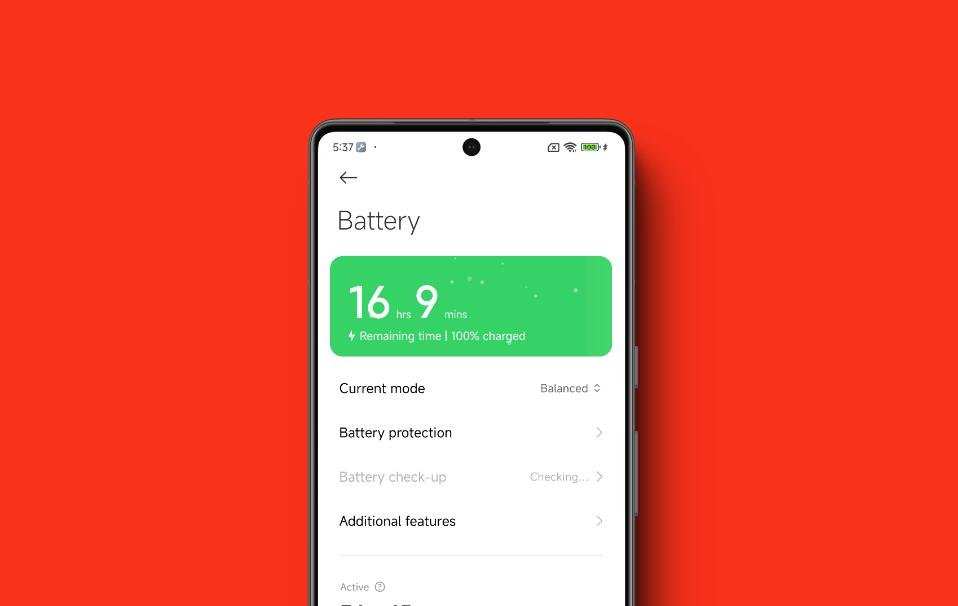
To check battery health on your Xiaomi Android device, simply use the built-in diagnostic codes or apps. **You can also access battery information through the device settings or third-party tools.** Knowing your battery’s condition helps prevent unexpected shutdowns and extends lifespan.
Curious about how to check battery health on Android Xiaomi? It’s straightforward and quick with a few taps or code inputs. Stay informed about your battery’s performance to keep your phone running smoothly.

How to Check Battery Health on Android Xiaomi Devices
When your Xiaomi smartphone begins to slow down or the battery drains faster than usual, it’s natural to wonder how healthy your battery really is. Unlike some devices that provide straightforward battery health indicators, Xiaomi phones often require a bit more effort to assess the battery’s condition accurately. In this guide, we’ll walk you through different ways to check the battery health on your Android Xiaomi device, explain what to look for, and offer tips to extend your battery’s lifespan.
Knowing your battery’s health helps you decide whether it’s time to replace it or if there are steps to improve its performance. This process is essential for maintaining your device’s longevity and ensuring smooth operation over time. Let’s explore how you can perform this check effectively.
Understanding Battery Health and Why It Matters
Before diving into the methods, it’s helpful to understand what battery health actually means. Over time, batteries degrade due to repeated charge cycles, high temperatures, and other factors. As they age, batteries hold less charge, charge more slowly, or may even shut down unexpectedly.
The main aspects of battery health include:
- Capacity: The maximum charge your battery can hold compared to when it was new.
- Cycle Count: The number of complete charge and discharge cycles the battery has undergone.
- Voltage and Resistance: Signals of the battery’s ability to deliver power efficiently.
Monitoring these factors helps in understanding whether your battery is functioning properly or if it is nearing the end of its lifespan.
Methods to Check Battery Health on Xiaomi Devices
There are multiple ways to check your Xiaomi phone’s battery health, ranging from built-in features to third-party applications. We’ll cover each method thoroughly to give you options that fit your comfort level.
Using the Built-in Testing Menu via Dialer Codes
Many Android devices, including Xiaomi phones, come with hidden menus that offer technical information about hardware components like the battery. To access this, follow these steps:
- Open the Phone app on your Xiaomi device.
- Dial the code *#*#4636#*#*. This code is commonly used across different Android devices to open the Testing menu.
- Once the menu appears, tap on Battery Information.
- You will see details about your battery’s current health, capacity, and voltage.
**Note:** Not all Xiaomi phones support this code or display detailed info. If it doesn’t work, proceed to other methods.
Using Xiaomi’s MIUI Security App and Native Settings
Some Xiaomi phones have built-in tools or MIUI features that provide battery status updates:
- Open the Security app on your device.
- Tap on Battery.
- Look for options like Battery Usage or Battery Health. These may show the current capacity or usage statistics.
While MIUI doesn’t always display detailed health metrics, it can help identify if your battery is draining faster than normal, which hints at potential issues.
Third-Party Applications for In-Depth Battery Analysis
For a more detailed overview, third-party apps are often the most effective. Popular options include:
- AccuBattery: Provides real-time data on battery capacity, usage, and cycle count. It estimates your battery’s health compared to its original capacity.
- Battery Doctor: Offers detailed statistics and optimization tips.
- GSam Battery Monitor: Gives comprehensive insights into battery consumption and health metrics.
**How to Use AccuBattery for Battery Health Check:**
- Download and install AccuBattery from Google Play Store.
- Open the app and grant necessary permissions.
- In the app, navigate to the Health tab to see your battery’s estimated capacity compared to the original.
- Check the cycle count and how much capacity your battery has lost over time.
Regular use of these apps over days or weeks gives a clear picture of your battery’s condition and helps identify patterns or sudden drops in health.
Inspecting Battery Through Android Debug Bridge (ADB) Commands
For users comfortable with technical tools, Android Debug Bridge (ADB) allows access to detailed battery information:
- Enable Developer Options on your Xiaomi device by going to Settings > About Phone > Tap MIUI version multiple times.
- Enable USB Debugging in Developer Options.
- Connect your phone to a computer with ADB installed.
- Open a command prompt or terminal window and type:
adb shell dumpsys battery - This command displays detailed info, including capacity, current, and health status.
While ADB commands are powerful, they require some understanding of command-line tools. They can give very accurate data but aren’t necessary for most users.
Signs of a Deteriorating Battery
Knowing the signs of declining battery health can help you decide whether it’s time to replace the battery or seek professional help:
- The battery drains faster than usual, even when not in heavy use.
- Your device shows a reduced maximum charge percentage.
- Unexpected shutdowns happen at high battery percentages.
- The phone becomes unusually hot when charging or in use.
- You notice swelling or physical deformation near the battery area (less common in Xiaomi phones, but serious if observed).
Monitoring these signs alongside regular health checks helps maintain your device’s performance and longevity.
How to Improve and Maintain Your Xiaomi Battery Health
After checking your battery, you might find it’s not in the best shape. Here are some simple tips to extend its lifespan:
- Avoid letting your battery fully discharge regularly. Keep it charged between 20% and 80%.
- Use original charging cables and chargers to prevent damage from inconsistent power delivery.
- Keep your device in a cool, dry place. Excessive heat drastically reduces battery life.
- Disable unnecessary background apps and features like GPS, Bluetooth, or Wi-Fi when not in use.
- Enable battery saver modes when battery is low to reduce power consumption.
- Update your MIUI software regularly. Updates often include optimizations for battery performance.
Following these habits can slow down battery degradation and keep your Xiaomi device running smoothly longer.
When to Replace Your Xiaomi Battery
Even with proper care, batteries will eventually need replacement. Consider replacing your battery if:
- The health percentage drops below 80%, and the battery isn’t holding a charge.
- You experience frequent unexpected shutdowns.
- The battery capacity has decreased significantly, impacting your device’s usage time.
- Physical signs like swelling or corrosion appear.
For replacement, it is best to visit authorized Xiaomi service centers or qualified technicians to ensure safety and compatibility.
In Summary
Checking the battery health on your Xiaomi Android device is straightforward once you understand the available options. Whether you prefer using built-in menus, third-party apps, or command-line tools, each method provides valuable insight into your battery’s condition. Regular monitoring allows you to take proactive steps to prolong your battery life, optimize device performance, and plan for replacements when needed. Remember, maintaining good charging habits and avoiding extreme heat are simple yet effective ways to keep your Xiaomi battery healthy for years to come.
Frequently Asked Questions
What built-in tools can I use to monitor my Xiaomi Android device’s battery health?
Most Xiaomi devices come with a built-in security app or device management tool that provides battery statistics. You can access these tools by navigating to Settings > Battery & performance or Security. These sections often include detailed graphs, usage patterns, and estimated battery life, helping you assess the overall condition of your battery.
How can I run a diagnostic test to evaluate my Xiaomi battery’s health?
You can use the device’s hidden diagnostic menus or third-party apps to run a battery health check. On Xiaomi phones, dial specific codes like *#*# *MIUI Battery Info*#*#* or open apps like AccuBattery. These tools give insights into battery capacity, charging cycles, and overall performance, enabling you to understand the battery’s current state.
Are there specific apps recommended for checking battery health on Xiaomi devices?
Yes, apps like AccuBattery, GSam Battery Monitor, and Battery Guru effectively monitor battery health on Xiaomi phones. These apps analyze usage patterns, measure actual capacity compared to original specifications, and offer detailed reports, helping you identify potential issues and optimize battery performance.
How often should I check my Xiaomi’s battery health to maintain optimal performance?
Check your battery health at least once every few months, especially if you notice rapid battery drain or overheating. Regular inspections help you catch early signs of deterioration, allowing you to take timely actions like calibration or seeking professional assistance to extend your battery’s lifespan.
Final Thoughts
To check battery health on your Xiaomi Android device, start by entering the dialer and typing *\*#\*# MIUI#\*#\*.* This code opens a hidden menu showing detailed battery information. Alternatively, you can install third-party apps like AccuBattery for more insights. Regularly monitoring your battery helps identify issues early.
In conclusion, knowing how to check battery health android xiaomi makes it easier to maintain your device’s performance. Follow these simple steps to keep your battery in good shape and extend its lifespan.
