

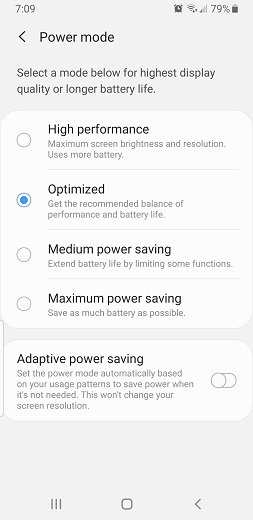
If you’re concerned about your Android battery draining quickly or behaving oddly, using apps that notify when Android battery usage is abnormal provides an immediate solution. **These apps monitor your device and alert you early if unusual power consumption occurs.** Keeping track of your battery health becomes effortless and helps you identify problematic apps or settings. With such notifications, you stay informed and can take quick action to extend your device’s longevity without guesswork. It’s an easy way to maintain optimal battery performance and avoid unexpected shutdowns.

Apps that notify when Android battery usage is abnormal
When your Android device’s battery starts acting up, it can be frustrating. Sometimes, your phone drains quickly without warning, or it might heat up unexpectedly. This often means there’s an abnormal pattern of battery use—maybe an app is working overtime or something is running that shouldn’t be. Luckily, there are apps out there designed to alert you when your battery’s behavior deviates from your normal usage. These tools give you peace of mind and help you take action before your battery drains completely or your phone overheats.
In this section, we’ll explore why monitoring battery usage is important, the common signs of abnormal activity, and how apps can help keep your device healthy. We will also cover the features to look for when choosing an app that notifies you about abnormal battery activity.
Why is monitoring battery usage important?
Your phone’s battery is a vital part of your device. Without it, your phone is just a fancy paperweight. But batteries don’t last forever, and sometimes they behave unexpectedly. Monitoring how much power each app consumes helps you understand what’s draining your battery and whether any app or process is working abnormally.
Common reasons to track battery use include:
- Preventing sudden battery drain that leaves you stranded
- Identifying apps that run in the background and consume excessive power
- Spotting malware or malicious apps that drain resources without your knowledge
- Managing battery health to extend its lifespan
When you know what’s going on behind the scenes, you can make smarter choices about app use and optimize your device for longer battery life.
Signs of abnormal battery usage on Android
Knowing what to look for helps you decide when to use an app that notifies you about battery issues. Here are some signs your Android device might be experiencing abnormal battery usage:
Rapid battery drain
If your battery percentage drops quickly even when you’re not using your phone heavily, it’s a warning sign. This could mean an app is using too much power or something is running in the background.
Overheating
If your phone gets unusually hot, especially when not in use, this could be a signal that an app or process is overworking your device’s CPU or battery.
Background activity spikes
Check which apps are active in the background. If an app is consuming a lot of resources without you knowing, it might be a culprit.
Unexpected battery percentage fluctuations
Sometimes, the battery percentage may appear to drop suddenly or bounce around randomly. This inconsistency points to battery calibration issues or abnormal app activity.
Frequent app crashes or slow performance
Apps draining the battery excessively can cause your device to slow down or crash frequently. Keeping an eye on battery activity helps identify the troublemaker.
The role of apps that notify about abnormal battery activity
Using an app that alerts you when battery use is abnormal helps you stay ahead of problems. Instead of waiting until the device automatically shuts down or overheats, you get proactive alerts that give you time to act.
These apps usually work by:
- Monitoring your device’s battery consumption live
- Detecting unusual spikes in power usage
- Alerting you with notifications when abnormal activity is found
- Providing detailed reports on which apps or processes are draining the battery
This real-time information allows you to close apps that are acting up, uninstall problematic apps, or change your usage patterns to preserve battery life.
Features to look for in battery monitoring apps
Not all apps are created equal. To get the most out of a battery notification app, consider these features:
Real-time monitoring and alerts
An effective app will monitor your battery constantly and push alerts when abnormal activity occurs. You want instant notifications so you can take quick action.
Detailed battery usage breakdown
Look for apps that offer insights into which apps are consuming the most power. A clear breakdown helps you identify potential issues at a glance.
Historical data and reports
Some apps store historical usage data. This helps you spot patterns over time, making it easier to understand what causes sudden drain or overheating.
Temperature monitoring
Since overheating can be a sign of abnormal activity, choose an app that tracks your device’s temperature and alerts you if it gets too hot.
Background activity control
A few apps let you manage background processes directly from their interface, allowing you to stop apps that use excessive resources.
Battery health information
Apart from monitoring current usage, some apps provide estimates of your battery’s health and lifespan, helping you decide when to replace the battery.
Top apps that notify when Android battery usage is abnormal
Let’s look at some popular apps known for their battery monitoring and notification features. Each offers unique tools to help keep your device running smoothly.
AccuBattery
AccuBattery tracks your battery’s actual capacity, showing you how much charge your battery can hold. It monitors app activity and notifies you of abnormal drain. The app also displays temperature, voltage, and discharge speed, making it a comprehensive tool for battery health management.
GSam Battery Monitor
GSam provides detailed insights into battery usage by individual apps, screen activity, and system processes. It sends alerts when a specific app starts behaving unusually or consumes more resources than usual.
Battery Doctor
Battery Doctor optimizes your device by identifying power-hungry apps and stopping unnecessary background processes. It also offers real-time notifications about abnormal usage and overheating.
OS Monitor
OS Monitor tracks CPU, RAM, and battery usage. It alerts users to abnormal activity and helps identify apps or processes that might be causing issues, making it a helpful tool for power management.
Greenify
Greenify hibernates background apps to prevent them from draining battery unnecessarily. While it doesn’t primarily function as an alert system, it helps manage apps proactively and avoid unexpected battery drain.
How to set up and use battery notification apps effectively
Getting the most out of your chosen app requires some initial setup and understanding of its features.
- Install the app and grant necessary permissions (like access to battery info and app activity)
- Configure notification settings—decide which alerts you want to receive
- Set thresholds for abnormal activity—such as high temperature or quick drain
- Review usage reports regularly to identify patterns or recurring problem apps
- Combine app notifications with manual checks—such as closing background apps or uninstalling problematic ones
By maintaining a routine of monitoring, you prevent issues before they become major problems. Remember, keeping your device’s battery healthy extends its lifespan and ensures smooth operation.
Benefits of using apps that notify when Android battery usage is abnormal
Using these specialized apps helps you enjoy several advantages:
- Early detection of potential battery problems
- Prevention of sudden shutdowns or overheating
- Improved overall device performance
- Extended battery lifespan by managing usage wisely
- Enhanced security by identifying suspicious activity caused by malicious apps
These benefits make battery monitoring apps a smart choice for anyone who relies on their Android device daily.
Monitoring your Android device’s battery usage is no longer a complicated task thanks to various apps designed to notify you of abnormal activity. These tools provide real-time alerts, detailed reports, and tips to optimize your device’s power consumption. By choosing the right app for your needs and setting it up properly, you gain better control over your device’s health and longevity. Regularly keeping an eye on battery activity not only prevents unexpected shutdowns but also helps maintain the overall performance and safety of your device. With the right app in hand, staying informed about your battery’s health becomes simple, helping you enjoy your Android device without interruptions or surprises.
Frequently Asked Questions
How can I set up notifications for unusual battery drain on my Android device?
You can use specialized apps that monitor your battery activity and send alerts when they detect abnormal consumption patterns. To set up these notifications, download a trusted battery monitoring app from the Play Store, grant it the necessary permissions, and customize its alert settings according to your preferences. This way, you’ll receive timely alerts when your battery usage deviates from normal levels.
What features should I look for in an app that notifies about abnormal battery usage?
An effective app should provide real-time battery consumption tracking, identify apps or processes that drain power excessively, and offer alerts for unusual activity. Additionally, it should allow you to view detailed usage statistics, help optimize battery life, and customize notification settings to suit your needs.
Are there any free applications available that effectively monitor battery health and notify me of issues?
Yes, several free apps on the Google Play Store offer reliable battery monitoring features. Examples include AccuBattery, Battery Widget Reborn, and GSam Battery Monitor. These apps track usage patterns, detect abnormal activity, and notify you promptly if they find potential issues, helping you maintain optimal battery health.
Can these apps identify specific causes behind abnormal battery drain?
Many battery monitoring applications analyze your device’s activity and pinpoint which apps or processes are consuming excessive power. They generate reports highlighting problematic apps, enabling you to take targeted action, such as closing or uninstalling power-hungry apps, to improve overall battery performance.
How frequently should I check my battery alerts to maintain device efficiency?
It’s advisable to review your battery notifications daily or every few days, especially if you notice rapid battery drain. Regular checks help you stay informed about your device’s power health, identify issues early, and adjust your usage habits or settings to extend battery life effectively.
Final Thoughts
Apps that notify when Android battery usage is abnormal help users identify issues quickly. They monitor power consumption and alert you to unusual activity. This keeps your device running efficiently and extends battery life. Using these apps makes managing your device’s health straightforward and effective.
