

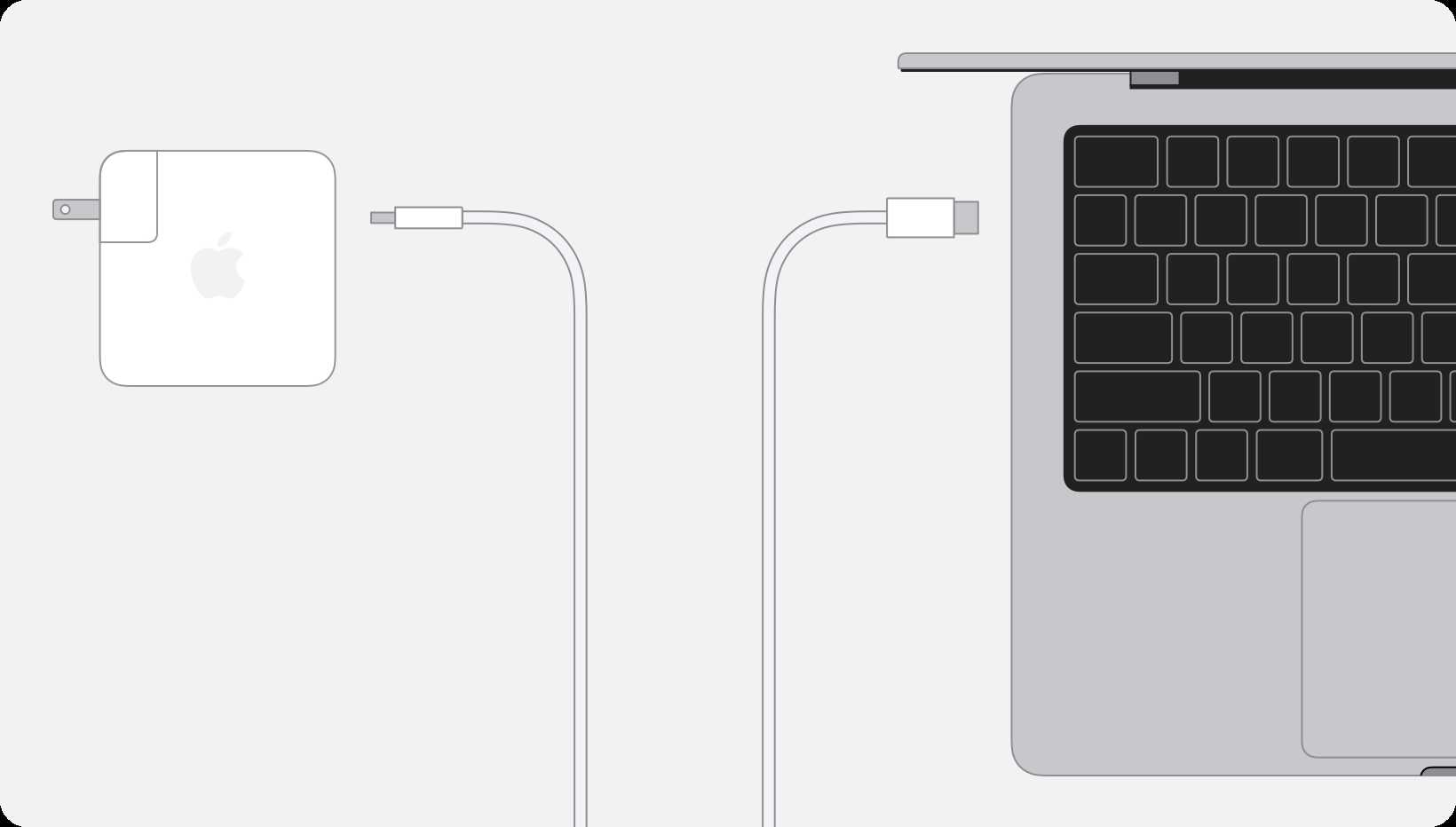
Yes, you can charge your MacBook Pro M1 using a USB-C charger. The device is designed to be compatible with USB-C power adaptors, making it convenient and versatile for everyday use. Just ensure that the charger provides sufficient wattage for optimal charging speed and safety.
If you’re wondering whether you can use a USB-C charger to power up your MacBook Pro M1, the answer is a definite yes. With the advent of USB-C technology, Apple has made it easier to charge their devices using a single cable that supports fast and reliable power transfer. The MacBook Pro M1 comes with a USB-C port, which means you’re not limited to the original charger—any compatible USB-C power adapter of the right wattage can do the job. This flexibility is great for travelers and those who like to keep fewer cables around. However, selecting the appropriate wattage and quality of the charger is important to ensure safe and efficient charging.

Can You Charge MacBook Pro M1 with USB C? A Complete Guide
Understanding USB C and Power Delivery
USB C is a versatile port that supports data transfer, video output, and charging. The MacBook Pro M1 relies heavily on this port for power and connectivity. USB Power Delivery (USB PD) is a fast-charging protocol that allows compatible devices to charge efficiently through USB C.
Can You Use USB C to Charge MacBook Pro M1?
Yes, the MacBook Pro M1 can be charged using a USB C cable. Apple designed this model to support charging via USB C ports, provided the charger meets the necessary power specifications. It’s essential to use a charger that delivers adequate wattage for optimal charging performance.
What Power Output Is Needed to Charge MacBook Pro M1?
The MacBook Pro M1 typically requires a power adapter with a minimum of 61 watts for efficient charging. Using a charger with less wattage may result in slower charging or the device not charging at all when in heavy use. For faster charging, Apple recommends using a charger with a higher wattage, such as 87 watts or more.
Compatible USB C Chargers for MacBook Pro M1
Selecting the right charger is key to safe and effective charging. Here are some options:
- Apple’s 61W or 87W USB C Power Adapter: Ideal for full compatibility and fast charging.
- Third-party chargers with USB PD support: Must deliver at least 61 watts, preferably 87 watts for faster charging.
- Power banks with USB C and high wattage output: Useful for charging on the go, especially during travel or outdoor activities.
Can I Use Any USB C Cable to Charge My MacBook Pro M1?
Not all USB C cables are created equal. For charging, it’s best to use cables that support USB Power Delivery and can handle high wattage. Look for cables labeled as “USB C PD compatible” with a wattage rating of at least 60 watts.
Types of USB C Cables Suitable for MacBook Pro M1
- Official Apple USB C Charging Cable: Certified for safe and efficient charging.
- Third-party USB C cables with USB PD support: Must have good reviews and verified power ratings.
- High-quality braided cables: Offer better durability and reliability over time.
Charging While Using Your MacBook Pro M1
Charging your MacBook Pro M1 while performing heavy tasks like video editing or gaming may require a higher wattage charger for faster charging. Using a charger with insufficient power can lead to slower charge times and increased battery wear over time.
Risks of Using Incompatible Chargers and Cables
Using chargers or cables not designed for your MacBook Pro M1 can pose risks. These include:
- Overheating: Poor quality or incompatible chargers may generate excess heat.
- Battery Damage: Inconsistent power delivery can damage the battery over time.
- Device Damage: Potential for physical damage to the charging port or internal components.
Always opt for certified and recommended accessories.
Charging Methods for the MacBook Pro M1
There are several ways to charge your device:
- Using Apple’s official charger: Provides optimal power and safety.
- Third-party chargers with USB PD: Must meet the same standards for compatibility.
- Power banks with USB C output: Handy for portable charging, especially when away from power outlets.
Wireless Charging and MacBook Pro M1
As of now, MacBook Pro models do not support wireless charging. USB C remains the primary charging method. Keep an eye on future innovations, but currently, wired charging remains the best option.
Charging Best Practices for Your MacBook Pro M1
To maximize battery health and ensure efficient charging:
- Use Apple-certified or high-quality third-party chargers.
- Avoid letting the battery fully drain regularly.
- Unplug the charger once the battery reaches 100% to prevent overcharging.
- Keep the charging port clean and free of debris.
- Update your macOS regularly for optimal power management.
Summary of Key Factors for Safe Charging
| Factor | Recommendation |
|---|---|
| Wattage | Use a charger with at least 61W, ideally 87W for faster charging |
| Cable Quality | Choose cables supported for USB PD and high wattage |
| Charger Certification | Opt for Apple-certified or reputable third-party options |
| Charging Environment | Avoid extreme temperatures and moisture during charging |
Additional Related Topics
- Difference between MacBook Air and MacBook Pro charging: Both support USB C charging but may require different wattages.
- Using multiple USB C devices: Managing power distribution when charging other peripherals simultaneously.
- Battery health management: How charging habits impact long-term battery life.
Understanding how to charge your MacBook Pro M1 with USB C ensures safe and efficient power delivery. Using compatible chargers and cables helps maintain your device’s health and performance over time. With proper care and attention to wattage and cable quality, you can keep your MacBook Pro charged and ready for your daily tasks.
Forgot your charger? Magsafe charging tip! #macbook #macbookpro #usbC #apple
Frequently Asked Questions
Can I use any USB-C cable to charge my MacBook Pro M1?
No, not all USB-C cables can effectively charge your MacBook Pro M1. You should use a cable that supports high power output, ideally one that is USB-C Power Delivery (PD) compatible. Using an incompatible cable might result in slower charging or no charging at all.
What wattage should the charger be to ensure proper charging for MacBook Pro M1?
The MacBook Pro M1 typically requires a charger with at least 61W power output for optimal charging. Using a charger with lower wattage may lead to slower charging speeds, especially when using the device intensively, while a higher wattage charger can provide faster charging without affecting the device’s performance.
Does using a third-party USB-C charger affect my MacBook Pro M1’s battery health?
Using reputable third-party USB-C chargers that meet the required specifications generally does not harm your MacBook Pro M1’s battery. However, using low-quality or incompatible chargers can potentially impact battery health over time. It’s best to choose chargers approved by Apple or those that meet strict safety standards.
Can I charge my MacBook Pro M1 and use it simultaneously through a single USB-C port?
Yes, you can charge your MacBook Pro M1 and connect peripherals at the same time using a USB-C hub or a port with multiple functions. Many hubs include charging capabilities along with data transfer options, allowing you to keep your device powered while working with other accessories.
Is it safe to use a USB-C power bank to charge my MacBook Pro M1?
Using a high-quality USB-C power bank that supports sufficient wattage and USB-C PD is safe for your MacBook Pro M1. Ensure the power bank is from a reputable manufacturer and meets your device’s power requirements. Avoid using low-quality or incompatible power banks to prevent potential damage or subpar charging performance.
Final Thoughts
Charging your MacBook Pro M1 with USB-C is straightforward, provided you use a compatible charger. Many USB-C chargers deliver sufficient power for quick and safe charging. Always check the wattage to ensure it meets the MacBook’s requirements.
Can you charge MacBook Pro M1 with USB C? Yes, it is designed to support USB-C charging, making it convenient and versatile. This compatibility allows you to charge your MacBook efficiently with various USB-C power sources.
