
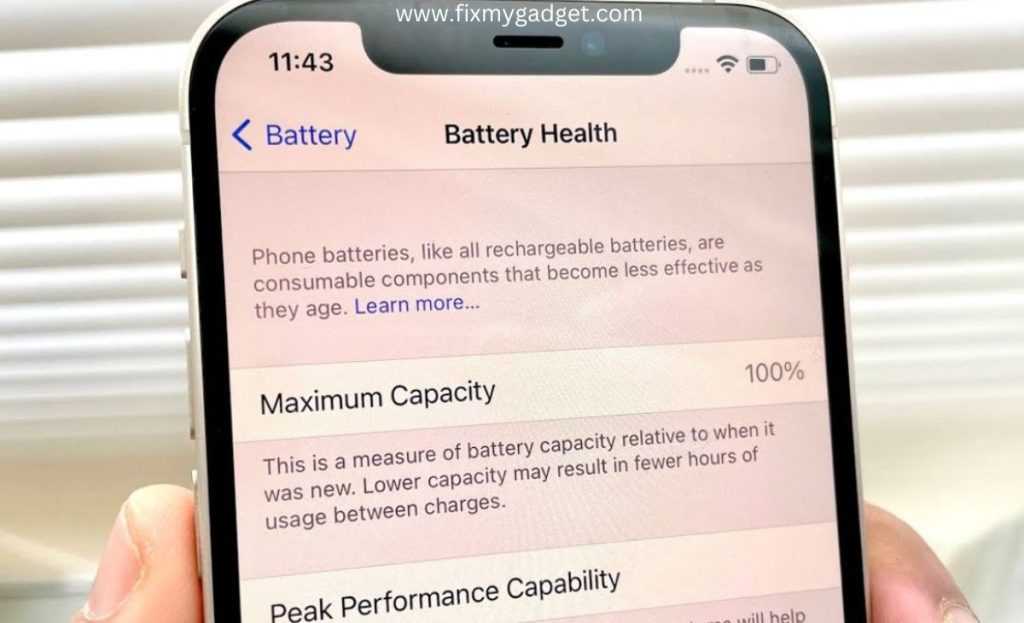
To get helpful tips on software updates and battery impact, ask clear, specific questions to tech support or online forums, and provide details about your device and usage. Staying informed about the latest updates and understanding how they affect your battery can help you optimize performance effectively.
In brief, seek advice by articulating your concerns precisely, and consult official resources or community experts. Keep your device updated regularly, but also monitor how updates influence your battery life, so you can make informed decisions to extend your device’s longevity.
Are you worried about frequent software updates draining your phone’s battery or causing performance issues? Navigating the world of tech can be tricky, but knowing how to ask the right questions can save you time and frustration. Whether you’re trying to understand if an update is worth installing or seeking ways to reduce battery drain, knowing what to ask and where to look makes all the difference. This guide will help you craft effective questions and point you toward practical tips to keep your device running smoothly and efficiently longer.

How to ask for tips on software updates and battery impact
Getting advice on software updates and understanding how they affect your device’s battery life can seem tricky. Many users want clear answers but don’t know how to ask effectively. Learning the right questions can help you get useful tips quickly and easily.
Understanding why asking the right questions matters
When you ask specific questions, you receive more relevant answers. Vague questions often lead to confusing or unhelpful responses. Being clear about your concerns helps others guide you better.
For example, instead of asking, “Why is my battery draining?” try asking, “Do software updates typically increase battery consumption?” This makes it easier for people to give focused advice.
Preparing to ask about software updates
Know your device and current software version
Before asking for help, check your device’s model and current software version. This helps others tailor their advice to your specific setup. Usually, you can find this information in your device’s settings menu.
Example question: “I have an iPhone 12 running iOS 16.1. Are there known issues after updating to this version?”
Research recent updates and issues
Look for recent news or user reports about your device’s latest updates. This helps you avoid asking about problems that are already well-known or fixed.
Example question: “I noticed my battery drains faster after the last update. Has anyone experienced this with the latest software?”
How to ask about battery impact specifically
Describe your battery usage patterns
Share how you typically use your device, such as streaming videos, gaming, or browsing. This context helps others suggest relevant tips.
Example: “I mainly use my tablet for reading and occasional videos. My battery lasts only a few hours after the latest update. What can I do?”
Ask about settings and tips to improve battery life
Request advice on adjusting settings or apps that can extend battery life after updates. Many users have helpful tricks to share.
Example: “Are there specific settings I should change after updating to improve battery life?”
Effective ways to phrase your questions
Be specific and direct
Instead of asking broad questions, focus on specific issues like battery drain or update problems. Clear questions get clearer answers.
Use simple language and avoid jargon
Express your concerns using easy-to-understand words. This ensures that even non-experts can help you.
Example: “My device gets hot and loses battery quickly after updating. What can I do?”
Include relevant details
- Device model and version
- Software update version
- Recent changes or issues you’ve noticed
- Usage habits and settings
Where to seek advice
Online forums and communities
Platforms like Reddit, Apple Support Communities, or Android forums are great for getting tips from experienced users. Be sure to include specific details in your posts.
Official support channels
Contact manufacturer support or visit official help websites for trusted advice. They can provide guidance tailored to your device and software version.
Social media groups
Facebook groups or Twitter accounts dedicated to your device type often share quick tips and updates. Use relevant hashtags when posting your questions.
Additional tips to get the most out of your questions
Stay open to suggestions
Sometimes, your problem may be caused by unrelated issues. Be willing to explore different tips or solutions offered.
Follow up with more questions
If a suggestion helps but doesn’t fully solve your problem, ask follow-up questions for clarification or further advice.
Share your results
Let others know which tips worked for you. Sharing your experience helps build a helpful community and provides feedback for others with similar issues.
Using data and tools to enhance your questions
Utilize battery usage data and diagnostics
Most devices provide battery usage stats. Sharing these figures when asking for help allows others to analyze the problem better.
Compare different update versions
Use comparison tables or lists to show changes between software versions. This helps identify if specific updates may cause problems.
Include screenshots or logs
If possible, attach screenshots of battery stats or error messages. Visual data often clarifies your issues and speeds up support.
Related topics to explore
Tips for optimizing software updates
Learn how to install updates safely, back up data, and avoid common pitfalls during updates.
Best practices for extending battery life
Discover ways to reduce power consumption, like adjusting brightness or closing background apps.
How to troubleshoot update-related problems
Find steps to resolve issues like update failures, device freezing, or decreased performance after updates.
Asking effective questions about software updates and battery impact is a skill that improves with practice. Clear, specific inquiries help you receive relevant advice faster. By understanding your device, sharing detailed information, and knowing where to seek help, you can manage your device better and get the most out of updates without sacrificing battery life.
5 iPhone Battery Saving Tips you need!
Frequently Asked Questions
What are the best ways to ask for advice on updating my software safely?
When seeking advice on software updates, clearly specify your device model and current software version. Ask about recommended update procedures and whether you should back up your data beforehand. This helps others provide tailored guidance and ensures you follow safe update practices.
How can I politely request tips on minimizing battery drain after updates?
Express your concern about battery performance following recent updates and ask if there are specific settings or applications that might cause increased power consumption. Request suggestions for optimizing your device’s battery life without compromising essential functions.
What questions should I ask to understand the impact of software updates on device performance?
Inquire whether the latest updates enhance or hinder your device’s speed and responsiveness. Ask if there are known issues or compatibility concerns with your hardware. Gathering this information helps you decide the best time to apply updates or wait for fixes.
How can I seek advice on handling software update errors without risking device stability?
Describe any error messages or issues you’ve encountered during updates and ask for troubleshooting steps. Request guidance on how to safely revert to previous versions if necessary or how to resolve common update failures while keeping your device stable.
What should I ask to learn about the effects of software updates on battery health over time?
Ask whether recent updates have been reported to improve or affect battery longevity negatively. Seek tips on maintaining battery health, such as recommended charging habits or settings adjustments, to ensure your device stays efficient over the long term.
Final Thoughts
To ask for tips on software updates and battery impact, clearly state your concerns and specify your device model. Be specific about issues you experience or improvements you seek.
Join relevant online forums or contact customer support directly for tailored advice. Providing details helps others give precise help.
In conclusion, effective communication makes it easier to get useful tips on software updates and battery impact. Asking the right questions ensures you receive relevant guidance quickly.
