

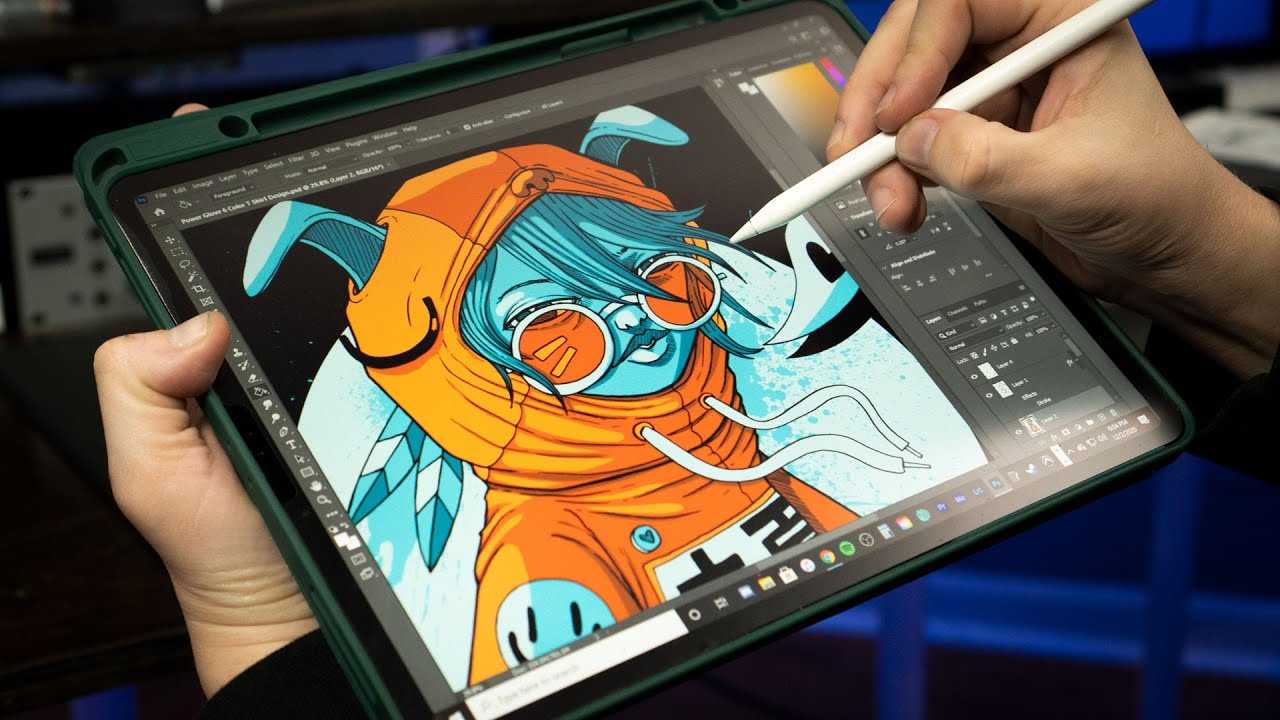
If you’re wondering whether the iPad Pro is good for drawing, the quick answer is yes! The iPad Pro has become a favorite among artists, and for good reason. With its powerful hardware, stunning display, and support for the Apple Pencil, it offers an exceptional drawing experience. The high-resolution Liquid Retina display brings your artwork to life with vivid colors and sharp details, while the smooth responsiveness of the Apple Pencil mimics the feel of traditional tools. Plus, a variety of apps designed for digital art make it incredibly versatile. Whether you’re a professional artist or a hobbyist, the iPad Pro can be an excellent choice to elevate your drawing skills. Let’s dive deeper into what makes this device a top contender for artists.

Is iPad Pro Good for Drawing?
The iPad Pro has become a popular choice among artists and creators. But is it really good for drawing? This question often pops up among those looking to enhance their artistic skills using digital tools. Let’s dive deeper into what makes the iPad Pro a great drawing device.
Understanding the iPad Pro’s Display
The display of the iPad Pro is one of its standout features. It comes with a Liquid Retina display that offers vibrant colors and sharp details. Here are some points to consider:
- High resolution provides clarity for intricate artworks.
- True Tone technology adjusts colors according to the lighting.
- 120Hz refresh rate allows for smooth transitions and responsiveness.
These features make the iPad Pro perfect for artists who require precision in their work. The clarity helps in making fine details shine.
The Apple Pencil Advantage
One of the most compelling reasons to choose the iPad Pro for drawing is the compatibility with the Apple Pencil. This accessory is designed specifically for the iPad Pro and offers various benefits.
- Pressure sensitivity allows for varied strokes and styles.
- Low latency ensures a real-time drawing experience.
- Double-tap functionality lets you switch between tools easily.
The Apple Pencil feels like a real pencil in hand, making it easier for artists to translate their ideas onto the screen.
Art Apps for iPad Pro
The iPad Pro supports a wide range of applications tailored for drawing. Some of the most popular apps include:
- Procreate: Offers a wide variety of brushes and tools.
- Adobe Fresco: Great for traditional painting styles.
- Affinity Designer: Excellent for vector graphics.
These applications take full advantage of the iPad Pro’s capabilities, allowing for enhanced creativity and productivity.
Portability and Convenience
Portability is another critical factor to consider. The lightweight design of the iPad Pro makes it easy to carry around. This is essential for artists who like to create on the go.
In addition, the long battery life allows for hours of continuous use. You can sketch in the park or finish a project on a long train ride without worrying about finding a power outlet.
Battery Life and Performance
Performance plays a crucial role in the drawing experience. The iPad Pro is equipped with the M1 chip, which delivers exceptional speed and efficiency.
With this powerful chip:
- Apps open quickly and run smoothly.
- Heavy graphic files can be handled without lag.
- Multitasking is seamless, allowing for efficient workflow.
This means you can focus on your art without interruptions, enhancing your overall experience.
Customizability and Personalization
Another significant advantage of the iPad Pro is the level of customization it offers. Artists can personalize their workspace by choosing various brushes, palettes, and layouts in their preferred apps.
- Create custom brushes that fit your unique style.
- Adjust tool settings for optimal control.
- Organize your workspace to fit your workflow.
This level of personalization ensures that artists can work in a way that feels comfortable and inspiring.
Comparing iPad Pro to Other Devices
When considering whether the iPad Pro is good for drawing, it’s helpful to compare it with other devices. For instance, many artists also use drawing tablets.
Key comparisons include:
- iPad Pro vs. Wacom Tablets: iPad Pro offers portability while Wacom provides some traditional features.
- iPad Pro vs. Surface Pro: Both are excellent options, but iPad Pro generally has superior app support.
- iPad Pro vs. Traditional Paper: While paper is timeless, the convenience of digital tools is unparalleled.
Each device has its strengths, but the iPad Pro’s versatility and support for a rich ecosystem of apps make it a strong contender for artists.
Learning Curve and Usability
Starting with digital drawing can be intimidating. However, the iPad Pro’s user-friendly interface makes it accessible for beginners.
Many drawing apps offer tutorials and guides to help new users get started.
Additionally, the Apple Pencil closely mimics traditional drawing tools, making the transition smoother.
Overall, anyone can start drawing on the iPad Pro with a little practice.
Storage Options and File Management
Artists often work with large files, and the iPad Pro provides adequate storage solutions.
You can choose from various models, ranging from 128GB to 2TB of storage. This means you can keep all your projects, brushes, and apps in one place without worrying about running out of space.
Moreover, file management is intuitive with iCloud integration. You can easily access your work across devices, ensuring you can continue projects wherever you are.
The Cost Factor
While the iPad Pro offers many features, it’s essential to consider the price. The initial investment can be considerable.
The cost of the iPad Pro itself, combined with the price of the Apple Pencil and necessary apps, can add up. However, many artists believe the investment is worth it for the quality and performance.
It’s crucial to assess your budget and determine if the features are in line with your drawing needs.
Durability and Build Quality
Another aspect to consider is the durability of the iPad Pro. The device is designed to last, with a sturdy aluminum body and a glass screen.
This means you can carry it around without worrying about everyday wear and tear.
Additionally, the accessory options, such as protective cases, add an extra layer of safety, allowing you to keep your device in excellent condition.
Community and Support
There is a vibrant community of artists who use the iPad Pro for drawing. This community can provide support, tips, and inspiration.
Many online forums and social media groups exist where artists share their work and techniques.
Being part of this community can help you grow as an artist, learn new skills, and connect with others who share your passion.
In conclusion, the iPad Pro is an excellent choice for drawing. Its high-quality display, compatibility with the Apple Pencil, and a wide range of art apps make it a powerful tool for artists.
Whether you are a beginner or a professional, the features and flexibility offered by the iPad Pro can help you enhance your drawing skills.
If you are considering making the switch to digital art, the iPad Pro is definitely a worthy investment.
Which iPad Pro is Best for Artists?
Frequently Asked Questions
How does the iPad Pro perform with stylus drawing?
The iPad Pro excels in stylus drawing thanks to its support for the Apple Pencil, which offers precise and responsive input. The screen’s high refresh rate enhances the drawing experience, providing fluid lines and minimal lag. Artists appreciate the pressure sensitivity and tilt recognition of the Apple Pencil, allowing for varied brush strokes and shading techniques.
What drawing apps are recommended for iPad Pro users?
iPad Pro users have access to a variety of excellent drawing applications. Procreate is a popular choice for its user-friendly interface and extensive brush library. Adobe Fresco offers additional options for those familiar with Adobe’s ecosystem. Other notable apps include Clip Studio Paint, Affinity Designer, and Concepts, each catering to different styles and preferences.
Can the iPad Pro replace traditional drawing methods?
The iPad Pro can effectively replace traditional drawing methods for many artists. It offers unique advantages such as the ability to easily correct mistakes, unlimited undo options, and the convenience of portability. Digital tools also allow for experimentation without the need for physical materials, making it a versatile choice for artists.
Is the iPad Pro suitable for professional artists?
Many professional artists use the iPad Pro as their primary drawing device. Its powerful hardware, high-resolution display, and compatibility with industry-standard software make it a viable option for professionals. Additionally, the ability to work on the go and share artwork digitally adds to its appeal in the professional art community.
What are the advantages of using the iPad Pro for drawing?
The iPad Pro offers several advantages, including its portability, high-quality display, and compatibility with the Apple Pencil. Artists benefit from the intuitive touch interface, which allows for a natural drawing experience. Furthermore, the extensive range of apps available on the platform caters to various artistic styles and needs, making it a flexible tool for creativity.
Final Thoughts
The iPad Pro truly excels as a tool for drawing. Its responsive ProMotion display and Apple Pencil compatibility provide an enjoyable experience for artists.
With a variety of drawing apps available, users can explore their creativity without limits.
When considering if the iPad Pro is good for drawing, it’s clear that its features cater to both beginners and professionals alike. Overall, the iPad Pro stands out as a solid choice for anyone passionate about digital art.
