

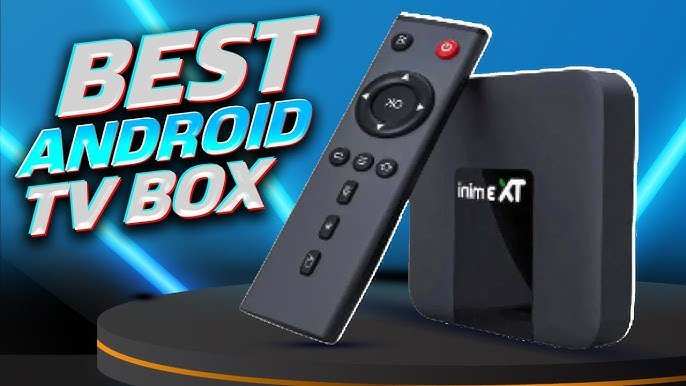
The best android tv box for IPTV provides seamless access to your favorite channels with smooth performance and user-friendly features. **Choosing the right device depends on compatibility, processing power, and app support.** With so many options available, finding the perfect fit can feel overwhelming. A good android TV box enhances your IPTV experience by offering reliable connectivity and versatile media options. By focusing on key specifications, you can select a device that makes watching IPTV easy and enjoyable.

Best Android TV Box for IPTV
Choosing the right Android TV box for IPTV can feel overwhelming with so many options available. Whether you’re a casual viewer or an avid binge-watcher, the perfect device can enhance your TV experience significantly. In this guide, we’ll explore what makes an Android TV box ideal for IPTV, review essential features, and highlight some of the top models to consider.
Understanding IPTV and Why It Matters
IPTV, or Internet Protocol Television, delivers TV content over the internet instead of traditional cable or satellite. It allows viewers to watch live channels, on-demand shows, and even pay-per-view content through an internet connection. The ease and flexibility IPTV offers make it a popular choice among TV lovers.
However, to enjoy IPTV seamlessly, you need a device that can handle streaming efficiently and support various IPTV applications. An Android TV box is a popular option because it combines affordability, versatility, and high performance.
What to Look for in an Android TV Box for IPTV
Before diving into specific models, it’s important to understand key features that make an Android TV box suitable for IPTV:
- Processor Power: A fast processor ensures smooth streaming without buffering. Look for quad-core or hexa-core CPUs for better performance.
- RAM: At least 2GB of RAM is essential for multitasking and quick app switching, though 4GB provides better future-proofing.
- Storage Capacity: 16GB to 64GB of built-in storage allows you to install multiple apps and store some media locally.
- Operating System Support: Make sure the device runs the latest Android version for security and app compatibility.
- Connectivity Options: HDMI output is a must, along with Wi-Fi (preferably dual-band 2.4GHz and 5GHz) and Ethernet for stable streaming.
- Supported Apps and Compatibility: Ensure compatibility with popular IPTV apps like Smart IPTV, IPTV Smarters, and other streaming tools.
- Video Output Resolution: 4K support is highly desirable for high-definition streaming and a crisp viewing experience.
- Remote Control Style: A user-friendly remote with quick access buttons enhances usability.
Top Features for IPTV Enthusiasts
When selecting a device specifically for IPTV, additional features come into play:
- High-Quality Video Output: Support for 4K and HDR ensures the best picture quality.
- Multiple USB Ports: Allows connection of external storage or peripherals.
- Pre-installed Streaming Apps or Compatibility: Some boxes come with apps like Netflix, YouTube, or pre-installed IPTV apps.
- Stable Wi-Fi and Ethernet: Reliable internet connection minimizes buffering issues during streaming.
- Bluetooth Support: Handy for connecting wireless headphones, keyboards, or game controllers.
- Ease of Use and Navigation: Intuitive interfaces make browsing and channel switching simple.
Best Android TV Boxes for IPTV in 2023
Now, let’s look at some of the leading Android TV boxes ideal for IPTV users. Each of these options balances performance, affordability, and compatibility:
NVIDIA Shield TV
This device is renowned for its high-end features, making it a favorite among IPTV users who want premium quality.
- Processor: Tegra X1+ octa-core processor delivers excellent speed and efficiency.
- RAM: 3GB of RAM for flawless multitasking.
- Storage: 16GB to 64GB options, expandable via USB or microSD.
- Video Output: Supports 4K HDR, Dolby Vision, and Dolby Atmos for immersive viewing.
- Connectivity: Dual-band Wi-Fi, Ethernet, Bluetooth 5.0, and multiple USB ports.
- Additional Benefits: Supports game streaming and a wide range of apps, making it versatile beyond IPTV.
Amazon Fire TV Cube (Android OS Compatible)
While primarily based on Fire OS, it supports Android apps and can be customized for IPTV.
- Processor: Hexa-core CPU ensures smooth streaming.
- Storage: 16GB storage, expandable via external devices.
- Video Support: 4K Ultra HD, HDR, HDR10+, Dolby Vision.
- Connectivity: Wi-Fi 6, Ethernet, Bluetooth, multiple USB ports.
- Remote: Voice remote with Alexa, making navigation simple.
MINIX NEO U9-H
A more budget-friendly option packed with features suitable for IPTV viewing.
- Processor: Amlogic S912 octa-core processor.
- RAM: 2GB of RAM.
- Storage: 16GB internal storage, with microSD support.
- Video Output: Supports 4K at 60Hz with HDR support.
- Connectivity: Wi-Fi dual-band, Ethernet, multiple USB ports.
- Performance: Great for HD and 4K IPTV streams without lag.
Additional Tips for Choosing the Perfect IPTV Android TV Box
Besides hardware specs, consider the following factors to pick the best device:
- Firmware and Software Updates: Regular updates keep the system secure and compatible with new apps.
- Community Support: Devices with active user communities offer more troubleshooting help and custom firmware options.
- Price: Set your budget but balance it with needed features. Sometimes investing a bit more pays off in longevity and performance.
- Warranty and Customer Support: A reliable warranty ensures peace of mind should hardware issues arise.
Setting Up Your Android TV Box for IPTV
Getting your IPTV setup ready involves a few steps:
- Connect the Android TV box to your TV via HDMI cable.
- Power on the device and connect it to the internet via Wi-Fi or Ethernet.
- Navigate to the Google Play Store or app marketplace to install your preferred IPTV app, such as IPTV Smarters, Perfect Player, or GSE Smart IPTV.
- Configure the IPTV app using your subscription details or playlist URL provided by your IPTV provider.
- Adjust video settings for optimal display quality, including resolution and HDR options.
Additional Accessories to Enhance IPTV Experience
Enhancing your setup can make viewing even more enjoyable:
- Wireless Keyboard and Mouse: Facilitates easier navigation and input.
- External Storage Devices: For storing recordings, media files, or additional apps.
- High-Gain Antennas or Wi-Fi Range Extenders: Ensure a stable internet connection, especially in larger homes.
- External Hard Drives or USB Flash Drives: For storing IPTV recordings or other media content.
Choosing the best Android TV box for IPTV depends on your specific needs, budget, and desired features. Devices like NVIDIA Shield TV offer top-tier performance, but more affordable options like MINIX NEO U9-H or compatible Amazon Fire TV devices can also deliver excellent streaming experiences. Focus on choosing a box with a powerful processor, sufficient RAM, support for 4K content, and reliable connectivity options. Proper setup and compatible apps will ensure you enjoy your IPTV content smoothly and comfortably. Remember to keep your device updated, use secure connections, and add accessories that make navigation and viewing more enjoyable. With the right Android TV box, your TV can become a hub for all your favorite shows, movies, and live channels.
Frequently Asked Questions
What features should I look for in an Android TV box to ensure smooth IPTV experiences?
Look for an Android TV box with a fast processor, at least 4GB of RAM, and reliable Wi-Fi or Ethernet connectivity. Support for high-definition and 4K output enhances picture quality, while HDMI ports facilitate easy connection to your TV. Ensure the device has sufficient storage and supports popular IPTV apps for seamless streaming.
How does device compatibility affect IPTV performance on Android TV boxes?
Compatibility with various apps and codecs directly impacts IPTV functionality. A device that supports the latest Android version and popular media formats provides a broader range of content and fewer playback issues. Confirm that the Android TV box can run your preferred IPTV applications smoothly and supports necessary streaming protocols.
What considerations should I make regarding the user interface of an Android TV box for IPTV use?
A user-friendly interface makes managing IPTV channels easier. Choose an Android TV box with a clean, intuitive menu and easy navigation controls. Compatibility with remote controls, voice commands, and customizable settings enhances usability, allowing you to access content efficiently without frustration.
How important is firmware updates and support when choosing an Android TV box for IPTV?
Regular firmware updates improve device security, fix bugs, and optimize performance for IPTV streaming. Opt for brands that offer consistent updates and responsive customer support. This ensures your device remains compatible with evolving IPTV apps and streaming standards over time.
What should I consider regarding the storage capacity of an Android TV box for IPTV content?
While most IPTV streaming relies on internet access, having ample internal storage allows you to download apps and store offline media. Choose a device with at least 16GB of internal storage, or support for external storage options like microSD cards or USB drives, to manage additional content comfortably.
Final Thoughts
The best android tv box for iptv offers excellent performance, smooth navigation, and compatibility with various apps. It provides a user-friendly experience, ensuring seamless access to your preferred content. A good device combines speed, storage, and easy setup to meet your streaming needs. Choosing the right box enhances your IPTV viewing by delivering reliable connectivity and quality.
