

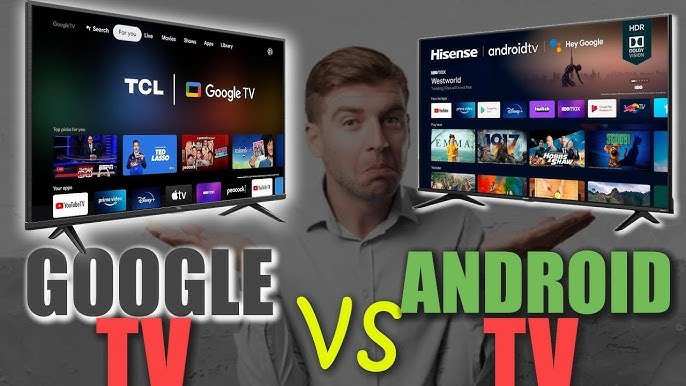
If you’re wondering whether to get an Android TV or a smart TV, the answer depends on your needs. **Choosing an Android TV offers more apps and customization options**, while a standard smart TV provides easier setup and compatibility.
When deciding, consider what features matter most—app variety or simplicity. Should i buy Android TV or smart TV? Think about your viewing habits and tech preferences to make the best choice.

Should I Buy Android TV or Smart TV?
Choosing between an Android TV and a smart TV can feel overwhelming, especially with so many options available. Both types offer great ways to enjoy movies, shows, and apps, but they are built with different features and capabilities. Let’s dive into what each offers and help you decide which one is better for your needs.
Understanding What an Android TV Is
An Android TV is a smart television that runs on Google’s Android operating system. This means it’s like having a big tablet or smartphone on your wall. You can download apps from the Google Play Store, customize your home screen, and access a wide range of streaming services.
Features of Android TV
- Access to Google Play Store – Download apps, games, and tools easily.
- Voice Control Capabilities – Use Google Assistant to search for shows, control smart home devices, or ask questions.
- Customizable Interface – Change your home screen and organize apps as you prefer.
- Chromecast Built-in – Stream content directly from your phone or tablet to the TV without extra devices.
- Regular Software Updates – Keep your TV updated with new features and security patches.
Advantages of Android TV
– Wide app selection due to Google Play integration.
– Seamless integration with Google services like Gmail, Google Photos, and Assistant.
– Better gaming options, thanks to compatibility with Android games.
– Frequent updates ensure improved performance and new features.
Potential Drawbacks
– Might be more expensive than standard smart TVs.
– Some models can be complex for users who prefer simple interfaces.
– Sometimes, app compatibility issues can occur, especially with third-party apps.
Understanding What a Smart TV Is
A smart TV is simply a television that connects to the internet to stream content, browse the web, or run apps. Unlike Android TVs, many smart TVs use their own operating system, like Samsung’s Tizen, LG’s webOS, or others.
Features of Smart TV
- Built-in Wi-Fi and Ethernet – Connect to the internet easily.
- Preloaded Apps – Access popular streaming services like Netflix, Hulu, or Amazon Prime.
- Simple User Interface – Designed for ease of use, often with a remote control optimized for navigation.
- Firmware Updates – Occasionally update the OS to add new features.
- Screen Mirroring – Share content from your phone or tablet onto the big screen.
Advantages of Smart TV
– Usually more affordable than Android TVs.
– Easy to set up with a straightforward interface.
– Good enough for most streaming needs and casual viewing.
– Compatibility with various smart home devices, depending on the brand.
Potential Drawbacks
– Limited app selection compared to Android TV.
– Software updates can be infrequent or less comprehensive.
– Might have a less flexible interface, limiting customization.
– Lower chances for gaming or advanced apps.
Key Differences Between Android TV and Smart TV
Understanding the main differences can guide your decision:
| Aspect | Android TV | Smart TV |
|---|---|---|
| Operating System | Google’s Android OS | Proprietary OS (like Tizen, webOS, etc.) |
| App Store | Google Play Store | Preloaded apps from manufacturers or app marketplaces |
| Customization | Highly customizable interface | Limited customization options |
| Content Streaming | Supports a wide range of streaming apps and services | Supports popular streaming apps but with fewer options |
| Price Range | Generally higher | Usually more affordable |
| Gaming | Better for gaming thanks to Android compatibility | Limited gaming options |
Which Should You Choose Based on Your Needs?
The best choice depends on what you want from your TV experience:
If You Love Customization and Apps
Opt for an Android TV. Its access to Google Play means you can download your favorite apps, organize your interface, and even sideload apps that aren’t available elsewhere. Plus, if you enjoy gaming, an Android TV offers better compatibility with Android games and controllers.
If You Want a Simple and Budget-Friendly TV
A smart TV with a straightforward interface can serve most streaming needs well. These models are usually cheaper and easier to set up. If your main goal is watching Netflix, YouTube, or cable-based streaming, a budget smart TV might be enough.
If You’re Interested in Smart Home Integration
Android TV can sync well with Google Home devices and other Android-based smart gadgets. If you already use Google Assistant or Google services, Android TV offers smoother integration, making your tech ecosystem work seamlessly.
For Gaming and Future-Proofing
Android TVs often have better hardware options for gaming and updates, so they can serve you longer without feeling outdated. If gaming is a big part of your entertainment, Android TV is worth considering.
Considerations for Different Budgets
While Android TVs tend to cost more, they justify the price with their flexibility and features. Smart TVs, especially models from brands like Samsung, LG, or TCL, are more affordable and still provide a good experience for everyday streaming.
Cost Breakdown
- Budget (< $300): Basic smart TVs with streaming apps preloaded.
- Mid-range ($300 – $700): Smart TVs with better picture quality, some Android features, or hybrid models.
- Premium (Over $700): Android TVs with 4K resolution, advanced gaming features, and extensive app options.
Compatibility and Connectivity Features to Look For
When selecting between Android TV and a smart TV, check for:
- Number of HDMI ports for connecting gaming consoles, soundbars, or other devices.
- USB ports for external storage or media playback.
- Support for Bluetooth for wireless headphones or speakers.
- Wi-Fi and Ethernet options for stable streaming.
- Built-in voice assistants like Google Assistant or Alexa, if applicable.
Making Your Choice Easier
Think about your tech habits: Do you prefer a customizable experience, or do you want something simple? Are gaming and app availability important, or are you just looking for good streaming quality? Also, consider your budget and how much you’re willing to spend.
If you prioritize flexibility, app variety, and future upgrades, an Android TV makes sense. Conversely, if you want a straightforward TV experience with less fuss and a lower price, a regular smart TV will meet your needs.
In Summary
Deciding whether to buy an Android TV or a smart TV ultimately depends on your lifestyle, budget, and entertainment preferences. Android TVs excel in customization, app versatility, and gaming, making them perfect for tech-savvy users or those who want more control. Smart TVs are great for casual viewers who want quick access to streaming services without complicated setups.
Remember to evaluate your daily habits and preferred entertainment options to choose the model that fits you best. Whether you opt for an Android TV or a standard smart TV, both can deliver a satisfying viewing experience—just tailored to different needs and preferences.
Frequently Asked Questions
What are the key differences between Android TV and traditional smart TVs?
Android TV offers a flexible operating system that supports a wide range of apps from the Google Play Store, allowing for more customization and app availability. Traditional smart TVs usually have a fixed set of apps and may limit user flexibility. Android TV also provides regular updates, voice control options, and smoother interface navigation, making it a more versatile platform for multimedia consumption.
How does the app selection and compatibility compare between Android TV and other smart TVs?
Android TV generally provides access to a broader selection of applications and games through the Google Play Store. This means you can find more popular streaming services, productivity tools, and entertainment apps. Many other smart TVs have proprietary app stores with limited options, which could restrict your choices and browsing experience.
What should I consider regarding the user interface when choosing between Android TV and a smart TV?
Android TV features a clean, intuitive interface that organizes content efficiently, making it easy to navigate between apps, inputs, and settings. Some smart TVs might have cluttered or less responsive menus, which can slow down browsing or cause frustration. If user experience and ease of use matter, Android TV often provides a smoother interface.
Is there a significant difference in compatibility with accessories like soundbars or gaming controllers?
Android TV generally offers better compatibility with a wide range of accessories, including wireless soundbars and gaming controllers, thanks to its open platform and support for standard Bluetooth devices. This compatibility allows you to set up a more personalized home entertainment system with fewer limitations compared to some traditional smart TVs which might have limited accessory support.
How important is software update support when choosing between these options?
Android TV devices typically receive regular software updates directly from Google, which include security patches, performance improvements, and new features. Many traditional smart TVs may not get frequent updates or may depend on the manufacturer’s support policies. Ensuring your device stays current with updates helps maintain performance and security over time.
Final Thoughts
Choosing between Android TV and a Smart TV depends on your preferences. Android TV offers flexibility with apps and updates, providing a customized experience. Smart TVs are straightforward, ideal for basic streaming without additional setup.
Consider your tech-savviness and desired features to make an informed decision.
Should I buy Android TV or Smart TV? If you want advanced options and app support, Android TV is better. For simple use, a Smart TV can suffice.
