

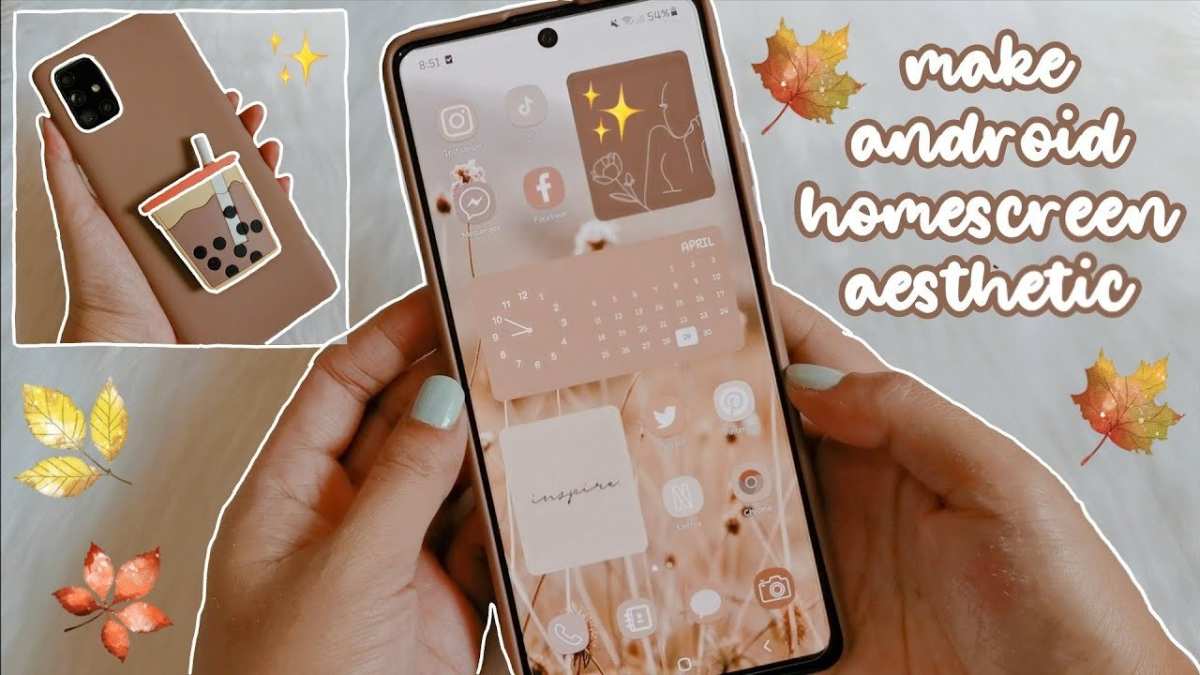
To make your apps aesthetic on Android, focus on using cohesive themes, custom icons, and appealing color schemes. **Choosing the right design elements instantly boosts your app’s visual appeal.** Start by selecting a consistent color palette and incorporating high-quality graphics. A clean, well-organized layout keeps users engaged and makes your app stand out. With some attention to detail, your app can look modern and inviting without complicated changes.

How to Make Your Apps Aesthetic on Android
Creating an app that looks beautiful and feels intuitive is key to attracting and retaining users. When your app has an appealing design, users are more likely to enjoy their experience and recommend it to others. To make your Android apps aesthetically pleasing, you need to pay attention to several important design elements. In this guide, we will explore various strategies and tips to help you craft a visually stunning app that stands out in the Google Play Store.
Understanding the Basics of App Aesthetics
Before diving into design details, it’s essential to understand what makes an app visually attractive. Good aesthetics are about more than just pretty pictures; they involve balance, harmony, usability, and consistency. When your app looks good, it also functions well and feels natural to use.
Key principles include:
- Balance: Distribute visual weight evenly across the screen so that no part feels heavier than others.
- Contrast: Use contrasting colors to make important elements stand out.
- Alignment: Align text and images properly to create a clean, organized look.
- Hierarchy: Highlight the most important features or information with size, color, or placement.
- Consistency: Keep design elements like fonts, buttons, and colors uniform throughout the app.
Knowing these principles helps you design apps that are not only beautiful but also easy and enjoyable to use.
Choosing the Right Color Scheme
Colors play a big role in how users perceive your app. Selecting a cohesive color palette can enhance your app’s look and create a mood that matches your brand or purpose.
**Steps to pick a good color scheme:**
- Understand color psychology: Colors evoke emotions. For example, blue often feels calming and trustworthy, while orange is energetic and friendly.
- Use tools like color palette generators: Websites like Adobe Color or Coolors help you create harmonious color schemes.
- Stick to a primary color: Use this for main buttons, headers, and key elements.
- Limit your palette: Too many colors can look chaotic. Stick to 3-5 main colors for simplicity.
- Ensure accessibility: Make sure there is enough contrast between text and background colors so all users can read easily.
For example, a common approach is to choose a primary color, a secondary color, and an accent color to highlight key features.
Designing Beautiful Layouts
The layout of your app determines how users navigate and interact with features. An organized, visually appealing layout makes your app pleasant and easy to use.
**Best practices include:**
Use Grids and Spacing
Proper use of grids ensures alignment and balance. Maintain consistent spacing between elements so they appear tidy and organized.
Prioritize Content
Focus on displaying what users need most prominently. Use larger fonts or brighter colors for essential features.
Implement Visual Hierarchy
Guide users’ eyes from important to less important elements through size, color, or placement.
Design for Different Screen Sizes
Use responsive layouts that adapt to various device sizes, ensuring your app looks great on smartphones and tablets.
Typography Matters
Fonts influence the readability and overall feel of your app. Choosing the right typography can make your app look professional and welcoming.
**Tips for better typography:**
- Select clean, legible fonts: Sans-serif fonts like Roboto or Open Sans work well for digital screens.
- Limit font styles: Use at most two or three font styles to keep your design cohesive.
- Adjust font sizes appropriately: Headlines should be larger, body text smaller but readable.
- Maintain consistent line spacing and paragraph margins: This improves readability and gives the app a neat appearance.
Use typography to create visual interest, such as bolding important words or using italics for emphasis.
Incorporating Icons and Imagery
Visual elements like icons and images can make your app more engaging and easier to understand.
**Guidelines for effective use:**
- Use simple, universally recognizable icons: Users should instantly understand what they represent.
- Maintain icon style consistency: Use icons with similar stroke width, color, and size throughout the app.
- Optimize images: Compress images to load quickly without sacrificing quality.
- Use high-quality images: Poorly designed or blurry images ruin the overall look.
- Relevant imagery: Choose images that reflect your app’s purpose and improve understanding.
Integrating icons seamlessly with text and other design elements helps reduce clutter and improves comprehension.
Adding Animations and Transitions
Subtle animations can make your app feel more alive and responsive. They guide users’ attention gently and make interactions feel natural.
**Tips for using animations:**
- Use animations sparingly: Too many can distract or slow down your app.
- Focus on feedback: Animate buttons or icons when tapped to show response.
- Employ smooth transitions: Transition effects between screens keep navigation fluid and intuitive.
- Avoid complex animations: Keep it simple and purposeful — for example, a fade in or slide effect.
Android provides built-in tools such as MotionLayout and TransitionManager to implement high-quality animations easily.
Leveraging Material Design Guidelines
You do not need to start from scratch. Google’s Material Design offers comprehensive rules and components to help create attractive, consistent apps.
**Key elements of Material Design:**
- Material Components: Use ready-made UI components like buttons, cards, and dialogs that follow aesthetic principles.
- Elevation: Adds depth through shadows, helping categorize content and indicate interactivity.
- Ripple effects: Visual feedback for touch interactions, making the app feel responsive.
- Color theming: Use Material Theming to create a unified color palette across your app.
Following these guidelines ensures your app looks modern, professional, and easy on the eyes.
Testing and Refining Your Design
Design isn’t a one-time effort. Continuously test your app on different devices and gather user feedback to refine aesthetics.
**Steps for refinement:**
- Perform user testing: Observe how real users interact with your app and note visual or navigational issues.
- Use analytics tools: Track which parts of your app are most used or cause confusion.
- Seek feedback: Ask friends or colleagues for their opinion on the visual appeal and usability.
- Iterate repeatedly: Make small adjustments, test again, and continue improving.
This ongoing process ensures your app remains fresh, attractive, and user-friendly.
Designing an app that looks great on Android is an achievable task when you pay attention to color schemes, layouts, typography, imagery, and interactions. By applying these principles and utilizing tools like Material Design, you can create an app that is both beautiful and functional. Remember that usability and aesthetics go hand-in-hand; a well-designed app offers not just visual appeal but also a smooth, enjoyable user experience. Keep testing and refining your design to ensure your app consistently draws positive attention and keeps users coming back.
Frequently Asked Questions
What are some tips for choosing a cohesive color palette for your app?
Select colors that complement each other and suit your app’s purpose. Use tools like color palettes or schemes from design websites to find harmonious combinations. Consistent use of primary, secondary, and accent colors helps create a unified aesthetic. Avoid using too many contrasting colors that might distract users or make the interface look cluttered.
How can you incorporate custom icons and graphics to enhance your app’s appearance?
Create or select icons and graphics that match your app’s theme and style. Opt for simple, clean designs that align with your overall aesthetic. Incorporate custom illustrations or icons that reflect your brand identity. Ensuring visual consistency across all graphics gives your app a polished and professional look.
What role does typography play in making an app more visually appealing?
Select fonts that are easy to read and fit your app’s style. Use a limited set of typefaces to maintain consistency, and vary font sizes and weights for hierarchy and emphasis. Proper spacing and alignment of text improve readability and contribute to a clean, organized interface that enhances the overall aesthetic.
How can you optimize the layout and spacing to improve visual harmony?
Design your layout with ample white space to prevent clutter and guide users through the app smoothly. Use consistent margins and padding to create balance between elements. Organize content logically, placing related items close together, to foster a clean and intuitive interface that is pleasing to the eye.
Final Thoughts
Conclure l’article en se concentrant sur comment rendre vos applications esthétiques sur Android. La clé réside dans le choix de couleurs harmonieuses et d’un design épuré. Utilisez des icônes cohérentes et privilégiez une typographie claire pour améliorer l’expérience visuelle. En intégrant ces éléments, vous pouvez rendre votre application bien plus attrayante. Connaître comment faire votre app esthétique sur Android aide à attirer et retenir les utilisateurs. Adoptez ces astuces simples pour créer une interface visuellement plaisante et agréable à utiliser.
