

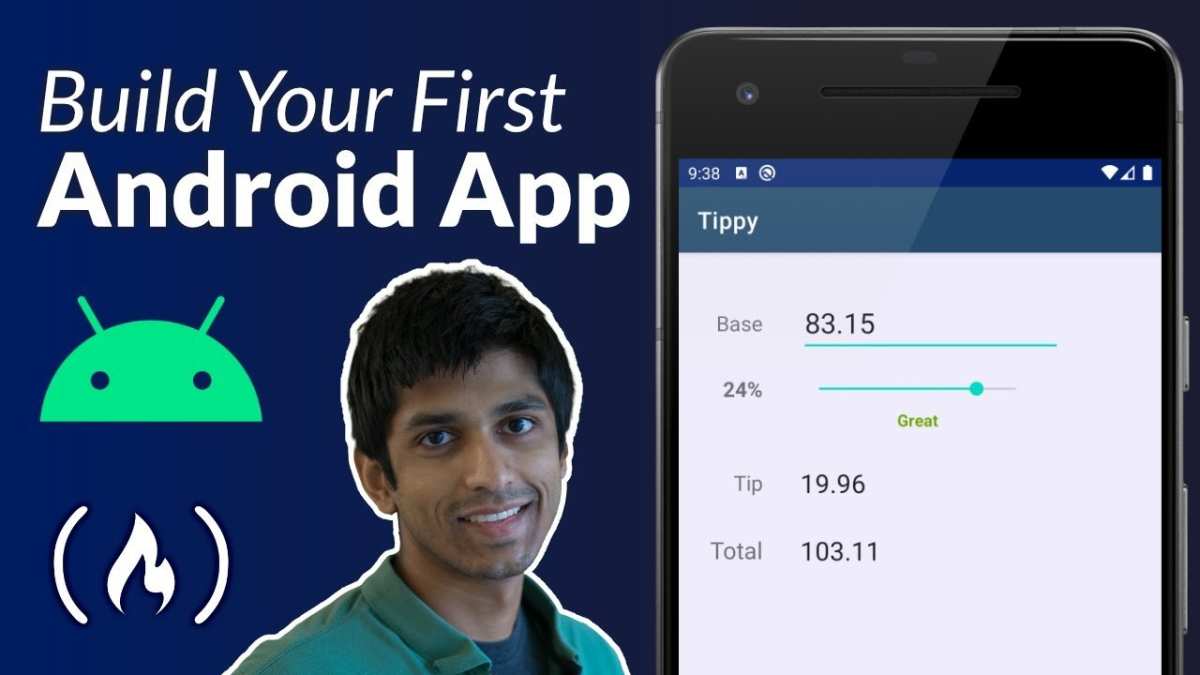
Creating an Android app can seem challenging, but **it’s more approachable than many think**. The complexity depends on your experience and the app’s features, yet starting is easier with the right tools.
Many beginners wonder how hard is it to make an android app, and the truth is, with clear guidance, you can build something functional quickly.
Focus on learning the basics step by step, and you’ll find developing an app more manageable than anticipated. Whether you’re aiming for a simple project or a complex one, persistence pays off.

How Hard Is It to Make an Android App?
Creating an Android app can seem a bit intimidating at first, especially if you’re new to coding or app development. Many people wonder just how complicated it really is to bring their idea to life on an Android device. In this section, we’ll explore what makes making an Android app challenging and what factors influence the difficulty level.
First, it’s important to understand that building an Android app involves several steps—from planning your idea to publishing your app on the Google Play Store. Each step has its own set of skills and tools, which can seem overwhelming at first but become manageable with guidance and practice.
The difficulty depends heavily on your experience, the complexity of the app you want to create, and the resources you have. For example, creating a simple app like a calculator or a to-do list can be quite straightforward, especially with beginner-friendly tools. However, more complex apps with advanced features such as real-time updates, integrations with other services, or sophisticated graphics demand more technical knowledge and time.
Let’s dive deeper into what makes making an Android app challenging and what you should consider at each stage of the process.
Understanding the Learning Curve for Beginners
Getting started with Android app development can be a little daunting if you’re new to coding. You need to learn a few core skills, including:
- Java or Kotlin programming: These are the main languages used to make Android apps. Java has been around longer and is more widely used, but Kotlin is now the official language recommended by Google for Android development. Picking up either language takes time, especially if you are new to programming.
- Android Studio: This is the official development environment (IDE) for Android apps. It offers a lot of tools, but it can be overwhelming to navigate at first. Learning how to use it efficiently takes some practice.
- Design principles: Creating a user-friendly, attractive app requires understanding basic design principles and how to implement them in your app layout.
If you already have some programming experience, the learning curve may be lighter. But for complete beginners, expect to spend a few weeks or even months grasping these fundamentals before feeling comfortable to build something meaningful.
Technical Skills Needed for Creating Android Apps
Beyond just knowing Java or Kotlin, successful Android app development requires a set of technical skills, including:
UI/UX Design
Designing a clear, simple, and engaging user interface makes your app more enjoyable for users. You need to understand how to use layout files, view components, and graphics. Knowing about user experience helps you build apps that are intuitive and easy to navigate.
Backend Development
Some apps need to store data online or perform server-side operations. If your app involves login features, data syncing, or remote notifications, you must learn to work with APIs, databases, and cloud services.
Debugging and Testing
No matter how careful you are, bugs will happen. Debugging tools in Android Studio help you track down issues. Testing your app on different devices and screen sizes ensures it works well everywhere.
Estimating the Time and Effort
How long does it take to make an Android app? It varies widely depending on the app’s complexity and your experience level. Here’s a general idea:
- Simple apps: Such as a calculator or basic game—these can take anywhere from a few days to a few weeks for a beginner.
- Moderate apps: Like a weather app or a shopping list with some backend features—these might take a month or two.
- Complex apps: Including social media integrations, real-time updates, or custom graphics—these can take several months or even longer.
Remember, building an app isn’t only about coding. You also need to plan, design, test, and refine your app for the best user experience.
Tools and Resources to Make Development Easier
Thankfully, many tools exist to make developing Android apps less complicated:
- Android Studio: The main IDE that simplifies writing code, designing layouts, and testing your app.
- Design tools: Such as Figma or Adobe XD for creating app mockups before coding.
- Online tutorials and courses: Websites like Udemy, Coursera, or freeCodeCamp offer lessons that can help you learn step-by-step.
- Sample projects and templates: Starting with ready-made code helps you understand best practices and jumpstarts your project.
Using these resources, even beginners can make progress faster and avoid common pitfalls.
Common Challenges and How to Overcome Them
While developing an Android app isn’t impossible, it does come with hurdles. Here are some of the most typical issues and tips to handle them:
Dealing with Bugs and Errors
Errors are part of the process. Take your time to understand error messages and use debugging tools. Search online forums like Stack Overflow when you get stuck.
Designing for Multiple Devices
Android devices come in many sizes and resolutions. Ensure your app works well on phones, tablets, and different screen densities by testing on various emulators and devices.
Managing App Performance
A slow or unresponsive app can frustrate users. Optimize your code, use efficient algorithms, and keep your app lightweight.
Handling Permissions and Security
Request only the permissions your app needs. Respect user privacy and keep data secure to build trust and avoid app rejection from the Google Play Store.
Is Making an Android App Worth the Effort?
While it takes time and effort to make an Android app, many developers find it very rewarding. Creating your own app allows you to share your ideas with the world, solve problems, or even make money. Plus, developing these skills can open new career opportunities.
If you’re willing to invest time into learning and practicing, building an Android app can become a fun, educational journey. Start small, keep practicing, and gradually take on more complex projects as your skills grow.
Without a doubt, making an Android app is a challenge, but with patience, the right tools, and a clear plan, it becomes a manageable and enjoyable process. Remember, everyone starts somewhere, and each step you take brings you closer to your goal of creating something great for Android users everywhere.
Frequently Asked Questions
What skills are necessary to develop an Android application?
Developing an Android app requires knowledge of programming languages like Java or Kotlin. You should understand Android Studio, the official IDE for Android development, and be familiar with basic concepts such as UI design, app architecture, and handling user interactions. Experience with debugging and testing tools is also important to ensure your app runs smoothly on various devices.
How much time does it typically take to create an Android app?
The time needed depends on the complexity of your app and your experience level. A simple app with basic features might take a few weeks to develop, while a more complex application with many functionalities could require several months. Proper planning and setting clear milestones can help manage your development timeline effectively.
What are the main challenges faced when building an Android app?
Common challenges include ensuring compatibility across different device models and screen sizes, managing app performance, and optimizing user experience. Additionally, it can be difficult to navigate the app submission process on the Google Play Store and comply with its policies and guidelines.
Do I need prior programming experience to start making an Android app?
While prior programming experience is beneficial, especially in Java or Kotlin, beginners can learn the basics through online tutorials, courses, and practice. Starting with simple projects helps you understand core concepts, gradually increasing complexity as your skills improve.
What resources are available to help me learn Android app development?
There are numerous online resources, including official Android developer documentation, tutorials, forums, and video courses. Many platforms also offer step-by-step guides for beginners. Additionally, community groups and developer communities can provide support and feedback throughout your development process.
Final Thoughts
Créer une application Android peut sembler complexe, mais avec les bonnes ressources, c’est accessible. La difficulté dépend de votre expérience en programmation et de la complexité de l’application.
Les outils comme Android Studio simplifient le processus, rendant le développement plus intuitif. En conclusion, how hard is it to make an android app ? Ce défi varie, mais avec patience et pratique, vous pouvez réussir.
