

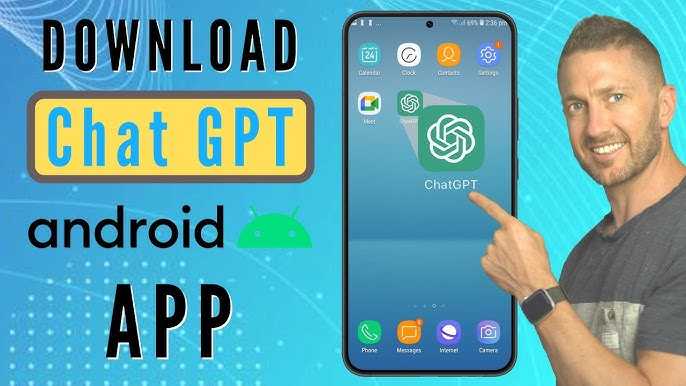
To download ChatGPT, simply visit OpenAI’s official website or app store, select the ChatGPT app, and follow the prompts to install. It’s quick, easy, and gets you chatting in no time!
In short, you can access ChatGPT by downloading the official app from your device’s app store or using it directly through the web browser. No complicated steps needed—just a few taps or clicks to start exploring AI-powered conversations.
If you’re eager to harness the power of ChatGPT, the process is straightforward. Whether you’re on a smartphone, tablet, or desktop, getting started is as simple as heading to the right platform and downloading the app or visiting the website. This guide will walk you through the quick steps to get ChatGPT up and running so you can enjoy intelligent chats anytime, anywhere.

How Do I Download Chat GPT? A Complete Guide
Understanding Chat GPT and Its Uses
Chat GPT is an AI-powered chat assistant designed by OpenAI. People use it for writing help, answering questions, and even learning new topics. It’s a helpful tool that makes everyday tasks easier.
How to Access Chat GPT Without Downloading
Many users wonder if they need to download Chat GPT. In fact, you can use it directly from your web browser. Visit the official OpenAI website and sign up to start chatting instantly.
Is There a Need to Download Chat GPT?
Downloading Chat GPT isn’t always necessary because OpenAI offers online access. However, if you want to use it on your device offline, downloading an app might be helpful. Let’s look at both options next.
Downloading Chat GPT as a Web App
Most users prefer using Chat GPT as a web app for quick access. Visit chat.openai.com. Log in or create an account to start chatting without any downloads.
Installing Chat GPT on Your Desktop
While there isn’t an official desktop application from OpenAI, you can turn Chat GPT into a standalone app. Use your browser’s features to create a shortcut on your desktop.
Create a Shortcut on Windows
- Open your preferred browser and navigate to chat.openai.com.
- Click on the three dots or menu icon in the top-right corner of your browser.
- Select the option that says “Create Shortcut” or “Add to Desktop”.
- Name the shortcut, for example, Chat GPT, and click Finish.
Create a Shortcut on Mac
- Open Safari or Chrome and go to chat.openai.com.
- Click and hold the URL in the address bar, then drag it to your Dock or Desktop.
- Rename it if needed for quick access.
Downloading Chat GPT Mobile App
OpenAI has released official Chat GPT apps for iOS and Android devices. These apps allow you to chat on-the-go easily.
How to Download on iOS Devices
- Open the App Store on your iPhone or iPad.
- Search for “Chat GPT” or “OpenAI”.
- Tap the download icon next to the app.
- Wait for the app to install, then open it and log in.
How to Download on Android Devices
- Open Google Play Store on your Android phone or tablet.
- Type “Chat GPT” into the search bar.
- Select the official app from OpenAI.
- Tap the Install button and wait for it to download.
- Open the app and sign in to begin using Chat GPT.
System Requirements for Downloading Chat GPT
To ensure smooth use, your device needs certain specifications. For web access, most modern browsers work well. For apps:
- iOS devices should run iOS 14 or later.
- Android devices need Android 8.0 or higher.
- A stable internet connection is essential for all versions.
Troubleshooting Common Download Issues
Sometimes, users face problems downloading or using Chat GPT. Clear cache or update your device software if downloads fail. Ensure you have enough storage space and a reliable internet connection.
Other Ways to Use Chat GPT
Besides web and app versions, developers can integrate Chat GPT through APIs. This method requires some programming knowledge. You can create custom tools or websites using OpenAI’s API.
Choosing the Best Method for You
If you need quick access, using the web version is easiest. For regular use on mobile, the official app works best. Desktop shortcuts are ideal for frequent desktop users.
Comparing Web, App, and API Options
| Method | Ease of Use | Offline Access | Device Compatibility |
|---|---|---|---|
| Web App | High | No | Any device with a browser |
| Mobile App | High | No | iOS and Android devices |
| API Integration | Technical | Yes, but requires setup | Depends on implementation |
Security and Privacy Tips
When downloading Chat GPT, verify the official sources to avoid scams. Keep your login details secure. Regularly update apps and browsers for safety.
Getting Chat GPT depends on your needs and device type. Using the web version is the fastest, while mobile apps provide convenience. Creating shortcuts or using APIs offers custom solutions for advanced users. Choose the method that best fits your routine to experience all that Chat GPT has to offer.
How to Download and Use Chat GPT – Tutorial for Beginners (ChatGPT Login, Tour & Examples)
Frequently Asked Questions
What steps should I follow to access ChatGPT on my device?
To access ChatGPT, start by visiting the official OpenAI website or the dedicated ChatGPT platform. Sign up for an account if you haven’t already. Once logged in, you can use ChatGPT directly through your web browser without needing to download anything. If you prefer to use an app, check whether there is a mobile version available for download from app stores like Google Play or the Apple App Store.
Is there a desktop application for ChatGPT that I can install?
Currently, OpenAI offers ChatGPT through web browsers and official apps for mobile devices. There isn’t a standalone desktop application to download and install. However, you can create a shortcut on your desktop for quicker access, or use Progressive Web Apps (PWAs) on supported browsers to simulate an app-like experience. Keep an eye on updates from OpenAI in case a dedicated desktop app becomes available in the future.
Can I download ChatGPT to use offline?
At this time, ChatGPT operates primarily online via web-based platforms and mobile applications. It requires an internet connection to communicate with the servers that process your queries. There isn’t an option to download and run ChatGPT locally on your device without internet access. However, some third-party tools may offer similar language model experiences that can work offline, but they may not have the latest features or the same level of integration as the official version.
Final Thoughts
To download ChatGPT, visit OpenAI’s official website or app store. Create an account if needed and follow the download instructions. The process is straightforward and user-friendly.
Once installed, open the app and sign in to access ChatGPT. You can start using it immediately for various tasks.
How do I download Chat GPT? Simply follow these steps on OpenAI’s platform or app store. This ensures quick access without complications.
