

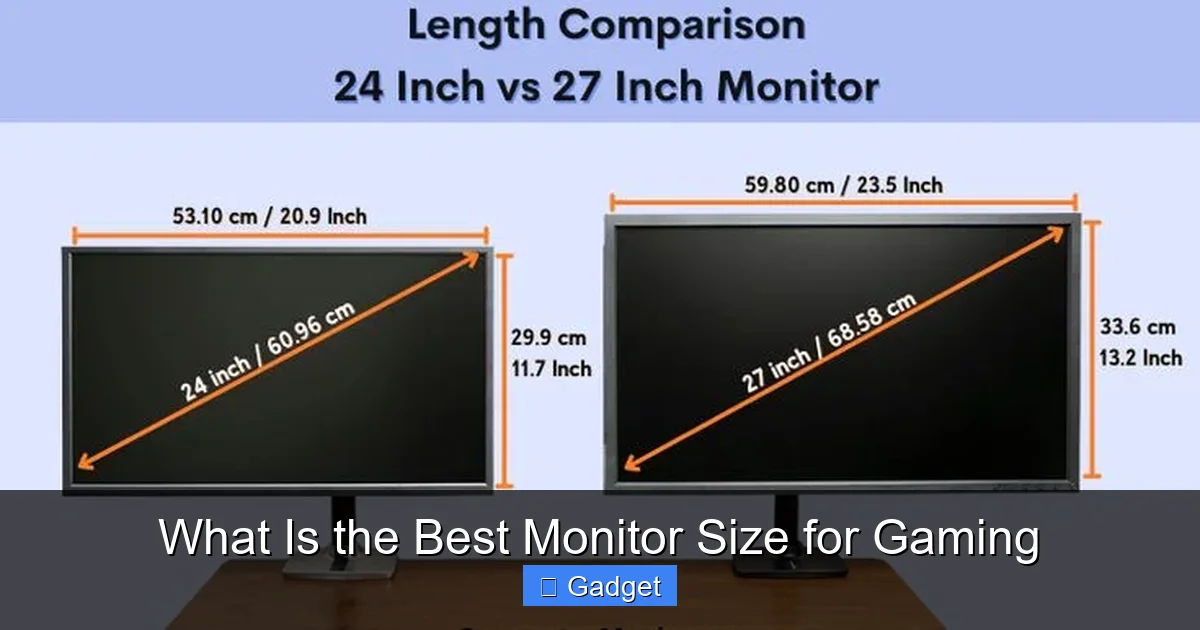
Choosing the best monitor size for gaming is crucial for an immersive experience. This guide explores the impact of screen dimensions, resolutions, and your desk setup on your gaming performance and comfort. We’ll help you navigate the options to find the perfect display that balances immersion, performance, and your budget.
Contents
- 1 Key Takeaways
- 2 What Is the Best Monitor Size for Gaming?
- 3 Understanding the Basics: Screen Size and Resolution
- 4 Step 1: Consider Your Gaming Habits and Genres
- 5 Step 2: Factor in Your Viewing Distance
- 6 Step 3: Resolution Matters (Especially with Size)
- 7 Step 4: Don’t Forget About Your Desk and Setup
- 8 Step 5: Consider Ultrawide Monitors
- 9 Troubleshooting Common Monitor Size Concerns
- 10 Conclusion: Finding Your Perfect Gaming Monitor Size
Key Takeaways
- Screen Size Matters for Immersion: Larger monitors offer a more enveloping gaming experience, pulling you deeper into virtual worlds.
- Resolution and Size Work Together: A higher resolution is essential for larger screens to maintain crisp visuals and prevent pixelation.
- Viewing Distance is Crucial: The optimal monitor size is heavily dependent on how far away you sit from your display.
- Gaming Genre Influences Choice: Fast-paced competitive games might benefit from smaller, more manageable screens, while RPGs and simulators shine on larger displays.
- Budget is a Factor: Larger monitors with higher resolutions and refresh rates generally come with a higher price tag.
- Desk Space is a Practical Limit: Always consider the physical space available on your desk before committing to a large monitor.
What Is the Best Monitor Size for Gaming?
So, you’re ready to upgrade your gaming setup. You’ve probably been eyeing a new graphics card, perhaps a faster CPU, but let’s not forget the window into your digital adventures: your monitor. The size of your monitor can dramatically impact your gaming experience, from how immersed you feel to how well you can react in fast-paced games. But with so many sizes and resolutions available, figuring out the “best” monitor size for gaming can feel overwhelming.
Don’t worry, we’re here to demystify it all. This guide will walk you through everything you need to consider to find the perfect gaming monitor size for your needs. We’ll explore the interplay between screen dimensions, your gaming preferences, and even your desk setup. By the end, you’ll have a clear understanding of what makes a monitor size ideal for your particular gaming style.
Understanding the Basics: Screen Size and Resolution
Visual guide about What Is the Best Monitor Size for Gaming
Image source: gamingscan.com
Before we dive into specific recommendations, let’s get a firm grasp on two fundamental concepts: screen size and resolution.
What Do We Mean by “Screen Size”?
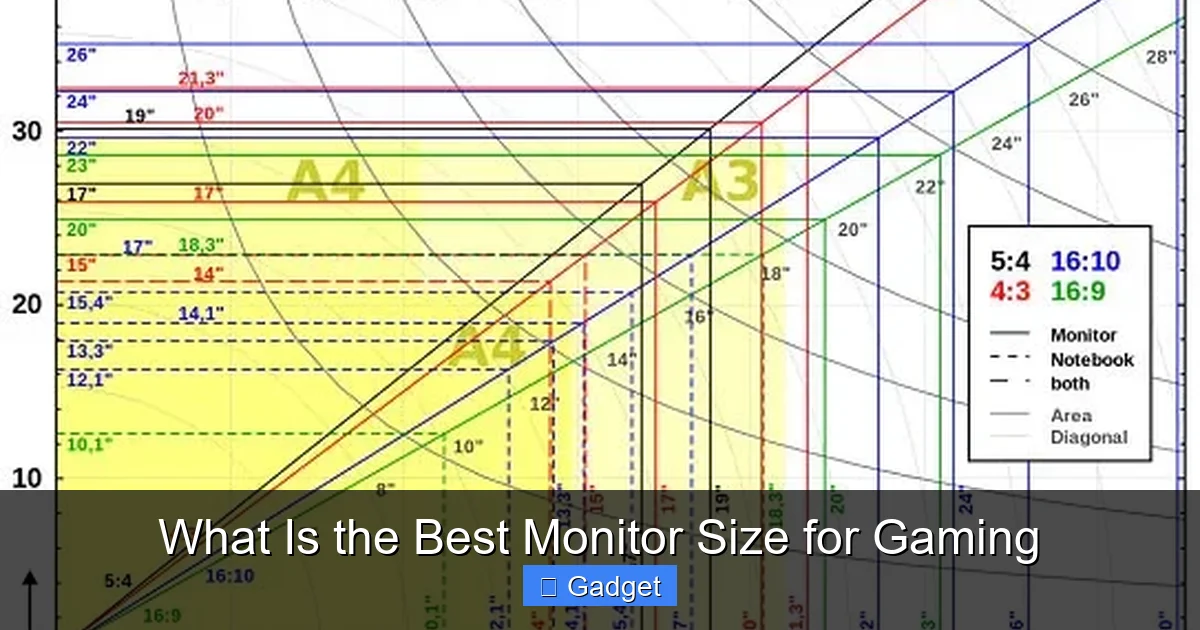
When we talk about monitor size, we’re almost always referring to the diagonal measurement of the screen, typically in inches. A 27-inch monitor, for example, has a screen that measures 27 inches from the bottom corner to the opposite top corner.
What is Resolution?
Resolution tells us the number of pixels on the screen, both horizontally and vertically. More pixels mean a sharper, more detailed image. Common gaming resolutions include:
- 1080p (Full HD or FHD): 1920 x 1080 pixels. This is a very common resolution, especially for budget-friendly monitors and high refresh rate gaming.
- 1440p (Quad HD or QHD): 2560 x 1440 pixels. Offers a significant step up in sharpness over 1080p and is a popular choice for 27-inch and some 32-inch monitors.
- 4K (Ultra HD or UHD): 3840 x 2160 pixels. The highest resolution commonly available, providing incredibly crisp and detailed visuals. Best suited for larger monitors.
The Crucial Link: Size and Resolution
It’s vital to understand that screen size and resolution work hand-in-hand. A larger screen with a lower resolution will appear less sharp because the same number of pixels are stretched over a bigger area, leading to visible pixelation. Conversely, a smaller screen with a very high resolution might be overkill, and the difference in sharpness may not be as noticeable.
Step 1: Consider Your Gaming Habits and Genres
Visual guide about What Is the Best Monitor Size for Gaming
Image source: gamingscan.com
The first and arguably most important step is to think about *how* you game. Different gaming genres benefit from different monitor sizes and setups.
Fast-Paced Competitive Gaming (FPS, MOBAs, RTS)
For games like Valorant, Counter-Strike 2, League of Legends, or StarCraft II, where split-second reactions and seeing the entire battlefield at once are key, there’s a strong argument for sticking to slightly smaller monitor sizes.
- Recommended Sizes: 24 inches to 27 inches.
- Why? On smaller monitors, especially at resolutions like 1080p or 1440p, the entire screen can often be viewed at a glance. This reduces the need for excessive head movement, allowing you to keep your focus on the center of the action. A 24-inch 1080p monitor is a classic for competitive play due to its pixel density and affordability. A 27-inch 1440p monitor offers a bit more screen real estate without becoming overwhelming.
- Consideration: While larger screens can be tempting for immersion, they can sometimes make it harder to track targets on the edges of your vision.
Immersive Single-Player Experiences (RPGs, Action-Adventure, Simulators)
If you love getting lost in the rich worlds of games like Cyberpunk 2077, Elden Ring, Microsoft Flight Simulator, or grand strategy titles, then a larger, more immersive display might be your ideal choice.
- Recommended Sizes: 27 inches, 32 inches, or even larger (ultrawide).
- Why? Larger screens allow for a more enveloping view, pulling you deeper into the game’s environment. The increased screen real estate can make intricate details more visible and the overall experience more cinematic. For these genres, a higher resolution like 1440p or 4K becomes increasingly important to maintain sharpness on these larger displays.
- Consideration: Ensure you have adequate desk space and the graphics card power to drive higher resolutions on these larger panels.
All-Rounder Gaming
Many gamers play a variety of titles. If this sounds like you, you’ll want a size that offers a good balance.
- Recommended Sizes: 27 inches is often considered the sweet spot for all-around gaming.
- Why? A 27-inch monitor, especially at 1440p, provides an excellent blend of immersion and responsiveness. It’s large enough to feel engaging for single-player games but not so large that it compromises your ability to react in competitive titles.
- Consideration: This is a safe and popular choice for most gamers.
Step 2: Factor in Your Viewing Distance
Visual guide about What Is the Best Monitor Size for Gaming
Image source: gamingscan.com
This is a crucial, often overlooked, factor. How far away you sit from your monitor directly influences what size feels comfortable and optimal. Sitting too close to a large monitor can cause eye strain and head movement fatigue. Sitting too far from a small monitor can reduce immersion and make text hard to read.
The Golden Rule: Field of View
The ideal viewing distance often relates to achieving a comfortable field of view (FOV) on your screen. A common recommendation is to have the monitor occupy about 30-40 degrees of your visual field.
General Guidelines for Viewing Distance and Size:
- For 24-inch monitors: Typically around 2-3 feet (0.6-0.9 meters) away. This distance works well for 1080p resolution.
- For 27-inch monitors: Typically around 3-4 feet (0.9-1.2 meters) away. This is ideal for 1440p resolution.
- For 32-inch monitors: Typically around 3.5-5 feet (1.1-1.5 meters) away. This distance is great for 1440p or 4K resolution.
- For Ultrawide monitors: The distance will vary significantly based on the width, but a comfortable FOV is key. Aim to be able to see the edges without excessive head turning.
Practical Tip: Test It Out!
If you can, visit a store or a friend’s setup and try sitting at different distances from various monitor sizes. You can even simulate it at home by placing a large box or piece of cardboard on your desk and sitting at your usual gaming position to get a feel for how much of your vision it would occupy.
Step 3: Resolution Matters (Especially with Size)
As we’ve touched upon, resolution is intrinsically linked to monitor size. You can’t just pick a huge monitor and expect it to look great at a low resolution.
Pixel Density (PPI)
Pixel density, measured in Pixels Per Inch (PPI), is a key metric. A higher PPI means more pixels are packed into each inch of the screen, resulting in sharper images and text.
- High PPI is Good: Generally, a PPI of 100 or higher is considered excellent for gaming, ensuring crisp visuals.
- Low PPI on Large Screens is Bad: A 32-inch 1080p monitor will have a much lower PPI than a 24-inch 1080p monitor, making individual pixels more noticeable and the image appear softer or “grainy.”
Matching Resolution to Size:
- 24-inch: 1080p is ideal. 1440p is also good, offering a very high PPI.
- 27-inch: 1440p is the sweet spot. 1080p can look a bit pixelated. 4K is possible but requires powerful hardware and might feel too small without scaling.
- 32-inch: 1440p is good, but 4K is where it truly shines for maximum detail and sharpness.
- Ultrawide: Often come in 1440p (e.g., 3440×1440) or 4K resolutions (e.g., 5120×2160). Higher resolution is generally better for the wider format.
Step 4: Don’t Forget About Your Desk and Setup
Practicality plays a big role. You might dream of a massive 40-inch monitor, but if you have a small desk, it’s simply not feasible.
Desk Space
Measure your desk! Consider not just the width but also the depth. Larger monitors, especially curved ones, can take up a significant amount of space. Ensure there’s enough room for the monitor, your keyboard, mouse, and any other peripherals.
Ergonomics and Mounting
Think about how you’ll position the monitor. Most monitors come with stands that allow for tilt and sometimes height adjustment. However, for optimal ergonomics, especially with larger displays, a monitor arm or mount can be a lifesaver. This frees up desk space and allows for more flexible positioning.
Monitor Arms
- Benefits: Frees up desk space, allows for easy adjustment of height, tilt, and swivel, can improve posture and reduce strain.
- Consideration: Ensure the monitor arm is rated for the weight and size of your chosen monitor.
Step 5: Consider Ultrawide Monitors
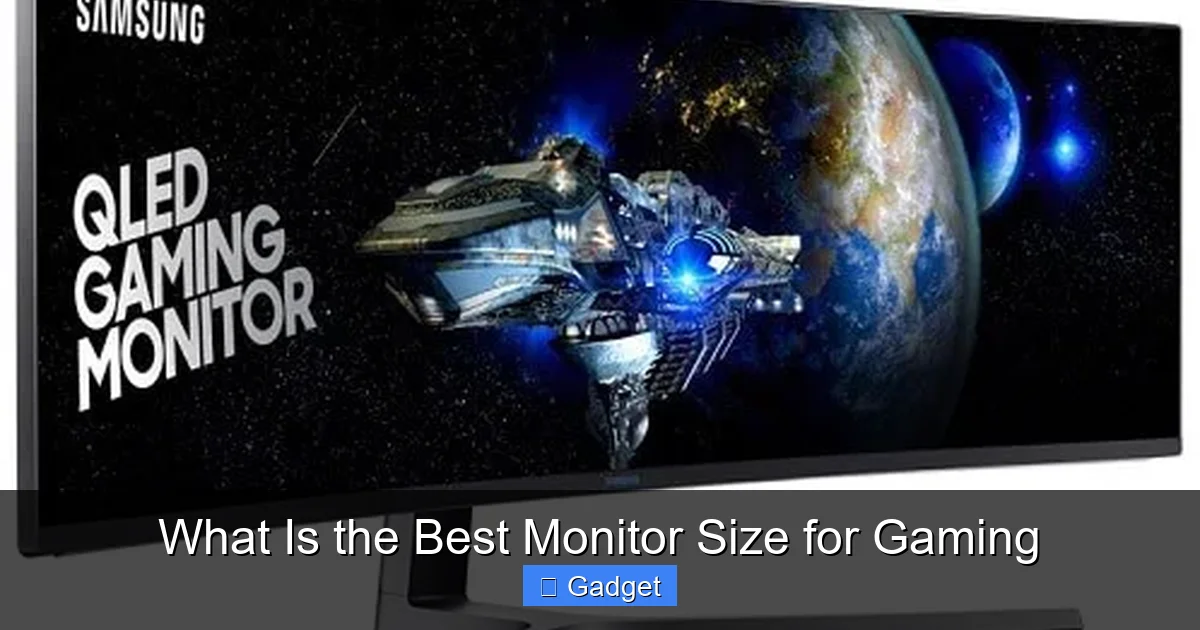
Ultrawide monitors (typically 21:9 aspect ratio, like 3440×1440) offer a different kind of immersion.
- What they are: Wider than standard 16:9 monitors, providing a panoramic view.
- Benefits: Incredible immersion for certain games, especially simulators and open-world titles. Great for multitasking with multiple windows side-by-side.
- Drawbacks: Not all games support ultrawide resolutions natively, which can lead to letterboxing (black bars on the sides) or stretching. Some competitive games might feel too wide, making it harder to see everything. They also require more desk space.
- Recommended for: Gamers who prioritize immersion and play games that benefit from a wider field of view, and who have the desk space and hardware to support them.
Troubleshooting Common Monitor Size Concerns
* “My new 32-inch monitor looks pixelated!”
* Cause: Likely using a lower resolution like 1080p.
* Solution: Switch to a higher resolution if your graphics card supports it, such as 1440p or 4K. If you can’t, you may need to adjust your viewing distance to be further away or consider a smaller monitor in the future.
* “I can’t see everything on my 24-inch monitor during fast-paced games!”
* Cause: Your viewing distance might be too far, or you might be used to larger displays.
* Solution: Move the monitor closer. If it’s still an issue, consider a slightly larger 27-inch monitor at the same resolution for a bit more screen real estate without compromising your FOV too much.
* “My eyes get tired looking at this huge monitor.”
* **Cause:** You might be sitting too close, or the monitor’s brightness might be too high.
* **Solution:** Increase your viewing distance. Adjust the monitor’s brightness and contrast settings to a comfortable level. Consider using a blue light filter if available.
Conclusion: Finding Your Perfect Gaming Monitor Size
There’s no single “best” monitor size for everyone. The ideal choice is a personalized one that balances your gaming habits, available space, and desired visual experience.
* For **competitive gamers** prioritizing speed and reaction time, **24-inch to 27-inch** monitors at **1080p or 1440p** are often the best bet.
* For **immersive solo adventures**, **27-inch to 32-inch** displays at **1440p or 4K** offer incredible detail and engagement.
* **27-inch 1440p** stands out as a fantastic **all-rounder** for most gamers.
* And for those seeking the ultimate panoramic view, **ultrawide monitors** can be a game-changer, provided you have the space and hardware.
Ultimately, think about how you play, where you play, and what you want to feel when you’re in your favorite virtual worlds. With this guide, you’re well-equipped to make an informed decision and find a monitor size that elevates your gaming to the next level. Happy gaming!
