

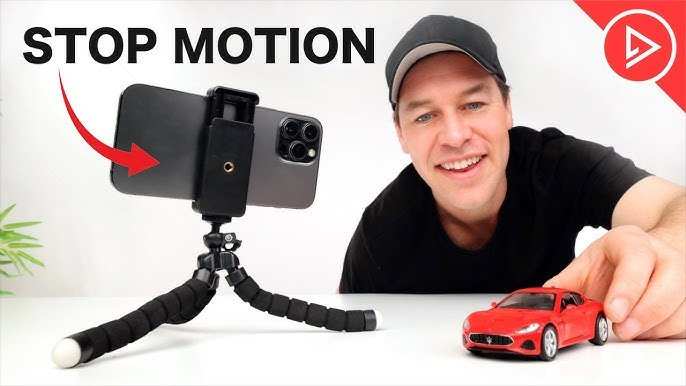
To make a stop motion video on Android, you simply need a dedicated app and some patience. **Download a popular stop motion app like Stop Motion Studio or Clayframes.** Once installed, you can easily capture images, arrange them, and add effects directly on your device.
Getting started is straightforward. Open your app, set up your scene, and capture each frame carefully. With a few simple tips, you’ll create smooth, engaging stop motion videos right from your Android phone.

How to Make Stop Motion Video on Android
Creating a stop motion video on your Android device might seem challenging at first, but with the right tools and a bit of patience, you can craft amazing animations right from your phone or tablet. In this guide, we will walk you through each step, from choosing the best app to adding finishing touches. No matter if you’re new to stop motion or just want to improve your skills, this detailed tutorial will help you make fun and professional-looking videos easily.
Understanding the Basics of Stop Motion Animation
Before diving into how to create a stop motion video on Android, it’s good to understand what stop motion really is. Think of it as a series of still images that, when played quickly, make objects seem to move on their own. You can animate anything—clay figures, toys, paper cutouts, or even everyday objects like fruit or books.
Some key points to know:
- Stop motion involves capturing individual frames, each with slight changes.
- When these frames are played sequentially, it creates the illusion of movement.
- Patience and attention to detail are essential for smooth results.
By understanding these basics, you’ll be better prepared to plan and shoot your own stop motion videos.
Choosing the Right App for Creating Stop Motion on Android
One of the most important steps is selecting a good app to help you make your animation. Many free and paid options are available on Google Play, each with its own features. Here’s a look at some popular choices:
Stop Motion Studio
This app is widely used because it combines user-friendliness with powerful tools.
Features include:
- Easy frame-by-frame capture with a simple interface.
- Grid overlays and onion skinning to help align objects between shots.
- Adding sound, filters, and text within the app.
- Export options for sharing your videos.
iMotion
While known mainly for iOS, some Android users find similar apps like “Stop Motion Maker” or “Clayframes” to suit their needs.
Main features:
- Intuitive controls suitable for beginners.
- Real-time preview to see your progress.
- Adjustable frame rate options for smoother videos.
When choosing your app, ensure it supports:
- High-quality frame capture.
- Ease of use for beginners.
- Options to add audio and edit videos.
Setting Up Your Workspace for Stop Motion Shooting
Once you select your app, prepare your environment:
- Choose a well-lit space to avoid shadows and blurry images.
- Use a stable surface or tripod to keep your Android device steady.
- Arrange your objects in the starting position carefully.
You might want to use a simple tripod or a makeshift stand to prevent shaking your device during shooting. Consistent lighting and steady framing are crucial for smooth animation.
Shooting Your Stop Motion Video Step-by-Step
Now we’re ready to start capturing images. Follow these steps:
Plan Your Scene and Animation
Before you start snapping pictures, plan your story or sequence. Decide:
- What objects or characters you’ll animate.
- The movements or actions you want to show.
- How many frames you might need for each action.
A simple storyboard or sketch can help visualize your scenes.
Start Capturing Frames
With your scene set:
- Open your chosen stop motion app.
- Set your frame rate—common options are 12, 15, or 24 frames per second (fps). Higher fps results in smoother motion but requires more frames.
- Begin recording frame by frame:
- Take a picture with your Android device.
- Make small adjustments to your objects (like moving a toy slightly).
- Capture the next frame.
- Repeat this process until your scene is complete.
Using Onion Skinning and Grid Lines
Most apps include onion skinning—this feature lets you see the previous frame overlaid with the current one. This helps in making precise movements and avoiding large jumps. Always enable this feature to keep your animation smooth.
Editing and Refining Your Stop Motion Video
After capturing all your frames:
- Review your sequence within the app. Play it back to see how the motion looks.
- Adjust the timing if needed—some apps let you change the duration of each frame.
- Remove any blurry or misaligned shots.
Adding sound effects, background music, or text can enhance your video. Most apps offer basic editing tools to do this directly.
Adding Music and Sound Effects
Sound adds a new layer of fun to your project:
- Select background music that matches your scene’s mood.
- Add sound effects—like footsteps or laughter—to give your animation more life.
- Make sure to align sounds with specific actions in your video.
You can also export your video to editing apps like KineMaster or PowerDirector if you want more advanced features.
Exporting and Sharing Your Stop Motion Masterpiece
Once editing is complete:
- Export your video at the highest resolution supported by your app.
- Save it to your device or upload it directly to social media platforms like YouTube, Instagram, or TikTok.
- Share your creation with friends and family and get feedback.
Remember, practice makes perfect. The more you create, the better your stop motion videos will become.
Tips for Creating Better Stop Motion Videos on Android
To ensure your animations look professional and engaging:
- Use consistent lighting for all shots.
- Make tiny adjustments between frames for smooth motion.
- Keep your device steady—consider using a tripod or a stable surface.
- Plan your scene and movements ahead of time.
- Experiment with different frame rates to find what suits your style best.
Common Challenges and How to Overcome Them
Even experienced animators face obstacles:
- Shaky images: Use a tripod or stabilizer.
- Inconsistent lighting: Shoot in a well-lit room or outdoors in daylight.
- Uneven movement: Practice small, controlled adjustments.
- Long production time: Break your project into manageable parts.
Patience and attention to detail help you create a polished stop motion video.
Advanced Techniques for Aspiring Animators
Once you’re comfortable with basic stop motion, you can explore:
- Using different frame rates for varied effects.
- Adding custom backgrounds or special effects in editing.
- Incorporating voice-over narration.
- Shooting with multiple angles and lighting setups for more complex scenes.
These techniques add depth and professionalism to your videos.
Making a stop motion video on Android is an enjoyable process that combines creativity with a bit of technical know-how. By selecting the right app, setting up your workspace properly, capturing thoughtful frames, and doing some basic editing, you can produce captivating animations right from your phone or tablet. Keep practicing, experiment with different styles, and most importantly, have fun bringing your ideas to life!
Frequently Asked Questions
What are the basic tools needed to create a stop motion video on Android?
To create a stop motion video on Android, you need a smartphone with a good camera, a stop motion app, and a stable surface or tripod to hold your device steady. Some apps might also require access to your camera roll or storage to save your progress and exported videos.
How do I ensure consistent movement between frames for a smooth stop motion video?
To achieve smooth movement, plan your scene carefully and make small, incremental adjustments to your objects or characters in each shot. Use a grid or markers to align elements between frames and work in a well-lit environment to maintain uniform lighting throughout your shoot.
Are there specific settings I should adjust within stop motion apps for better results?
Yes, setting a consistent frame interval, such as capturing a new photo every second or few seconds, helps maintain a steady pace. Also, enable grid lines or overlays if available to keep objects aligned. Adjust exposure and focus settings to ensure clarity and uniform brightness across all frames.
How can I add sound effects or background music to my stop motion video on Android?
After compiling all frames into a video using a stop motion app, you can export the project and then use a video editing app to add sound effects or background music. Import your stop motion video into the editor, select your audio files, and synchronize or overlay them to enhance your project.
What are some tips to improve the overall look of my stop motion videos on Android?
Use consistent lighting to avoid flickering and shadows. Keep the camera steady and avoid moving it during shooting. Pay attention to framing and composition, and take multiple shots at each movement to select the best one. Lastly, experiment with different scene setups and angles to make your video more engaging.
Final Thoughts
To make a stop motion video on Android, start by choosing the right app like Stop Motion Studio or LEGO Movie Maker. Take multiple photos of your scene, moving objects slightly each time. Review your shots and make adjustments as needed.
Once you capture all frames, add music or voiceovers to enhance your video. Export your finished creation easily within the app. Following these steps will help you produce engaging stop motion videos effortlessly.
